In my initial review of the Mammotion LUBA 3 I covered the setup process, key features and my initial impressions after a few weeks of use. I’d recommend reading that article and watching the video first if you want an overview.
Since then I’ve spent more time with the mower, tried some of the more advanced features and tested it in some really tough conditions to see how it copes beyond a typical garden.
I’ll be looking at mapping multiple lawns and using DropMow, testing mowing performance and traction in wet conditions, before later testing it in a large field with rough terrain, mounds and long grass close to its rated 3000 m² limit.
Hopefully this will all help you decide whether the LUBA 3 is the right mower for your garden. So let’s take a closer look.
Multiple Lawns and DropMow

After mowing the lawn from the first video, I wanted to move onto this second more complex lawn. Unfortunately the only access is down a step, which the LUBA 3 can’t navigate.
I initially tried physically moving the mower to the second lawn to create a new map. I turned the mower off, carried it over and tried mapping, but the app doesn’t allow this and instead prompts you to move the mower back to a mapped lawn. I did confirm with Mammotion support that this currently isn’t possible. [Update 28th May 2026 – less than 24 hours after I published this article and my YouTube review, Mammotion have released an update that lets you carry the mower over obstacles including steps to map another lawn – a very welcome feature that I requested!]
So you’ve got two options.
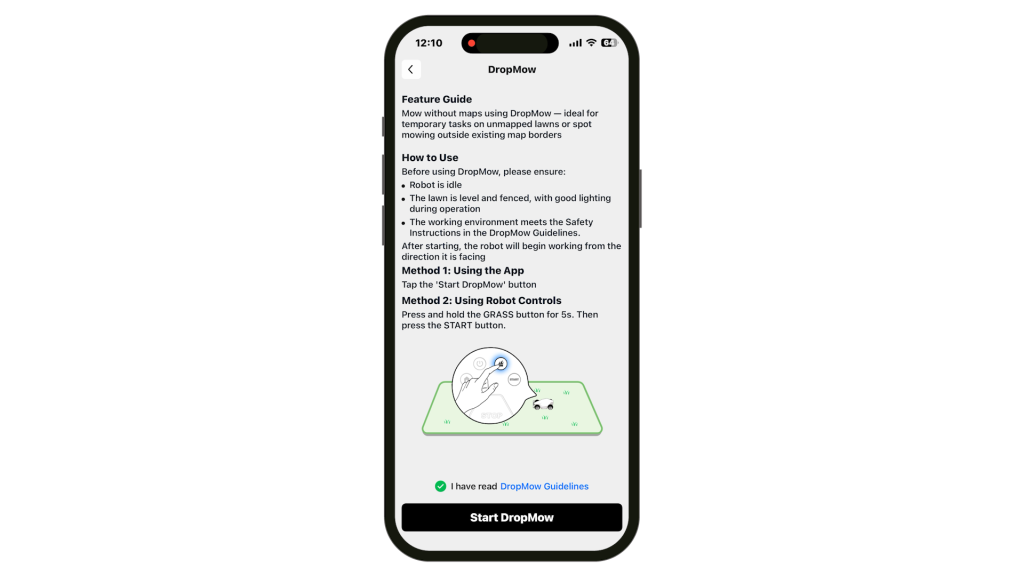
The first is to use DropMow, which is still currently in Beta. This lets you mow a lawn without first creating a permanent map. You can enable it via the app or directly from the mower itself. Just press and hold the grass icon for five seconds and then press Start.

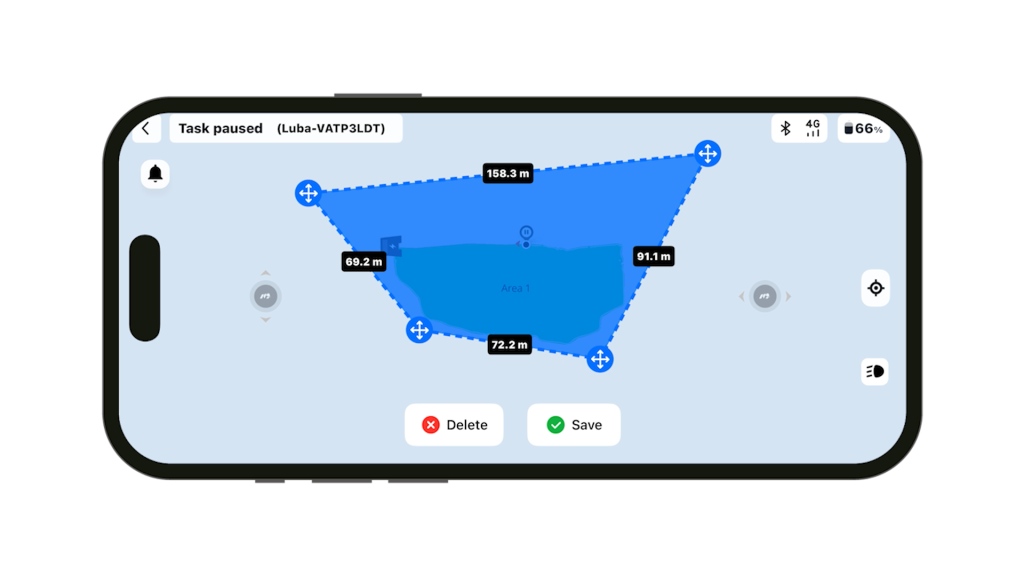
The mower uses its sensors to build a temporary map while mowing. It’s mainly intended for fenced lawns with clear boundaries, but I paused the mower and instead created a Virtual Fence to define the boundary myself.

Just tap Create → Virtual Fence and draw the line.
It’s a useful feature, although personally I’d still like the option to create an ad-hoc mapped lawn away from the charging station by simply remote controlling around the perimeter.
The second, and probably preferred option, is to create a route and add a second area.
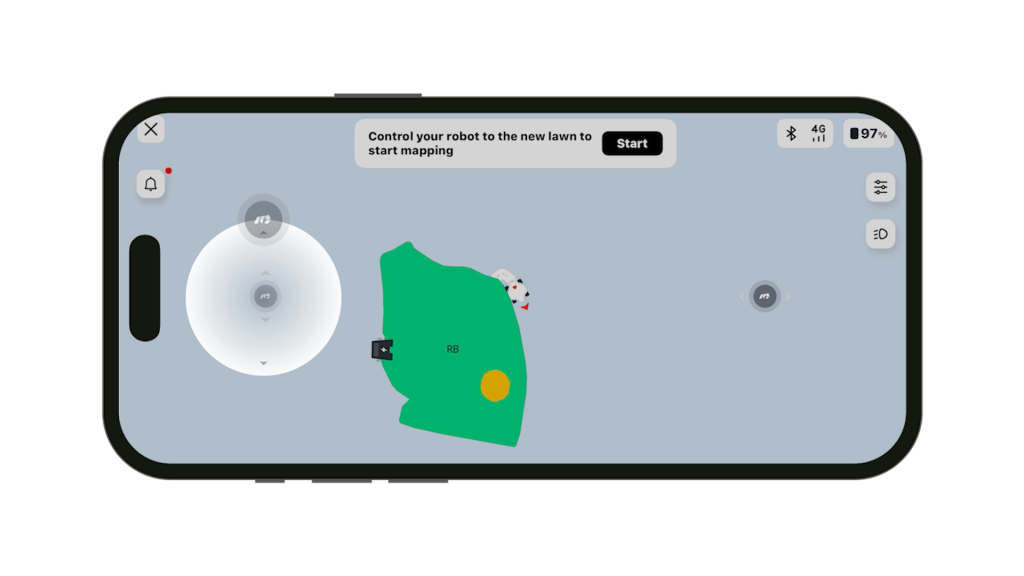
Under Map, tap Create → Area. The Luba 3 will undock. Then select Go to Mapped Lawn and Ready, before creating a route to the additional lawn.
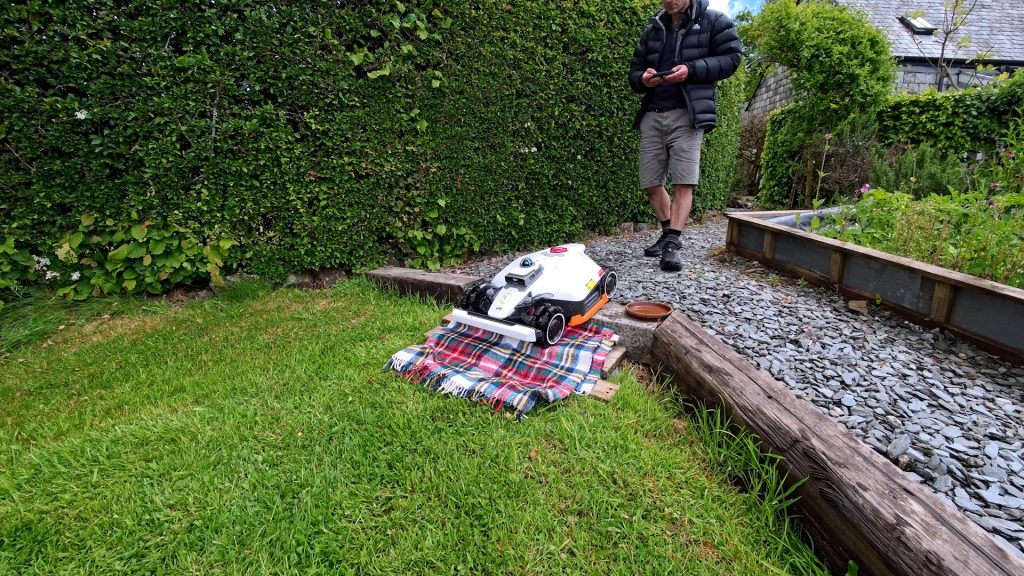
With more time I’d probably build a proper ramp here, but for now I improvised with a block of wood and a blanket from the car, which worked surprisingly well.
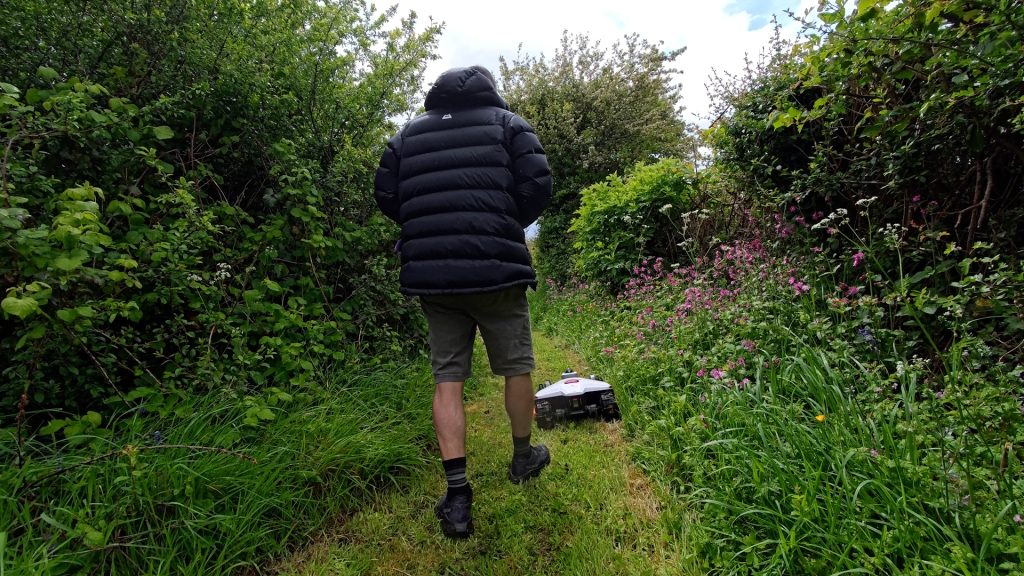
You can then map the lawn as normal by driving around the perimeter and then adding any No-go Zones around areas you don’t want mowed.
Wet Grass & Traction
To give the mower a really tough test it fortunately started raining heavily on and off. I disabled the rain sensor so I could continue mowing.
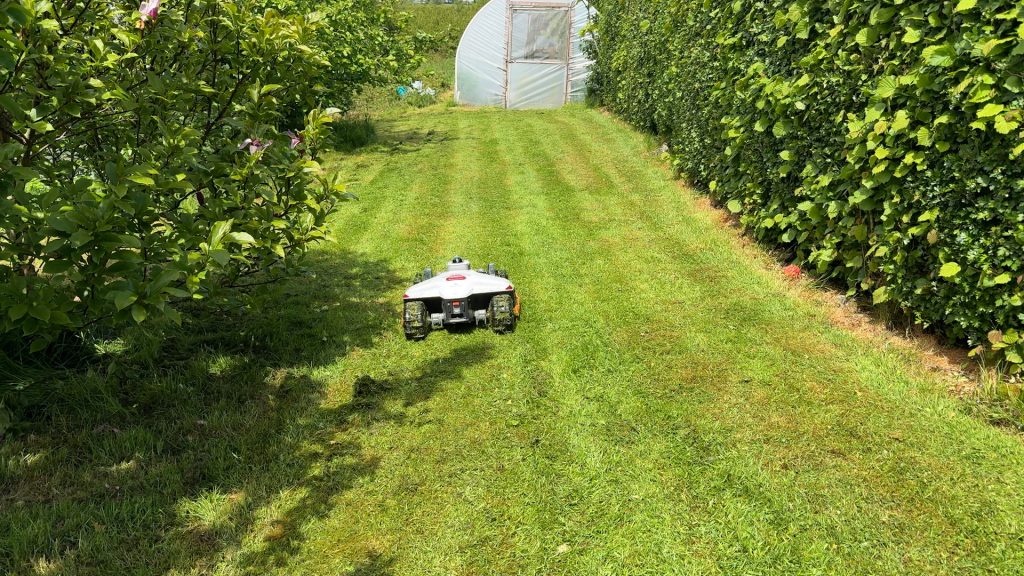
Wet, fairly long grass would be a challenge for any mower, so I was keen to see how the LUBA 3 would cope.

In straight lines it had no trouble at all. On tighter turns it occasionally lost traction, but importantly it always managed to recover and continue mowing.
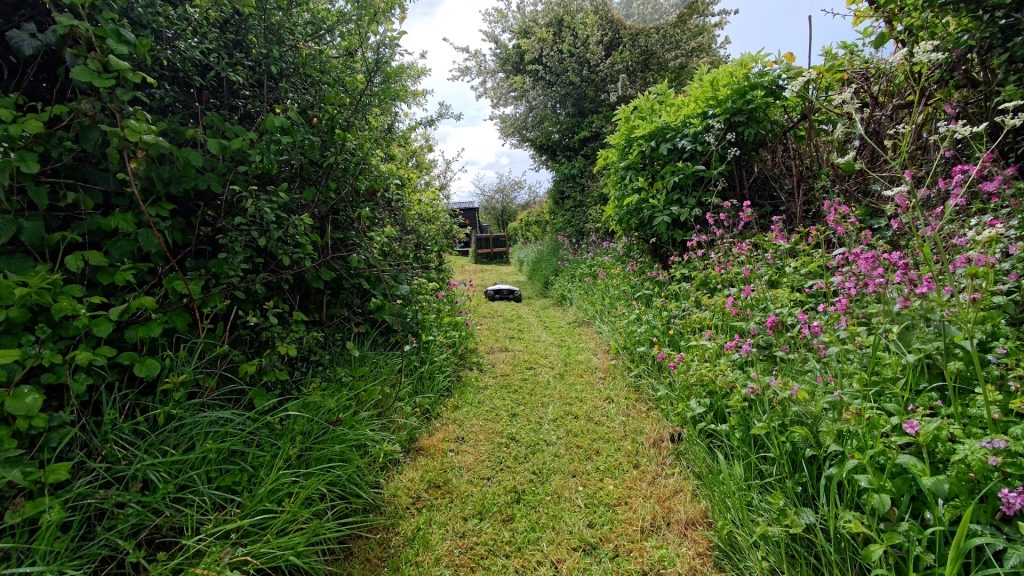
Some sections of this lawn are also quite narrow, but the LUBA 3 still managed straight lines and had no trouble navigating them.
So even in the sort of conditions where you probably wouldn’t normally mow your lawn, overall it still did a good job.

I didn’t notice any missed sections, but if it does miss an area, or there’s somewhere outside the mapped lawn, you can manually operate the mower. I left this final section unfinished and remote controlled the mower to finish it off.
Afterwards I remote controlled it back up the ramp and let it return to the charging station.
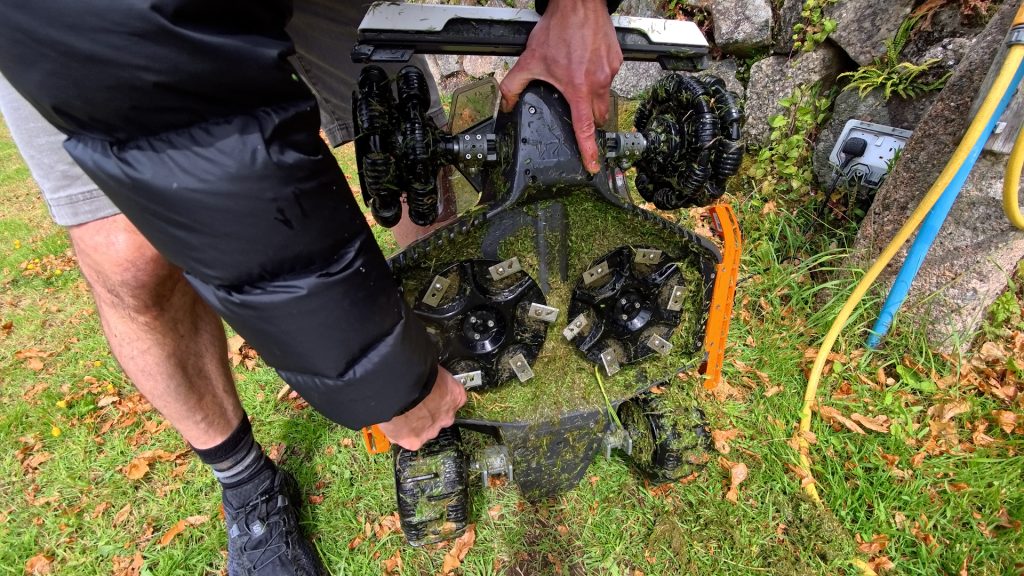
You will ideally want to give it a good clean after mowing in these conditions though, as wet grass quickly collects around the blades.
So far the LUBA 3 had coped well, but I wanted to give it a much tougher challenge.
Sheep Field
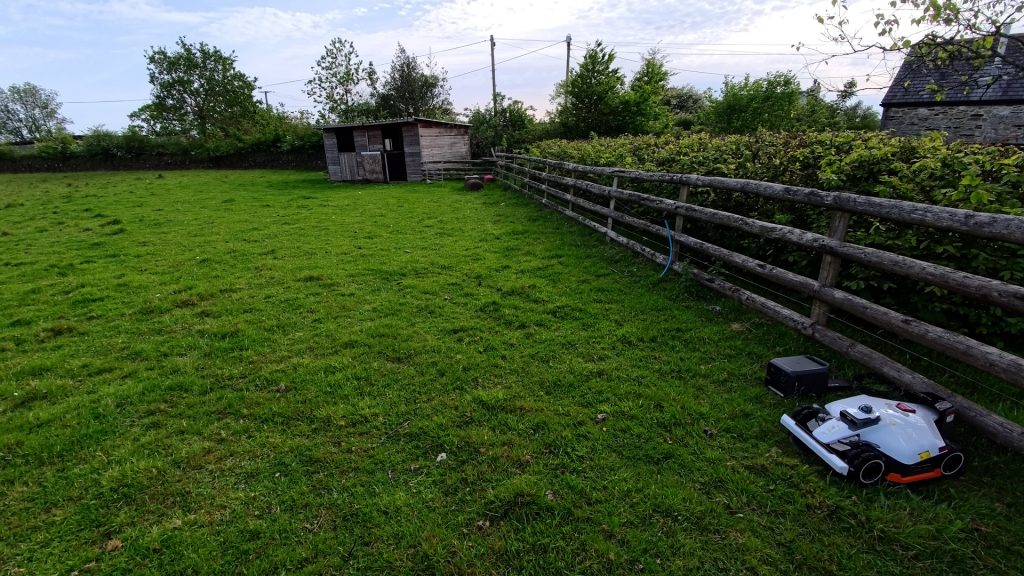
The LUBA 3 I have here is the 3000 model, rated for lawns up to 3000 m². To really test it I set it up in my friend’s sheep field, which is over 3000 m².
This would be one of the toughest tests I’ve done with a robot mower. The field is very uneven, with hundreds of mounds, long tufts of grass and, as you’d probably expect in a sheep field, plenty of sheep poo.

There’s no power to this field so I ran the charging station from this portable power station and started the mapping process.
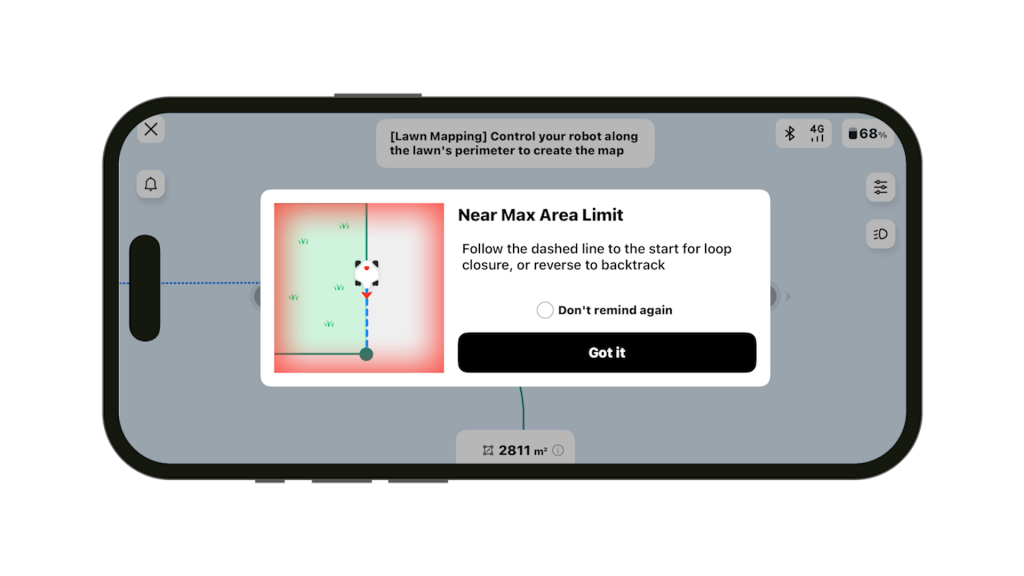
As you approach the 3000 m² limit the app warns you and displays a suggested route back to the charging station to help keep you within this limit. The field ended up being just over 2800 m².
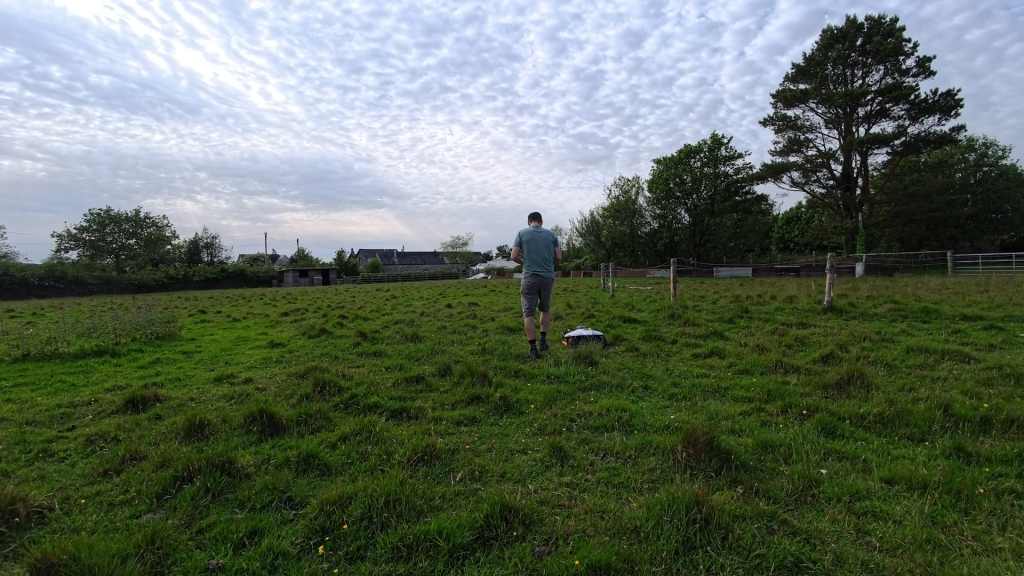
Even mapping an area this large only took around 10 minutes.
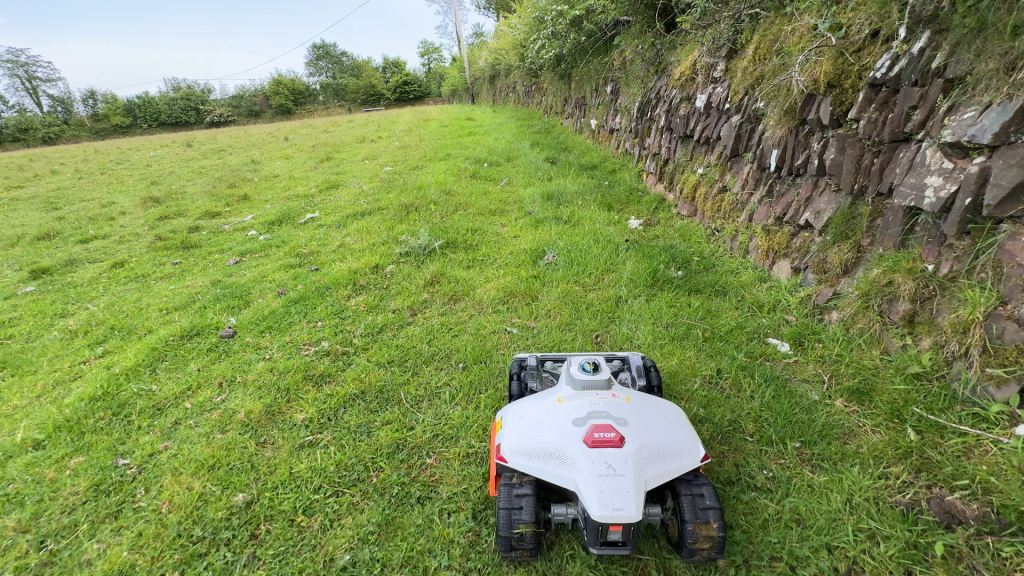
It’s recommended to first mow the perimeter of the mapped area to check everything is as intended. The mower then starts mowing the inside using your preferred pattern.
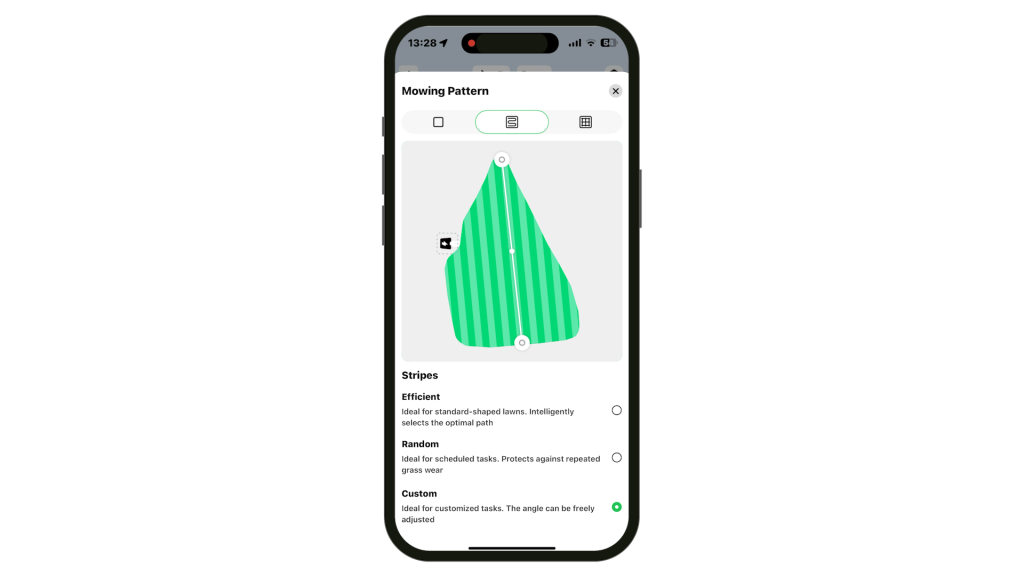
I briefly covered the Task Settings screen in the previous article, but a nice option here is being able to customise the stripe orientation under Custom.
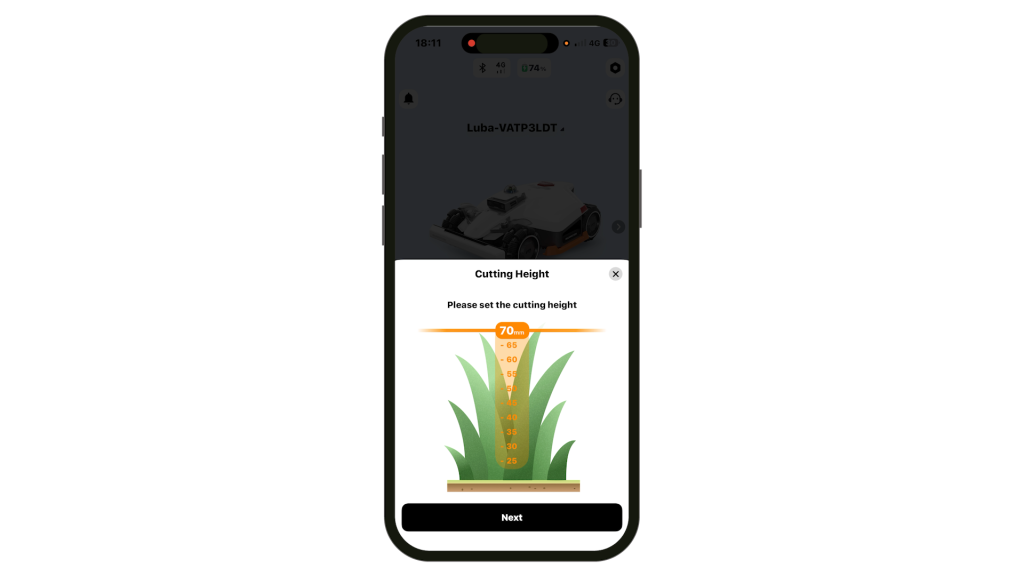
I also set the cutting height to the maximum 70 mm, but if you’re in the US there’s also a High version available with a cutting height up to 100 mm or 4 inches.
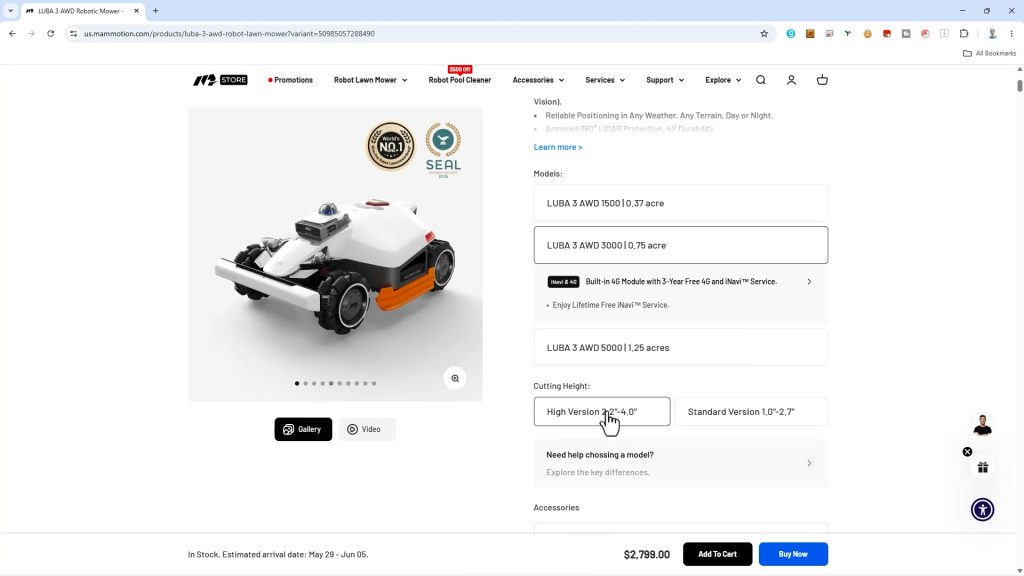
If you had an area like this you’d probably be better off with that model.
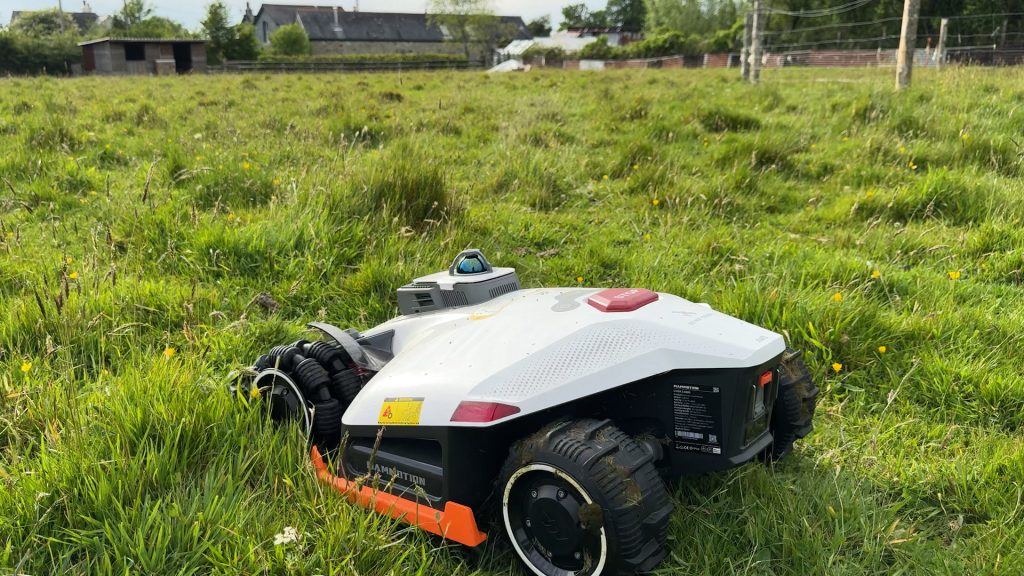
The Luba 3 handled the rough terrain very well as I expected. The long tufts of grass however were initially detected as obstacles and avoided.
In the app you can create an Obstacle Free Zone where obstacles will be ignored. Since I’d be monitoring the mower I set the entire field as an Obstacle Free Zone, although you do need to use this carefully.
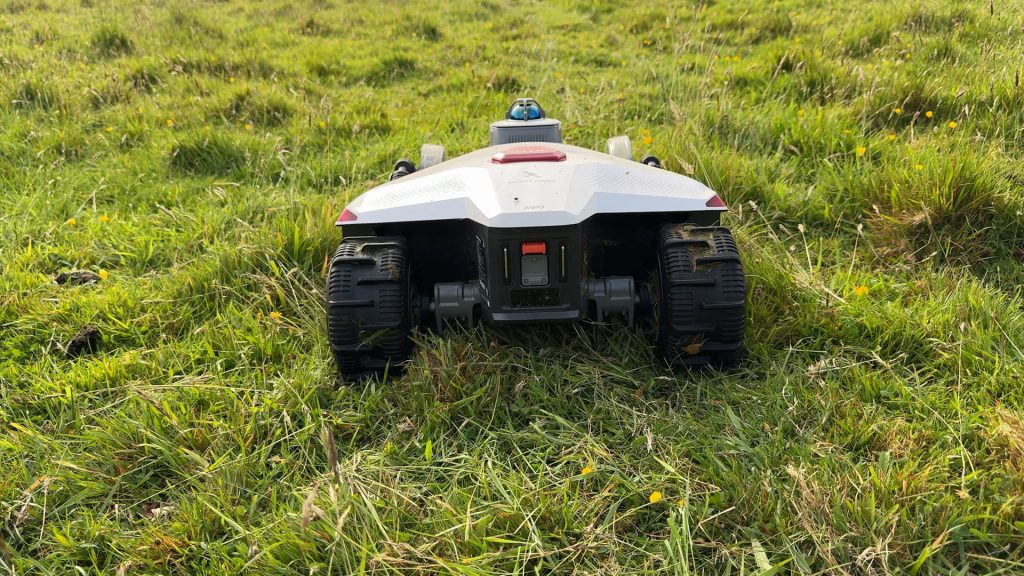
Smaller mounds the LUBA 3 handled fairly easily, but some of the larger ones did temporarily stall the blade motors.
What impressed me though was how it recovered. It shut off the blade motors, paused, reversed and then tried again, often successfully. And if not, it simply navigated around and carried on.
Even then it appeared to remember these areas and try them again later.
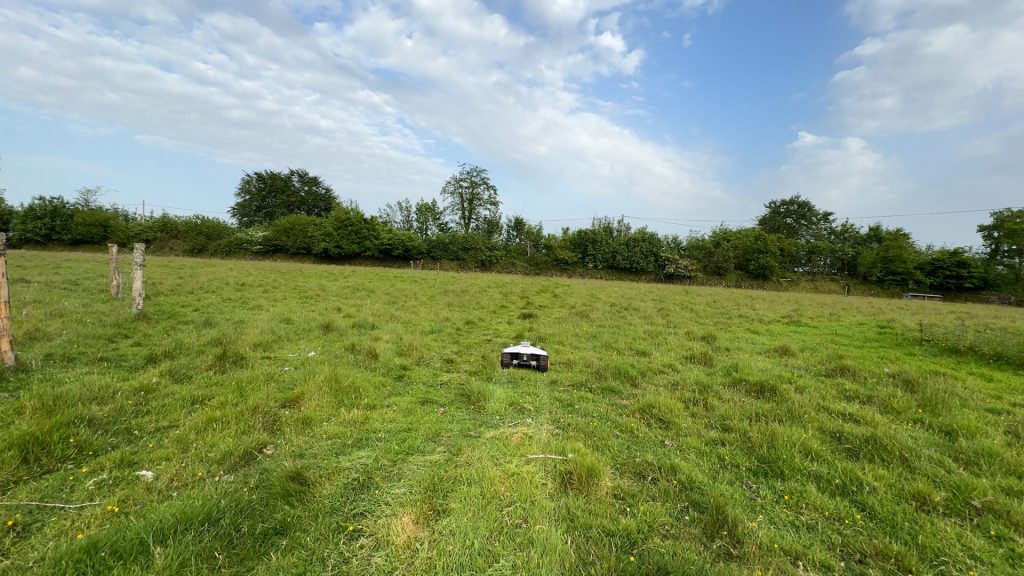
Out in the middle of the field the LUBA 3 relies much more heavily on GPS and NetRTK as there aren’t enough nearby surroundings for the LiDAR and cameras to contribute as much to navigation.

Even so, it still managed to keep to its planned stripes surprisingly well. And despite the rough terrain and long tufts, overall I was still impressed with the final cut quality.
It still uses its other sensors for people and animal detection though. The farm dog was particularly interested in it … but the mower spotted it and turned away.
The app estimated this field would take around 10 hours to mow. On an area this size it would also need to return to charge during the mow as you’d expect, before continuing where it left off.
Since I had to monitor the mower and was only using temporary power from the power station I didn’t mow the entire field.
But based on what I saw, I’m confident it would have managed.
One final question I’ve already been asked is about subscriptions and the built-in 4G. The LUBA 3 includes 3 years of 4G service out of the box and after that it can be extended for around £50 per year.
Mammotion also says the iNavi service, which provides the NetRTK correction data used for more accurate positioning, is included for the lifetime of the product. The mower can still receive this correction data without a subscription, either via Wi-Fi or the built-in SIM connection.
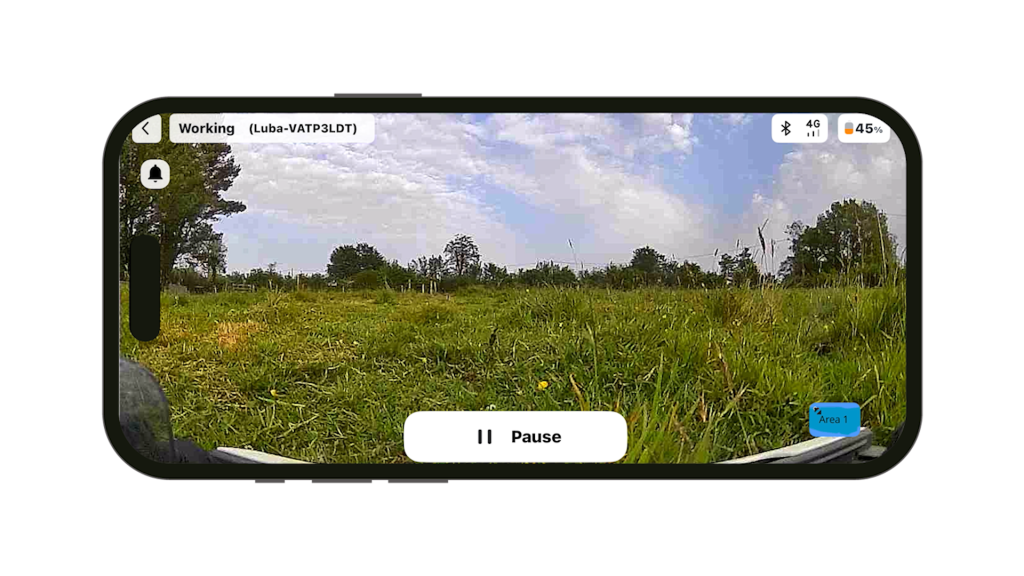
The paid 4G extension is mainly for additional connected features such as live view, remote monitoring and control, and remote map editing.
Conclusions
Overall, there’s a lot to like here. The LUBA 3 handled rough terrain very well, coped surprisingly well in wet conditions and has plenty of configurable options and advanced features if you want to fine tune things.
My only real criticism, and one that will only affect some users, is that mowing completely separate lawns without a route between them still isn’t particularly straightforward. Personally I’d like to see an option to create an ad-hoc mapped lawn away from the charging station.
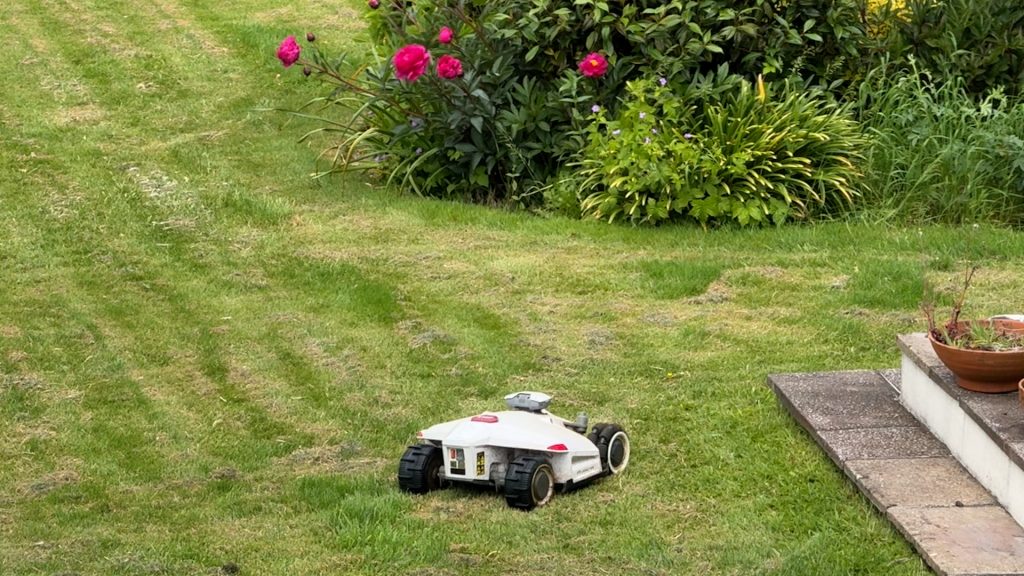
I also managed to get some longer term feedback on the LUBA 2, which is still going strong after around two years in my friend’s garden. He has had a few issues, including replacing the front bumper, but overall he’s found support from Mammotion to be good.
I already thought the LUBA 2 was a very capable mower, but the easier setup and more confident navigation with the new LiDAR sensor make the LUBA 3 the best robot mower I’ve tested so far.
Don’t forget to take a look at my YouTube video at the top of the page, and again please subscribe to my YouTube channel where I’m releasing videos every week on the latest technology and how to get the most out of it. If you tap the bell icon when you subscribe you’ll get a notification as soon as I release a video, and there’ll be a link to my site here for the written article. YouTube is also the best place to leave a comment. I read all of them and respond to as many as I can!
Purchase directly from Mammotion and help support this website and my YouTube channel at no extra cost to yourself!
Mammotion Luba 3 AWD: https://uk.mammotion.com/?ref=awqjjnnc
Leave a Reply