The new DJI Power 1000 Mini is the most compact 1 kWh power station I’ve tested. Yet it can still run an induction hob and a tracksaw and keep my fridge running for 3 days in an emergency. It has a super useful retractable 100 W USB-C cable and a camping light with adjustable brightness built-in. It can fast charge to 80% in under an hour from mains, and has integrated solar, car and even alternator charging.
I’ve put it through a wide range of real-world tests to see if it might be the perfect power station for you! So let’s take a closer look.
Overview
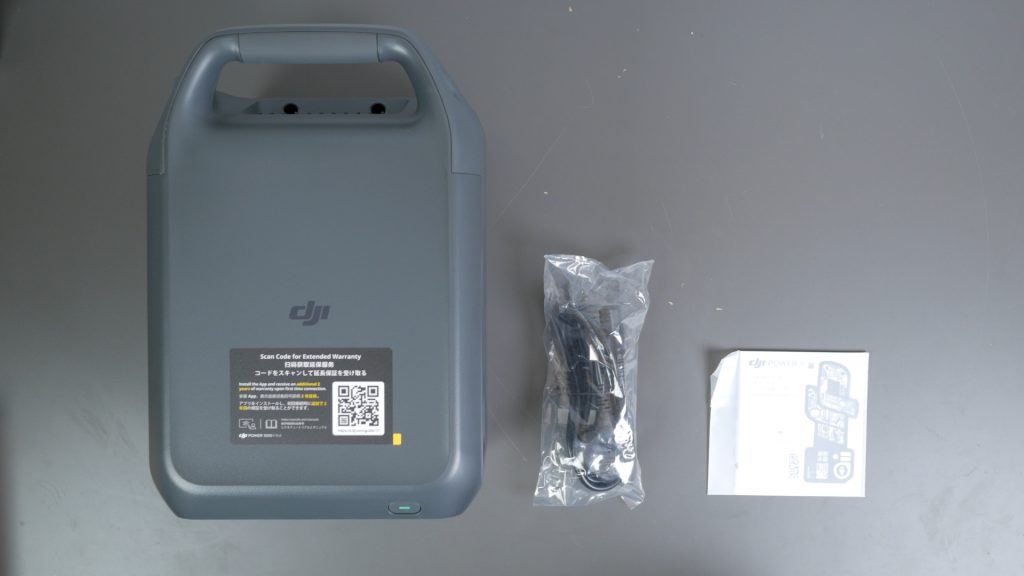
The power station comes with just a mains charging cable and a quick start guide.
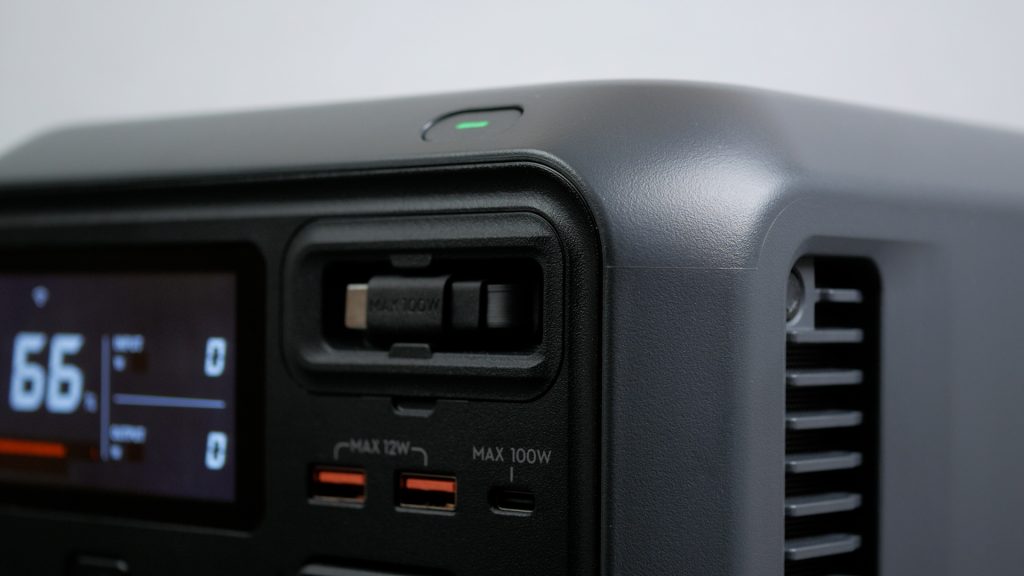
The build quality is excellent, very much in line with DJI’s larger power stations I’ve already looked at. The plastic casing feels tough and more durable than most other power stations I’ve tested. Like most power stations, there’s no formal weatherproof rating, so you do need to be careful using it outside.
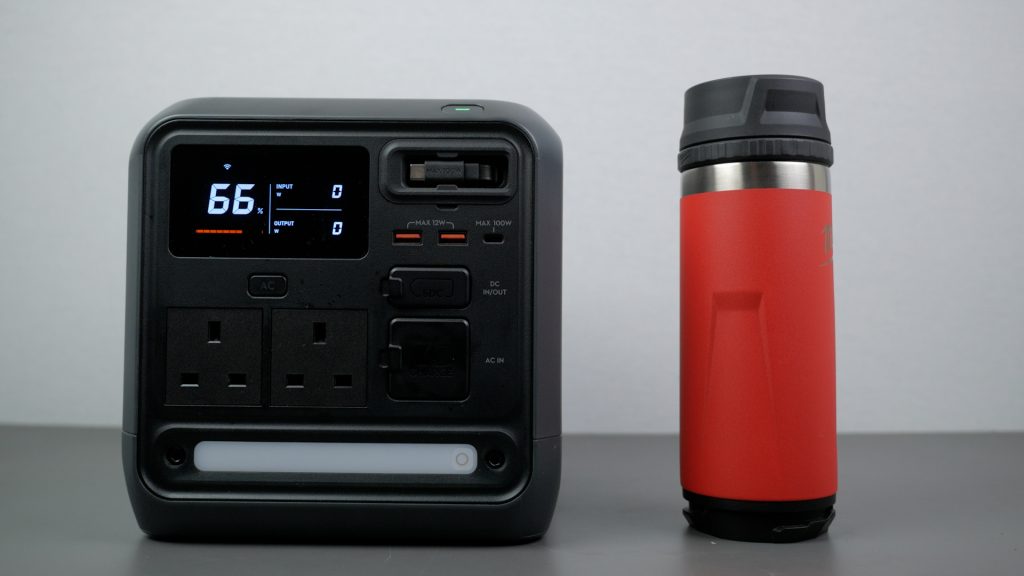
It’s also the most compact 1kWh unit I’ve tested. DJI quotes 12 litres, compared to around 23 litres for the 1000 V2. It’s also noticeably lighter, 11.5 kg (25.4 lbs) versus 14.2 kg for the DJI Power 1000 V2.
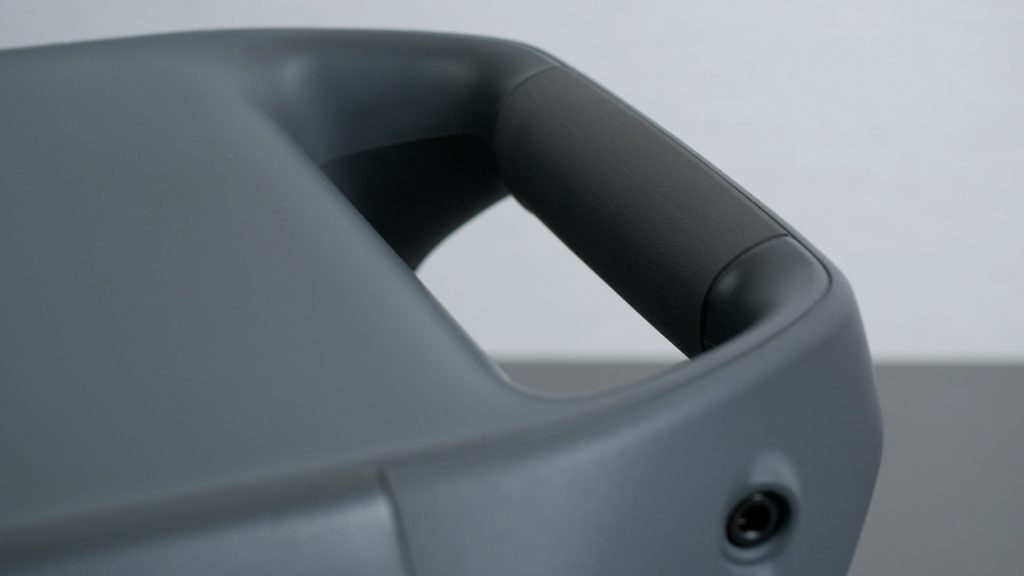
With its comfortable rubberised grip, compact size and weight, it’s easy to carry one-handed and very portable.
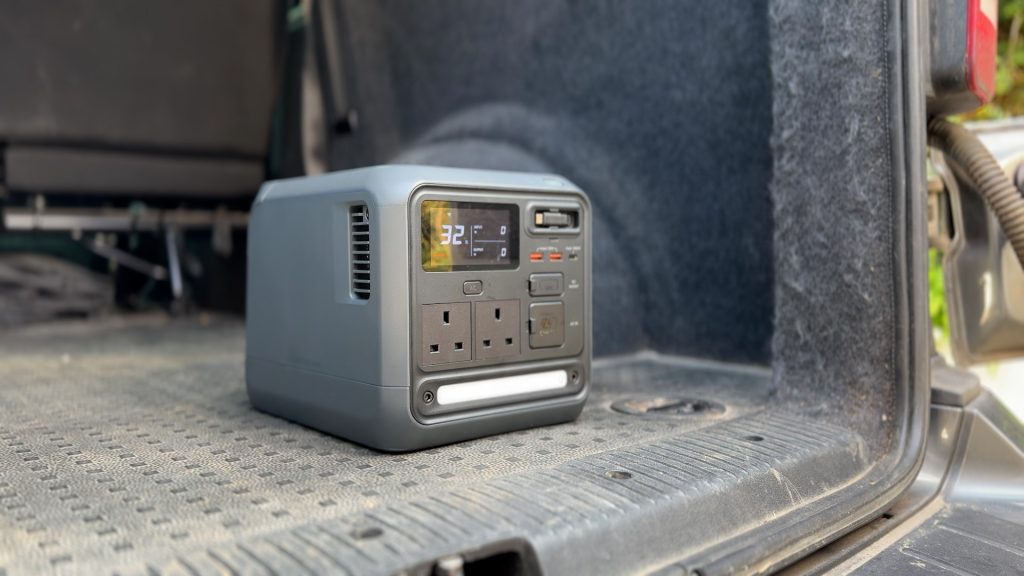
And although it’s quite dense, the weight feels reasonable for the capacity.
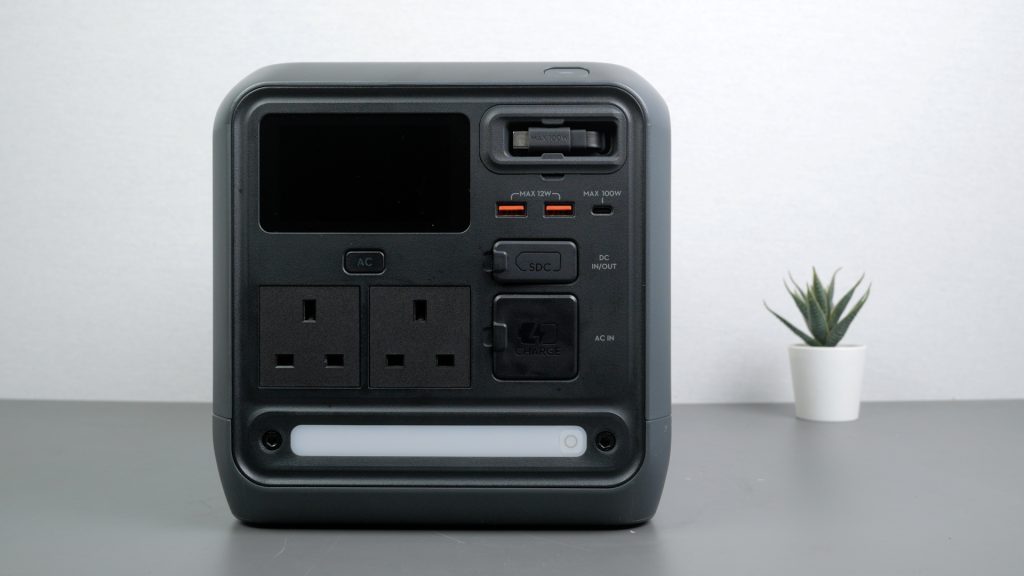
The display and all inputs and outputs are positioned on the front. Below the display are two 1000 W AC outlets with a dedicated AC power button. On the right-hand side are the USB ports, including the 100 W retractable USB-C cable, along with the DC port and mains charging input.
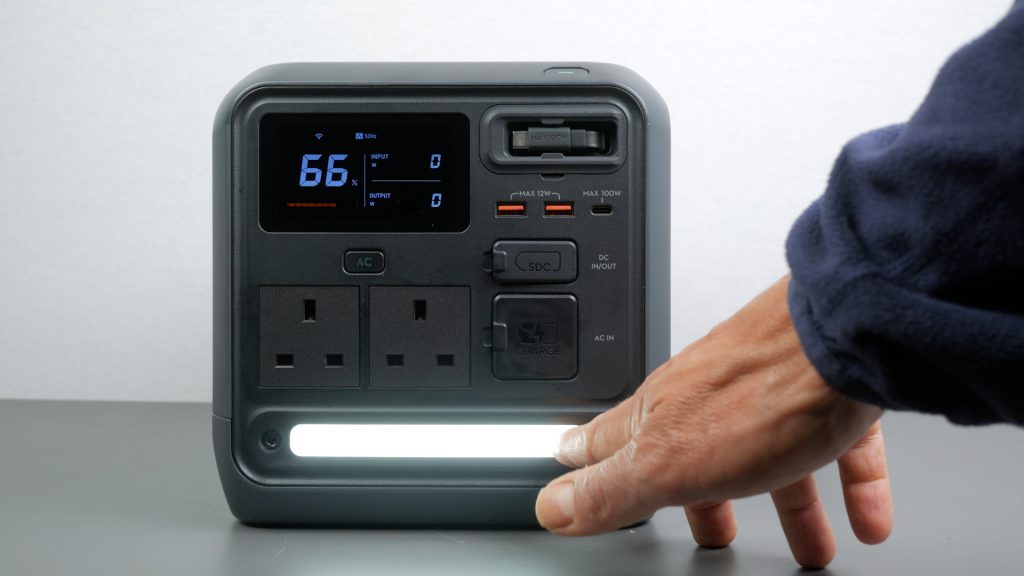
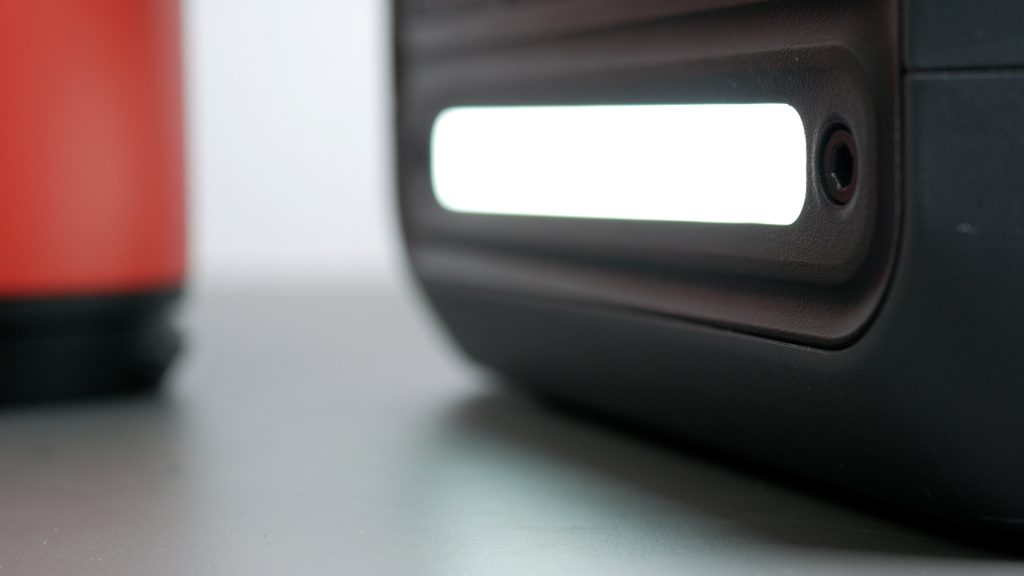
At the bottom of the unit there’s a built-in floodlight.
A long press of the main power button turns the unit on or off, while a short press toggles the display. The AC button controls the AC outputs. A single press of the LED button turns the floodlight on or off, a double press activates SOS mode, and holding the button adjusts brightness.
Charging
Out of the box you can charge the Power 1000 Mini via mains or USB-C. But it also has solar, car and alternator charging built in with relatively inexpensive adapters I’ll cover shortly.
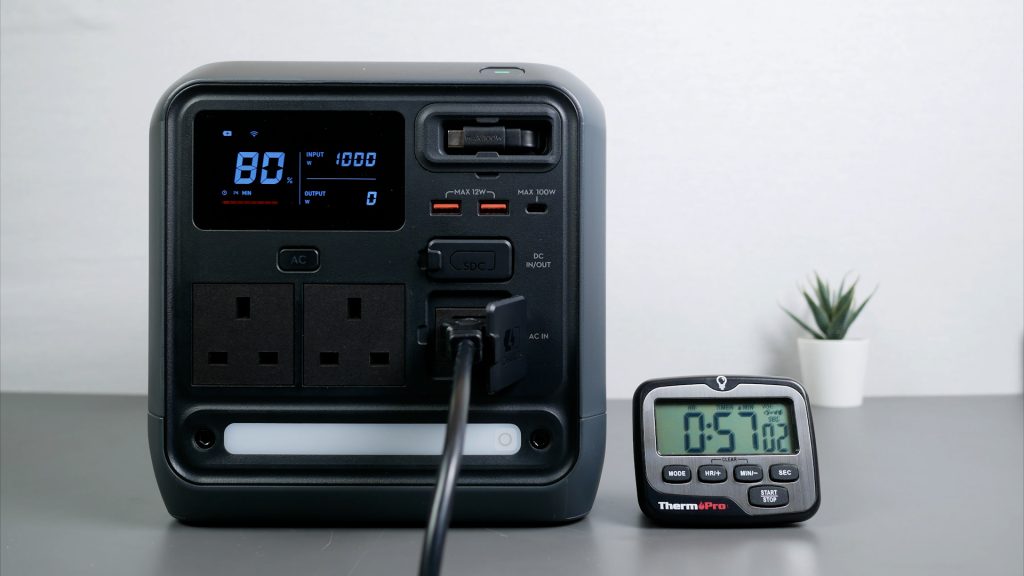
With the included mains cable, or any standard IEC cable you can charge the unit via mains at up to 1000 W. DJI claims 58 minutes to reach 80% and 75 minutes for a full charge. In my tests it did a little better – reaching 80% in 57 minutes and 100% in 72 minutes.
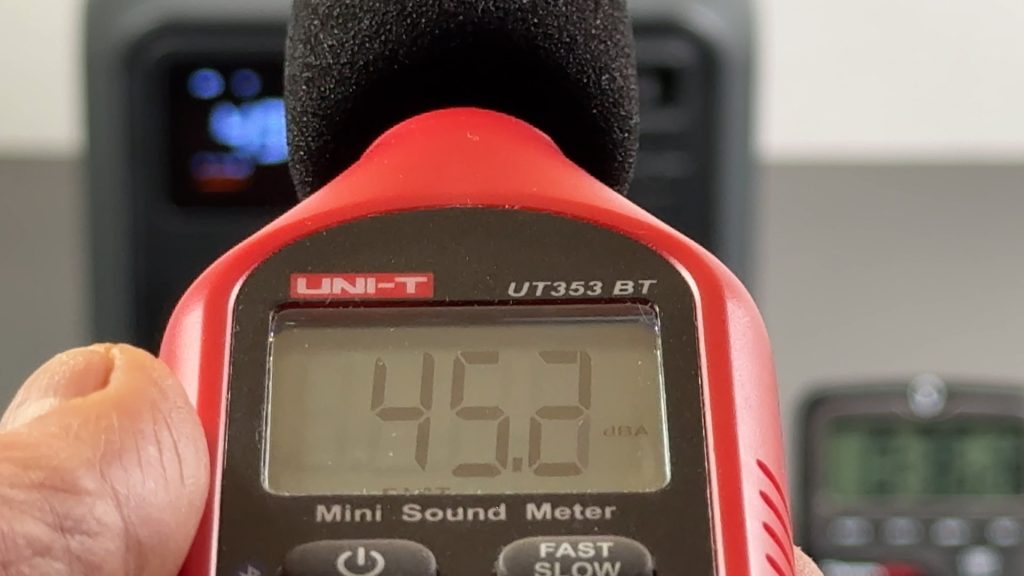
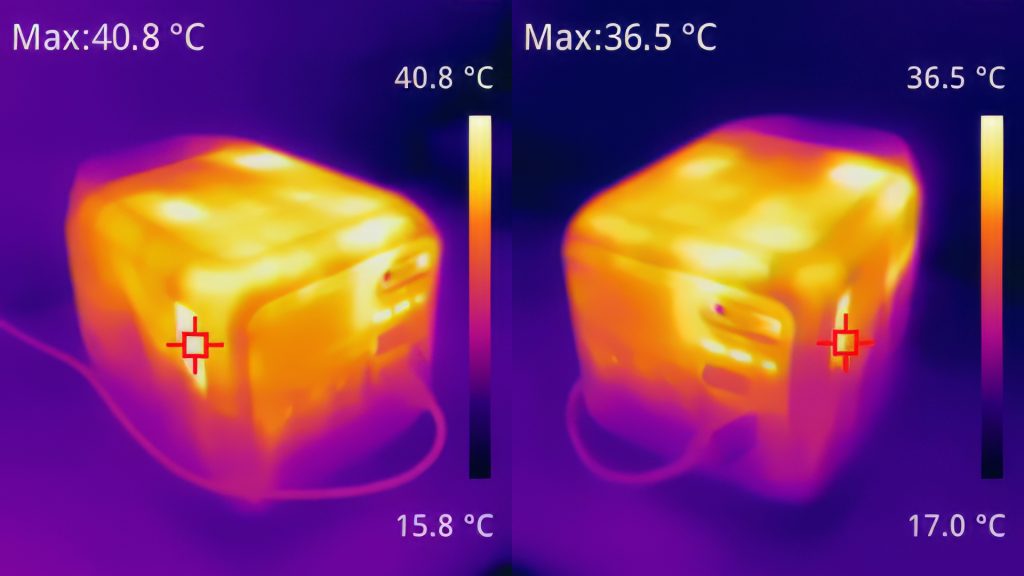
Charging at full speed you can hear the fans – I measured around 45 dB. They do keep the unit cool though – I measured a maximum temperature of under 41 °C at the exhaust fan.
You can switch to 500 W slow recharging in the app for almost silent charging.
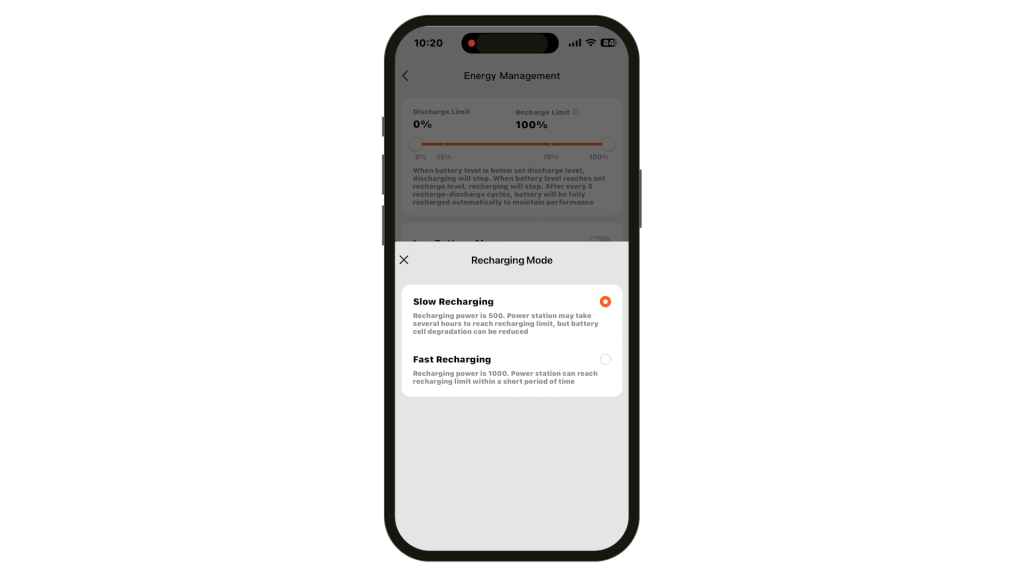
DJI quotes 30 dB and in my tests I could barely hear the fans measuring 36 dB including background noise. Slower recharging should also increase the life of the cells.
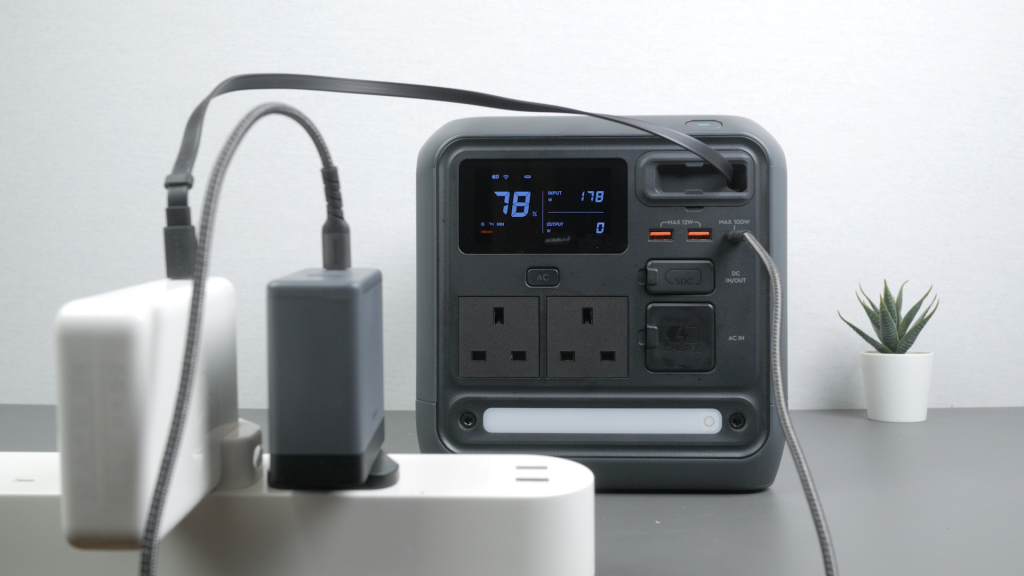
You can charge the power station at up to 100 W with the built in 100W USB-C cable or the 100W port. A full charge would take over 10 hours so it’s not fast.You can use both the built-in cable and USB-C port together to almost double charging speeds. You can’t charge via mains and USB-C at the same time – the unit ignores the USB-C input.
For solar, car and alternator charging you need to use DJI’s proprietary SDC port. But unlike its larger siblings, everything is now built in – you only need adapters.
For solar charging with the now built in MPPT controller, you just need this MC4 adapter cable.
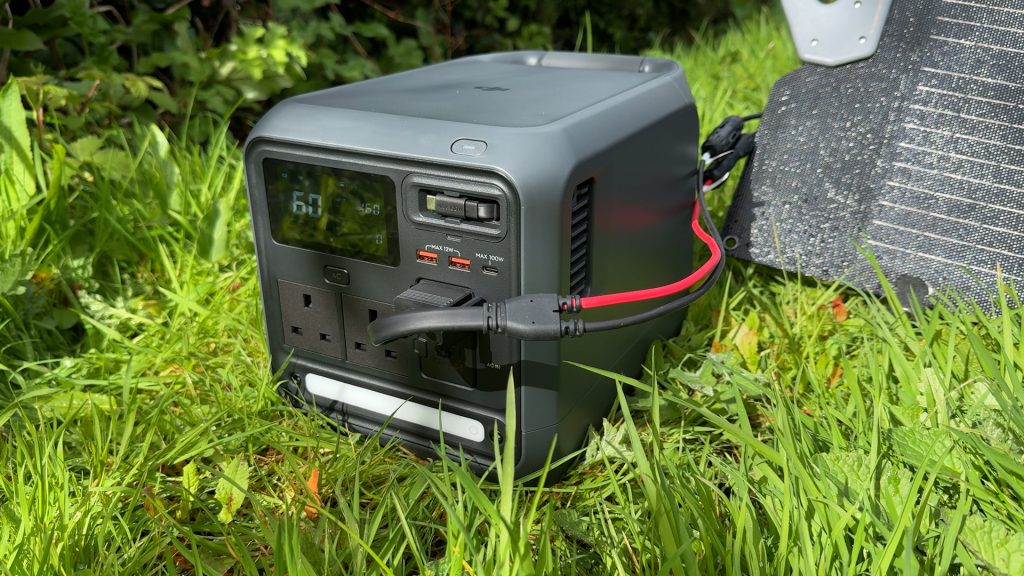
I connected DJI’s recommended 200W IBC200 panel via this adapter into the SDC port. On a fairly sunny day by UK standards I got around 150 W. So on a sunny day a full charge would take around 7 hours.
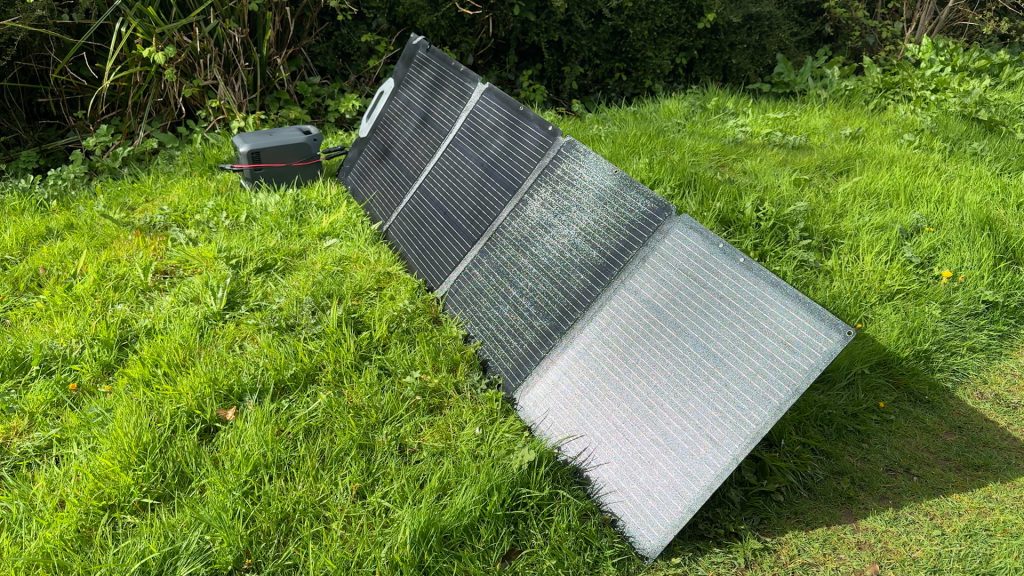
The SDC port supports up to 400 W but only between 9 and 28 V. So you need to keep a careful eye on what you’re plugging in – I couldn’t use my larger 350 W panel for instance which is over 40 V.
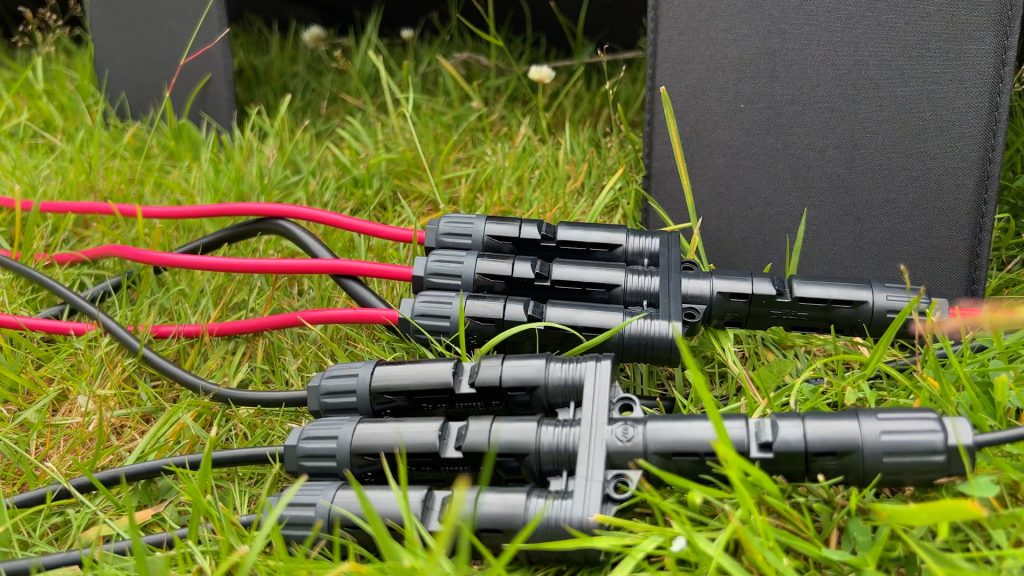
To get the full 400 W you’d want to connect smaller panels like this 200 W panel in parallel. Unfortunately you can’t use the 3 way solar adapter that’s an accessory for the larger units since it has a built-in MPPT controller too – you’ll get an error message. Use something like these parallel adapters.
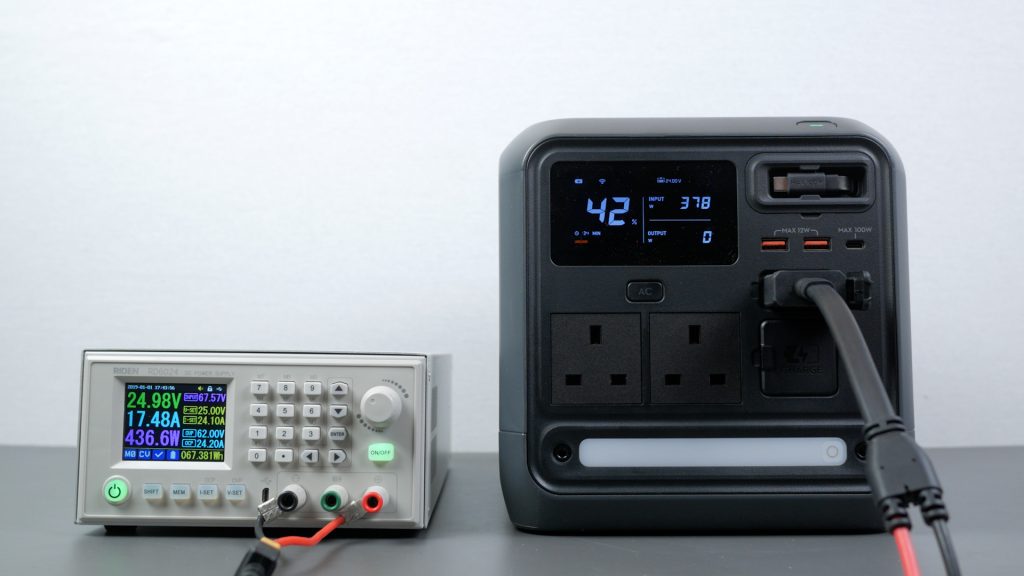
I tested this input to its maximum with my bench power supply. I could get the full 400 W at around 25 V. At lower voltages I maxed out the 24 A output of my bench power supply but you’ll shortly see the full 400 W off a 12V car battery.
If you plug in mains and solar at the same time, it will use the solar input first, effectively reducing how much power it needs from the mains. So you can keep the unit topped up while making the most of any available free solar energy.
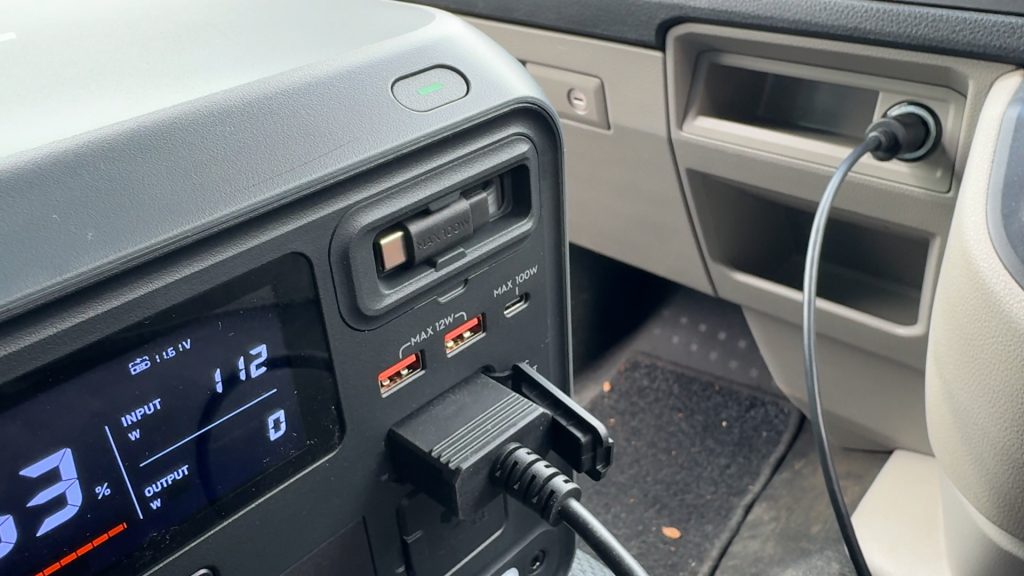
With the car charging cable you can charge off your car or van’s 12 V or 24 V output at 120 W or 240 W respectively. I got just under 120 W with my 12 V car outlet – a full charge would take over 8 hours.
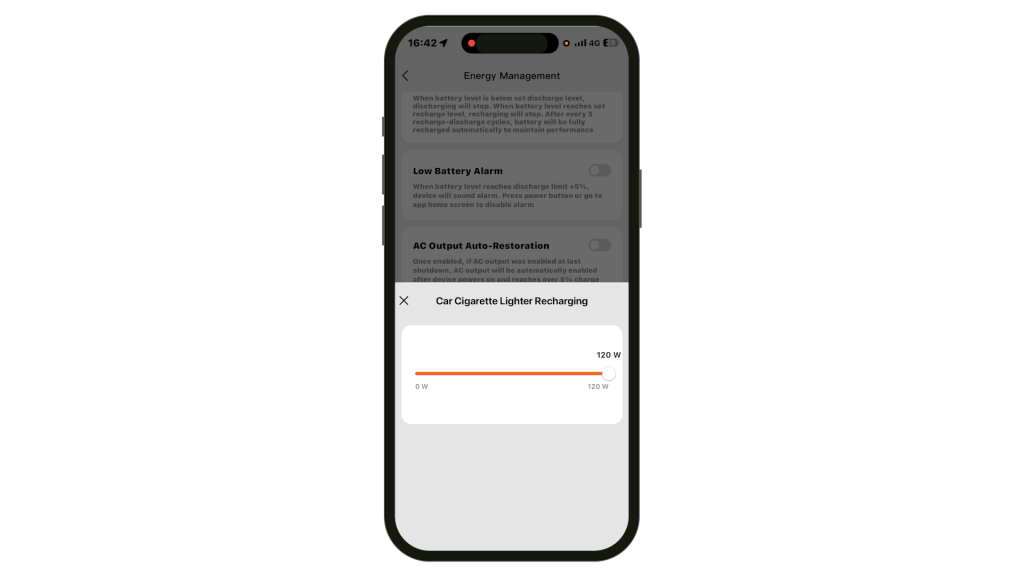
Something to watch out for though – you need to make sure the SDC Car Cigarette Lighter Recharging slider is set to 120 W under Energy Management for a 12 V car outlet and 240 W for a 24 V car outlet to charge at full speed.
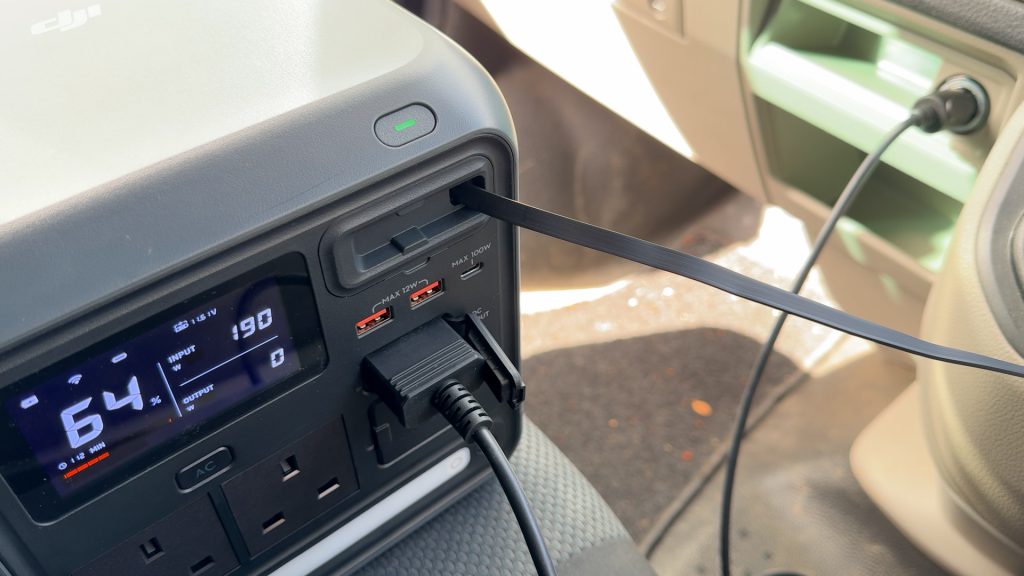
Although there’s only one SDC input you can use USB-C charging at the same time. I have a second 12V outlet with a 100 W car adapter plugged in. I got around 190 W total which would bring charge times down to just over 5 hours.
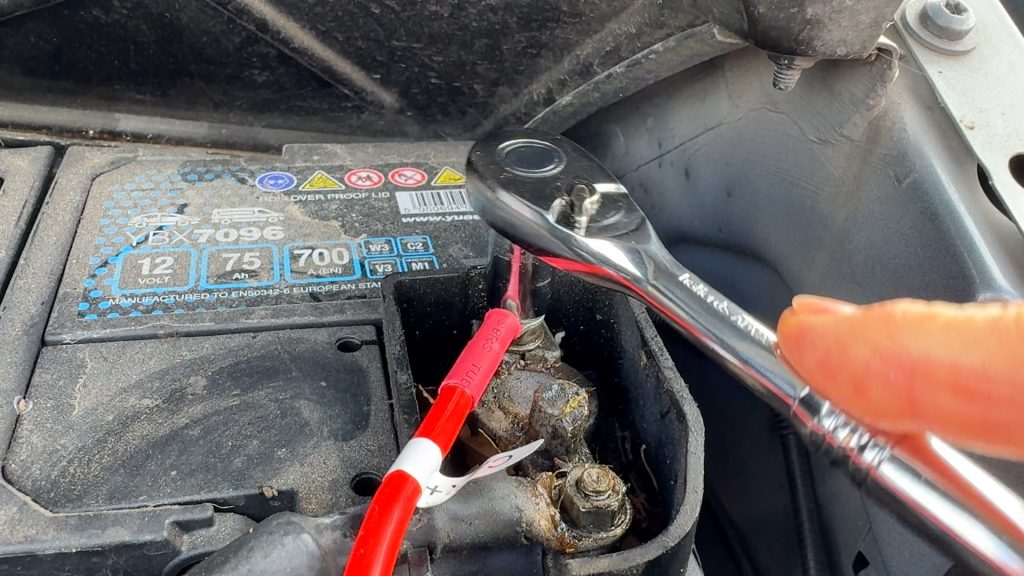
This is the first power station I’ve tested with built-in alternator charging. With the battery charging cable, which is reasonably priced, you can charge the power station from your car’s battery at up to 45 A with a 400 W maximum.
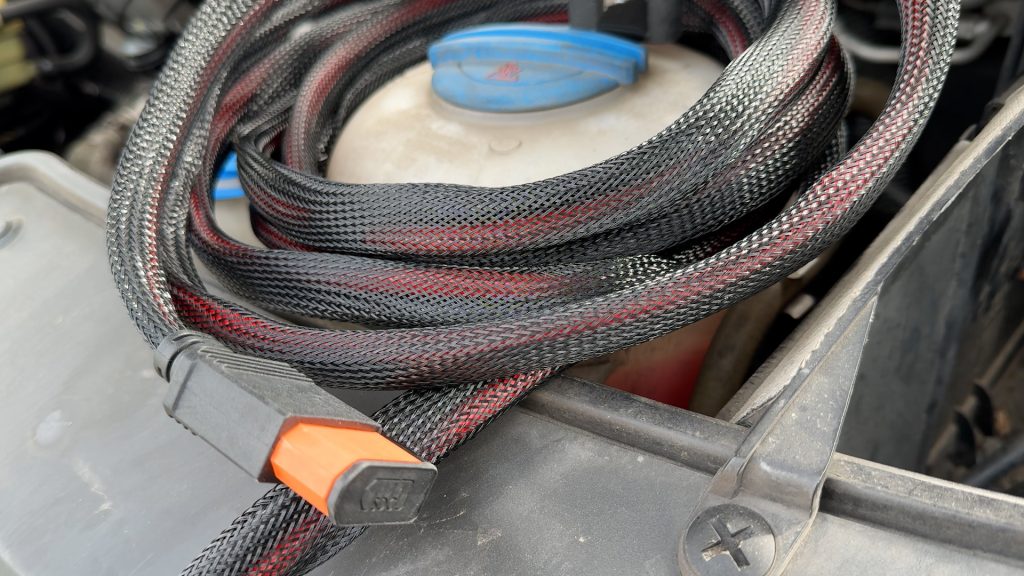
Connect the 5 metre cable to your car’s battery – red cable first then black. Plug in the other end into the SDC port. The cable already has a fuse fitted for protection.
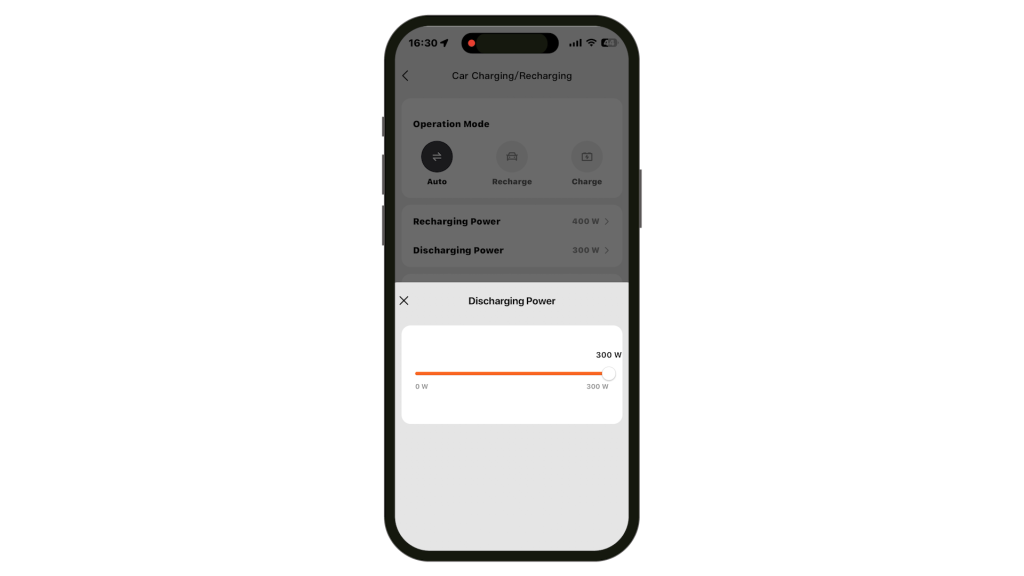
You now get a new Car Charging / Car Recharging configuration in the app. In Auto mode the connection works both ways – so the power station can also top up your battery if it’s below a certain voltage – 12.8 V by default, at up to 300 W. Or you can force the mode to Recharge to charge the power station or Charge to charge the car’s battery.
Whatever mode you’re in, you’ll never drain the battery with the cable connected, so you could have this as a permanent setup if you wanted to. In either mode you can adjust the Recharge or Charge power as you wish.
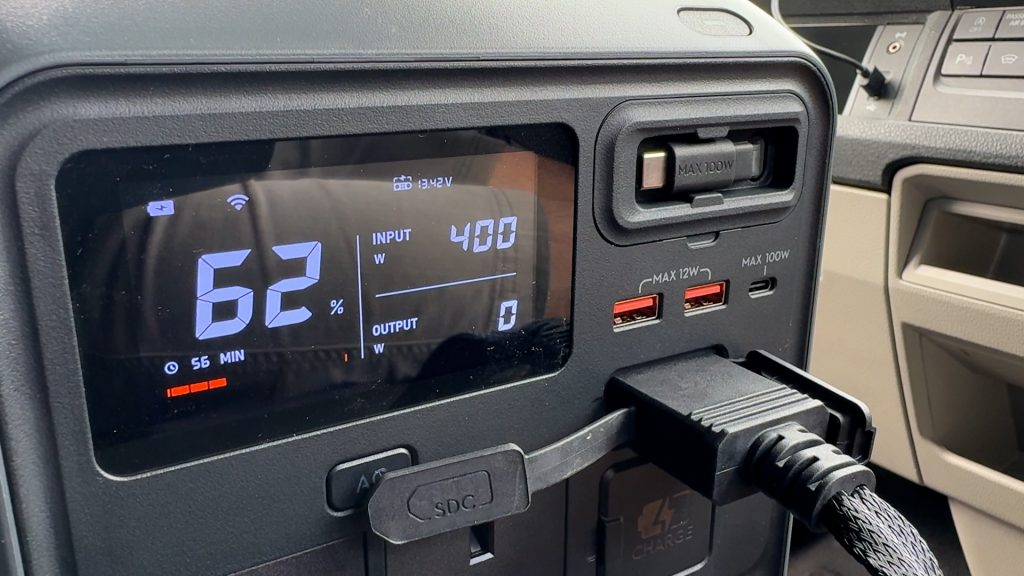
I got the full 400 W charging the power station – that could charge the power station from completely empty to full in around 2.5 hours.
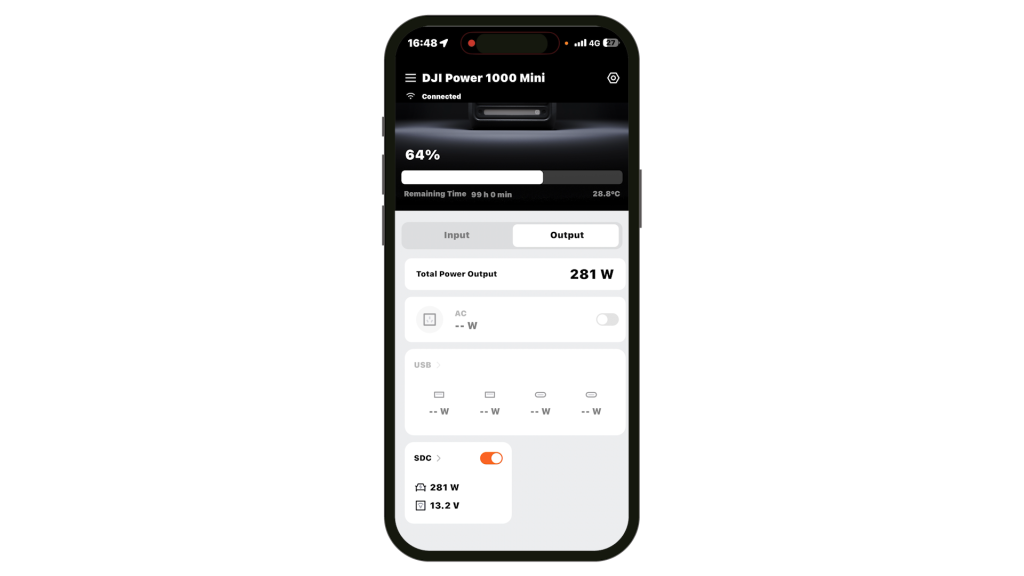
And charging the car’s battery worked as expected too. It’s worth noting that this isn’t a jump starter – it won’t start a dead battery – it’s just a way to maintain or top up a generally healthy battery, but a super useful extra feature, especially if you’re camping and may have lights on or other small loads running off the car. Also, the alternator charger won’t work with most EV’s or hybrids — their 12 V system isn’t usually held at a high enough voltage to trigger charging, which in my tests needed around 14 V.
Performance
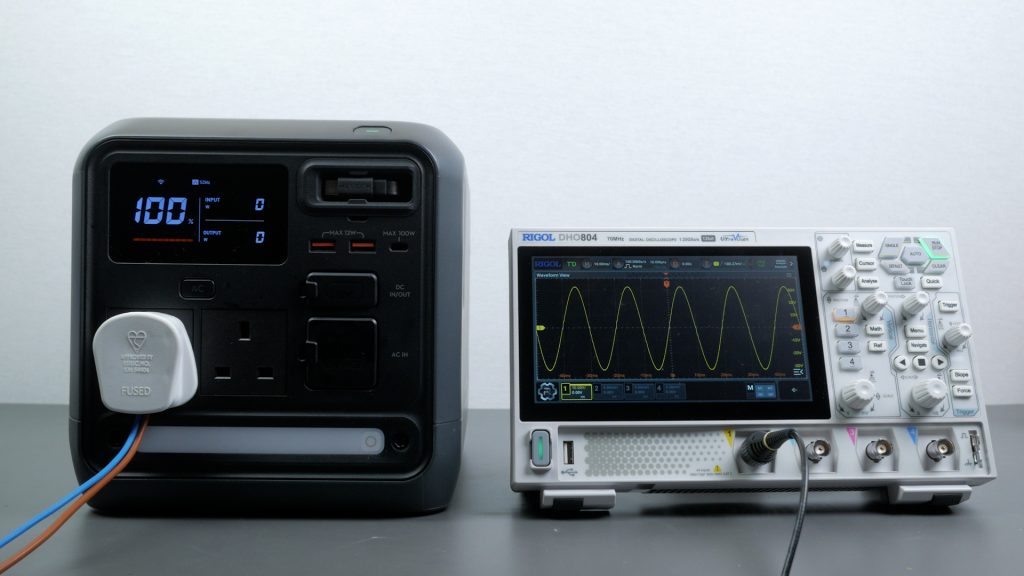
The Power 1000 Mini has 2 1000 W pure sine wave AC outlets, a fair bit lower than other 1 kWh power stations I’ve tested, but that’s the compromise you get with such a compact unit, and it could still run most of the devices you’re likely to run off it.
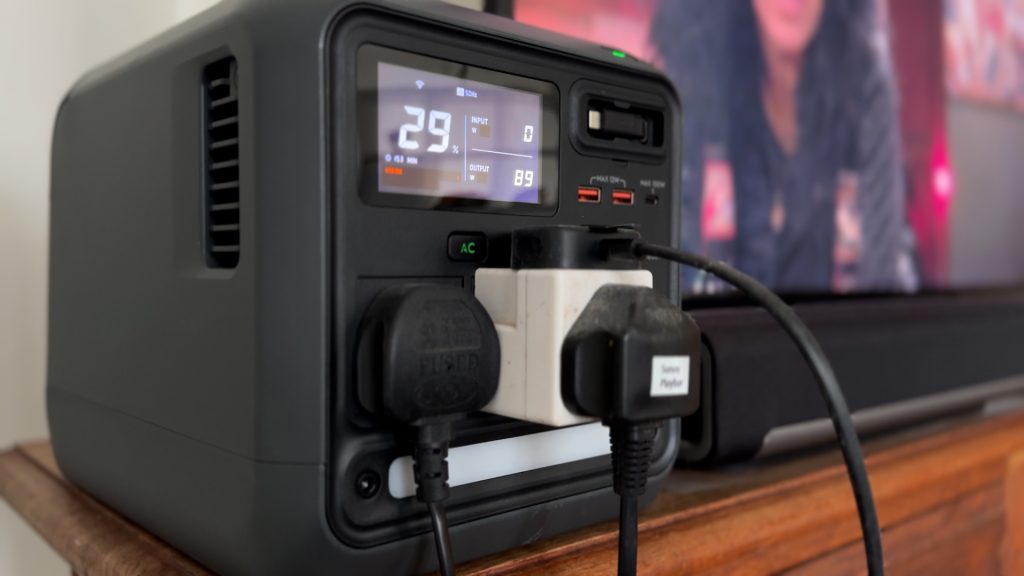
Around the house it ran my TV, Sonos Playbar and Apple TV – combined that’s around 90 W so you’d get 8-9 hours of runtime.
My full height fridge typically uses over 300 Wh per day – so in an emergency could run for up to 3 days off the power station.
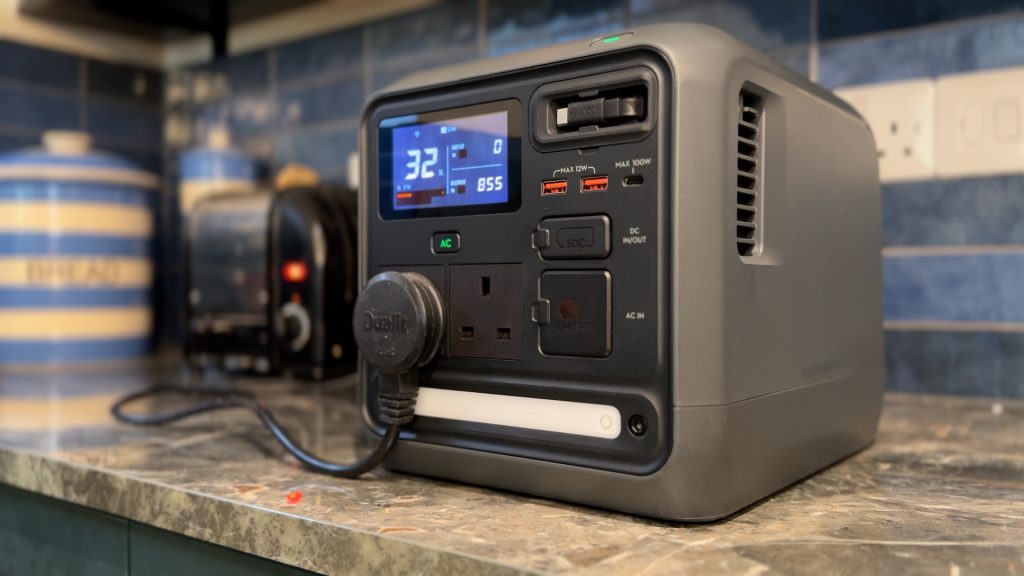
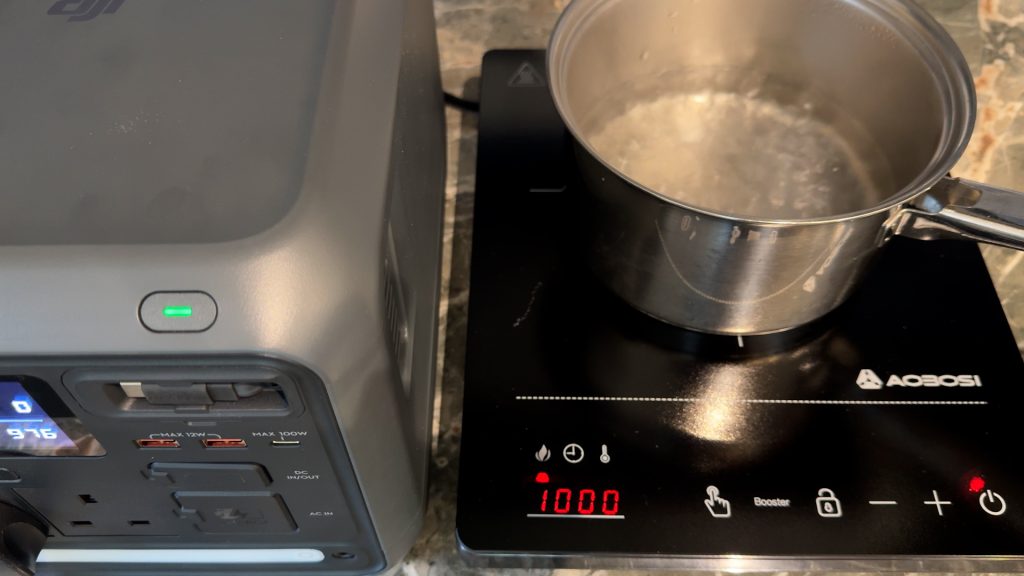
And I could run higher demand devices like a toaster and even a portable induction hob if I lowered the output to 1000 W.
In my workshop it ran an angle grinder, and a tracksaw – which both have higher start up demands. In my office it could run my electric air duster with no soft start – I measured the maximum startup draw at 8.9 A – which is over 2000 W.
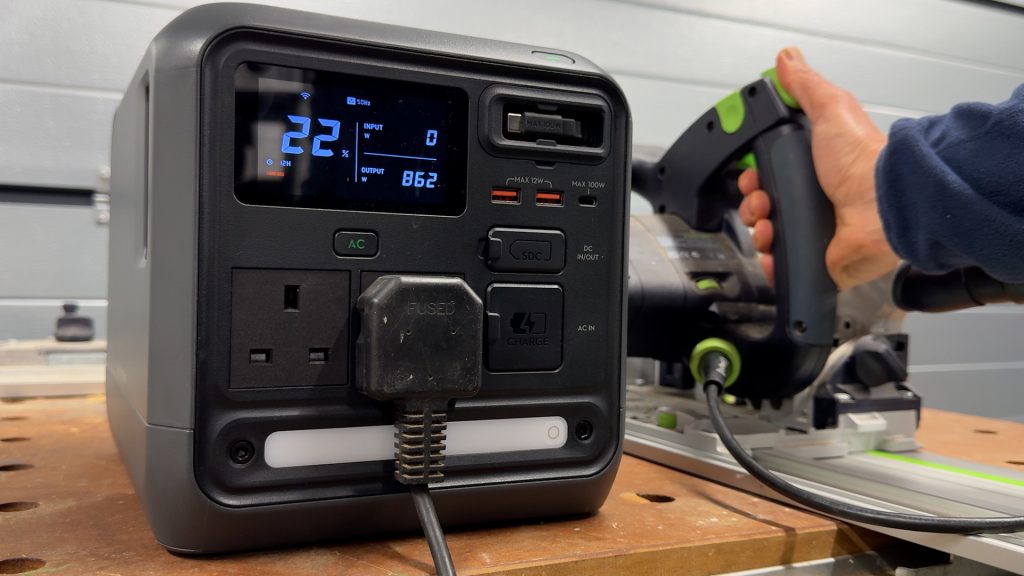
The compressor on my portable air conditioner kicking in was too much for it though.
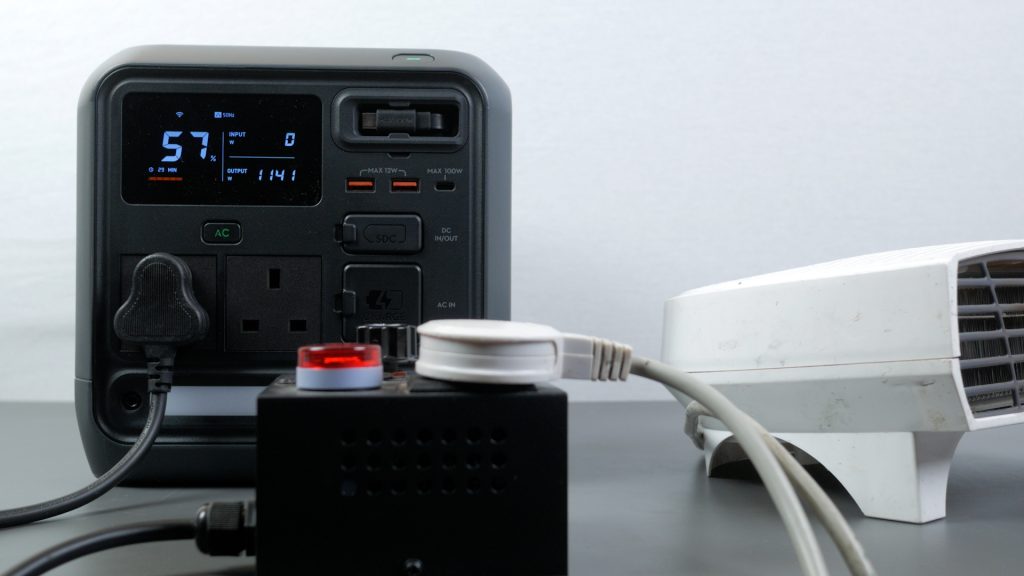
In a more controlled test I ramped up an electric heater until I overloaded the power station. The inverter shuts off at just over 1100 W, although the Power 1000 Mini does lower the output voltage slightly once you go past 1000 W.
DJI rates it at 800 W for sustained loads, but in my testing it comfortably handled a 1000 W heater for around 15 minutes without shutting down.
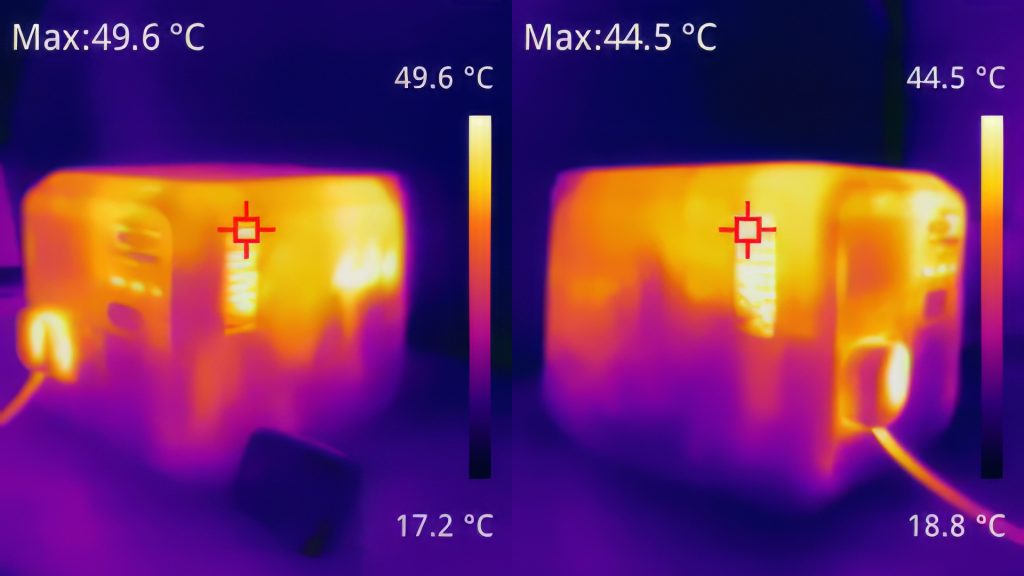
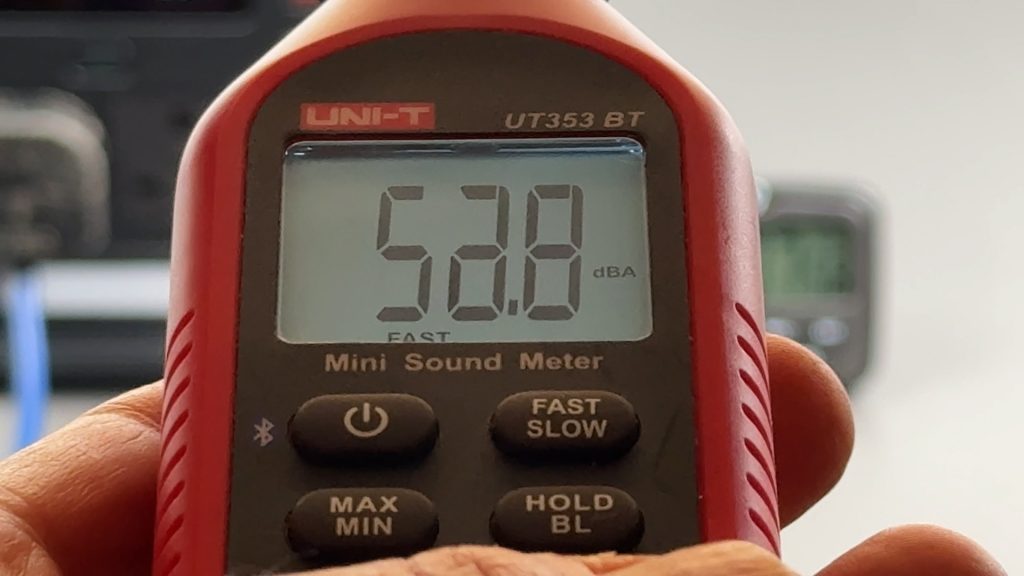
The trade-off is heat and noise – the fans ramp up quite noticeably, hitting around 53 dB at one metre, and I saw temperatures at around the exhaust fans climb to nearly 50°C on a thermal camera – so it’s reassuring that the headroom is there, but it’s not something you’d want to run like that regularly.
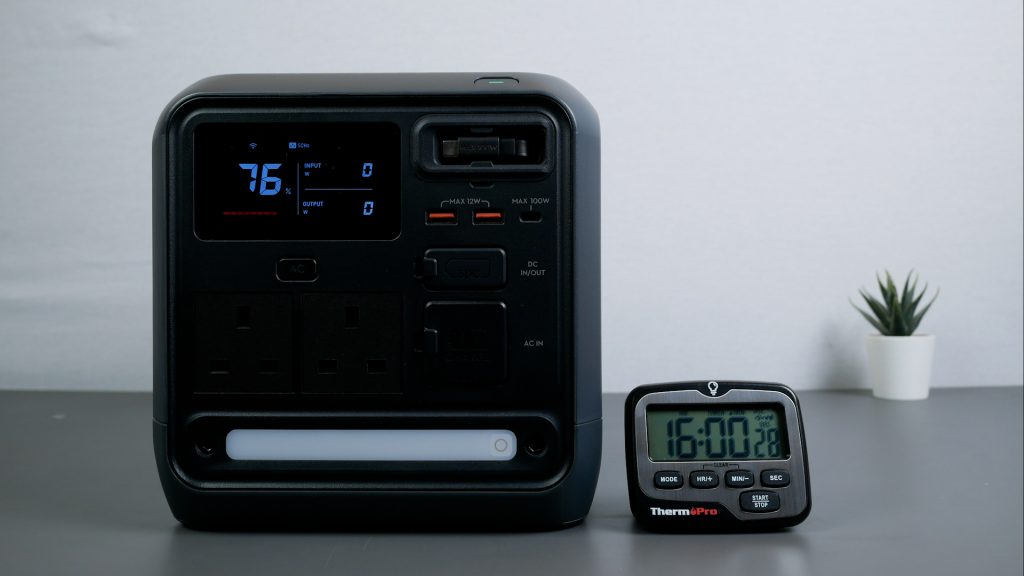
AC inverters can consume a surprising amount of power even with no load attached. By default the AC subsystem will turn off if there’s no load attached, but with Timeouts disabled in the app, I left the unit overnight for 16 hours with no load connected. After 16 hours the battery dropped from 100% to 76 % so just having AC turned on uses around 15 W per hour. That’s a very good result – one of the lowest idle consumption results I’ve seen – which will be partly due to the smaller inverter.
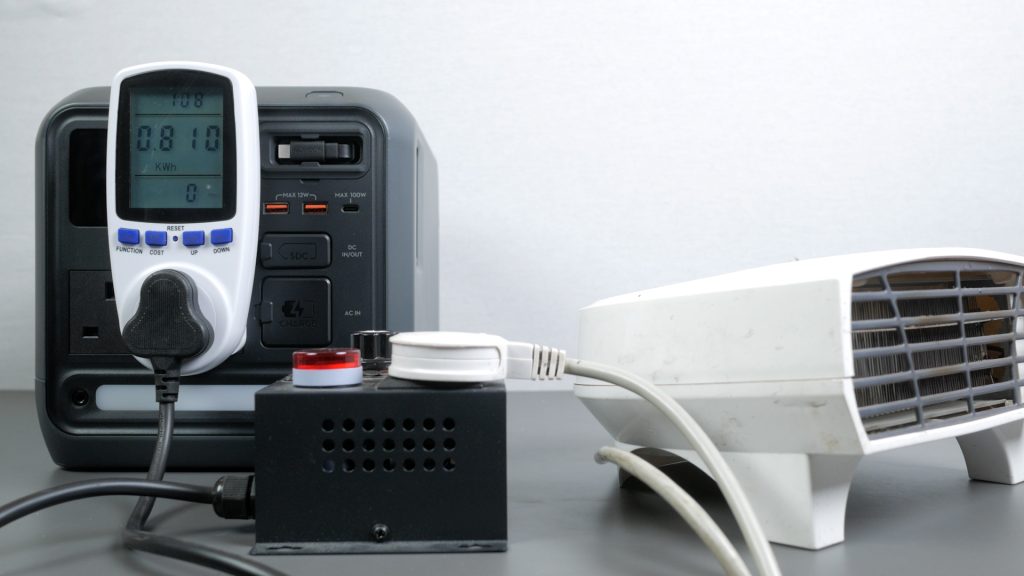
To measure usable capacity, I used an energy monitoring plug and ran a constant 700 W resistive load using an electric heater. The power station ran for 1 hour 8 minutes and delivered 810 Wh from its 1008 Wh battery. That’s 80% efficiency, which is a little lower than average but still an acceptable result.
Unlike the bigger units this DJI Power 1000 Mini is not expandable.
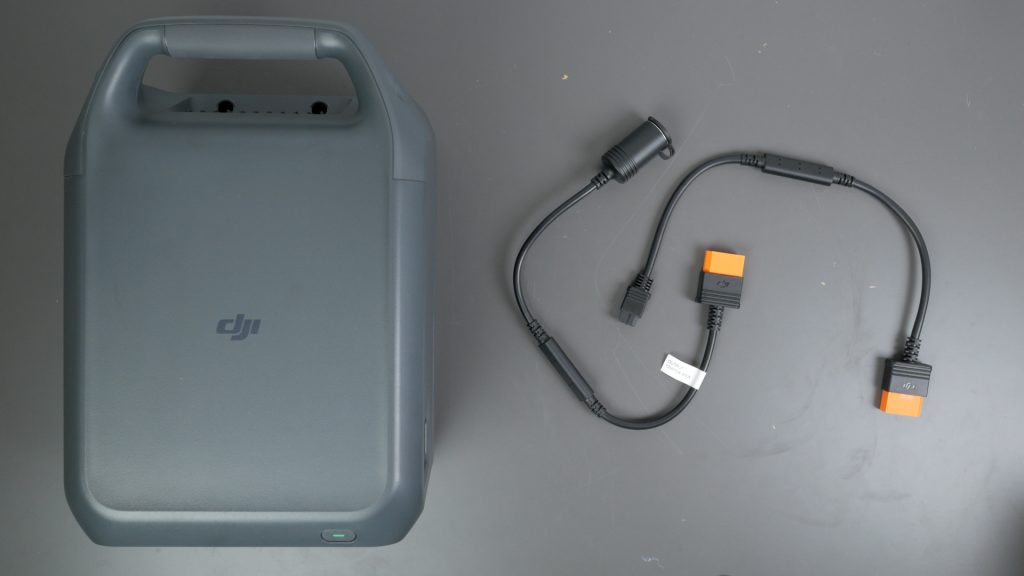
As well as a flexible DC input, the SDC port also provides a very flexible DC output with the appropriate adapter. You can use it to fast charge larger DJI drone batteries and there’s a car charging and XT60 adapter.
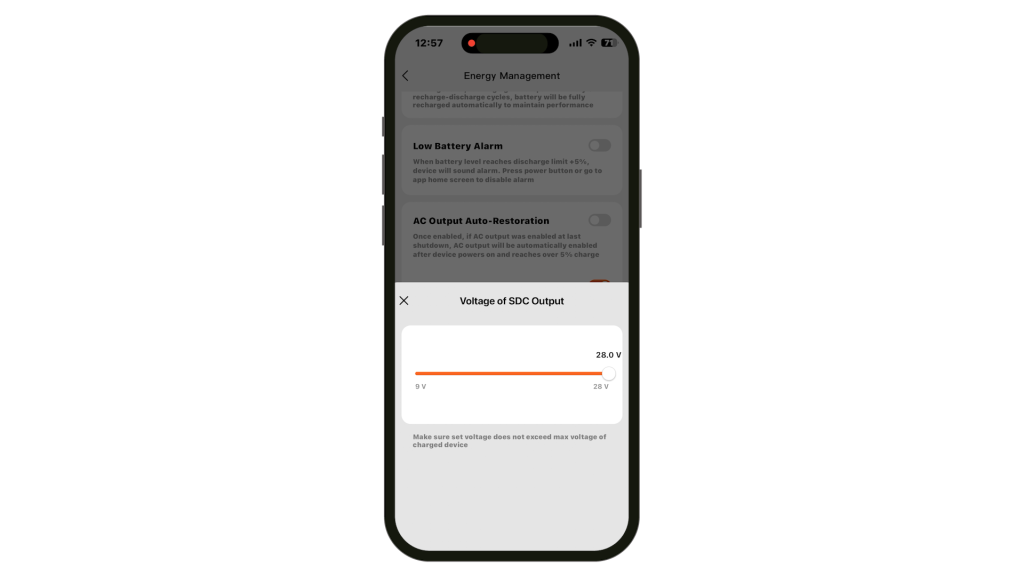
Both adapters let you set the output voltage in the app from 9V to 28 V.
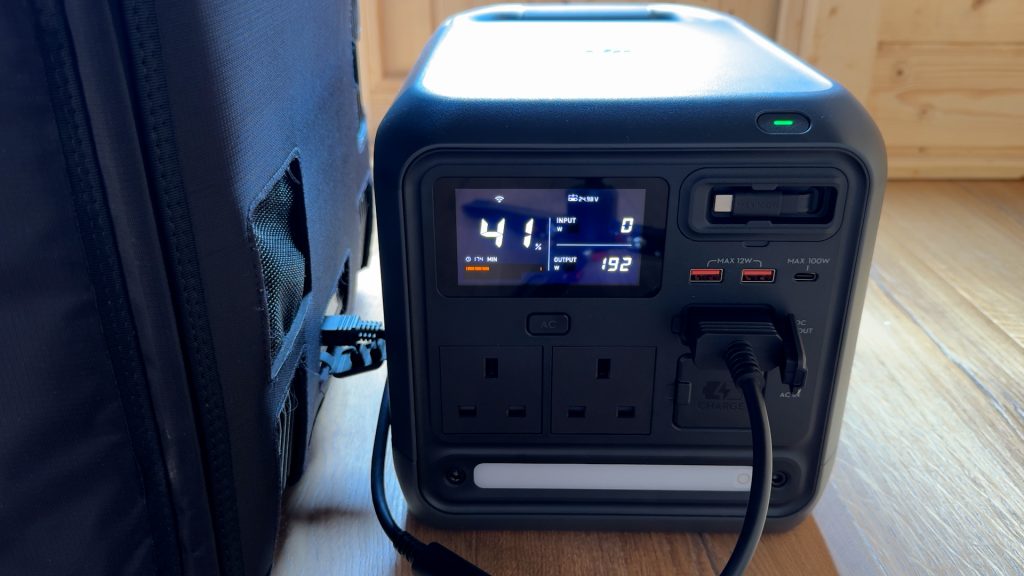
So you can run higher demand DC devices like fridges and diesel heaters. My portable fridge freezer typically requires its AC adapter to run the ice maker, but I can run it off the DJI Power 1000 Mini without any issues, just using the SDC to XT60 adapter.
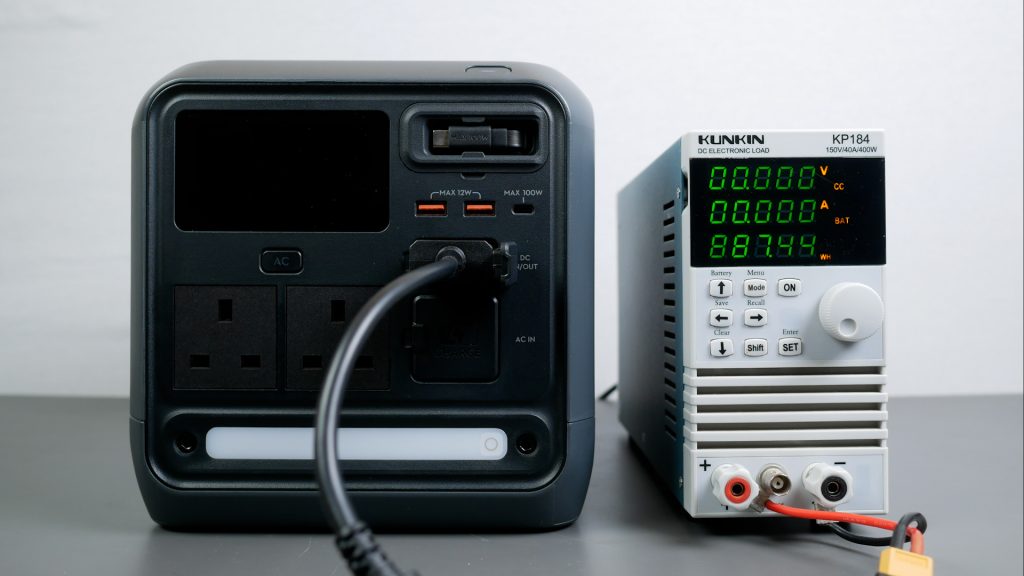
With a 8A load at the default 13.6 V I measured the usable energy of the DC output at 887 Wh which is a strong 88% efficiency. I also measured DC idle drain with the SDC to car charger plug attached which effectively turns on DC, and DC timeout disabled.
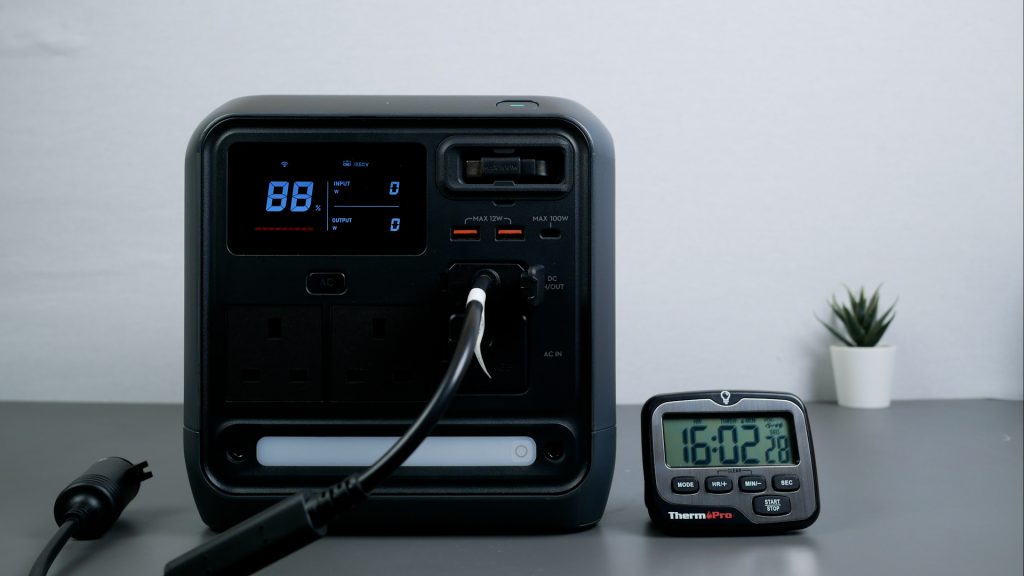
Over 16 hours the battery dropped from 100% to 88%, which works out at 7.6 W of idle draw, another very good result. In practical terms, that means it’s more efficient to run devices like portable fridges from the DC outputs rather than AC.
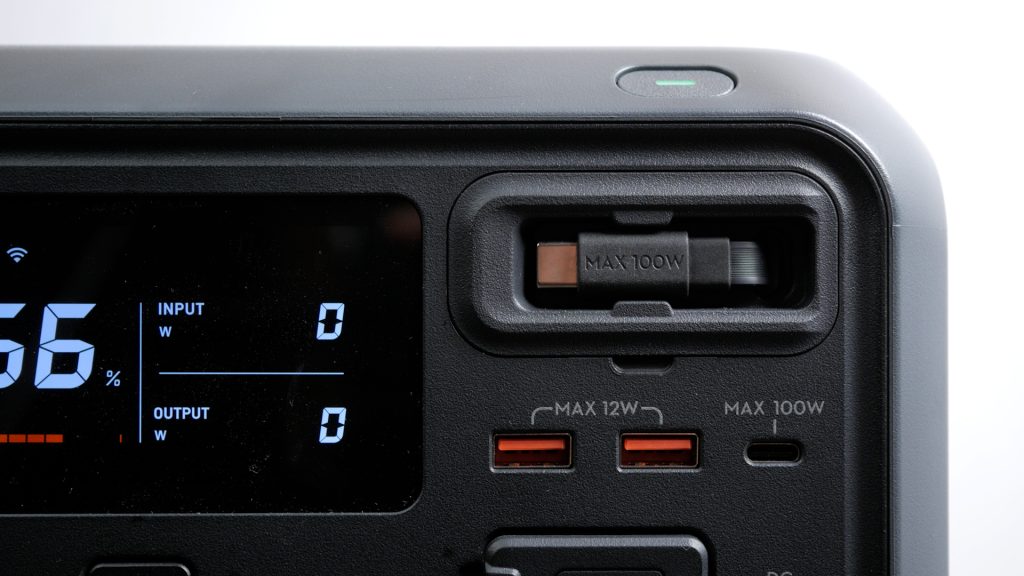
The USB setup consists of the 100 W retractable USB-C cable, one 100 W USB-C port and two legacy 12 W USB-A ports. The 80 cm retractable USB-C cable is probably one of the features of the power station I’ve used the most – it’s incredibly useful.
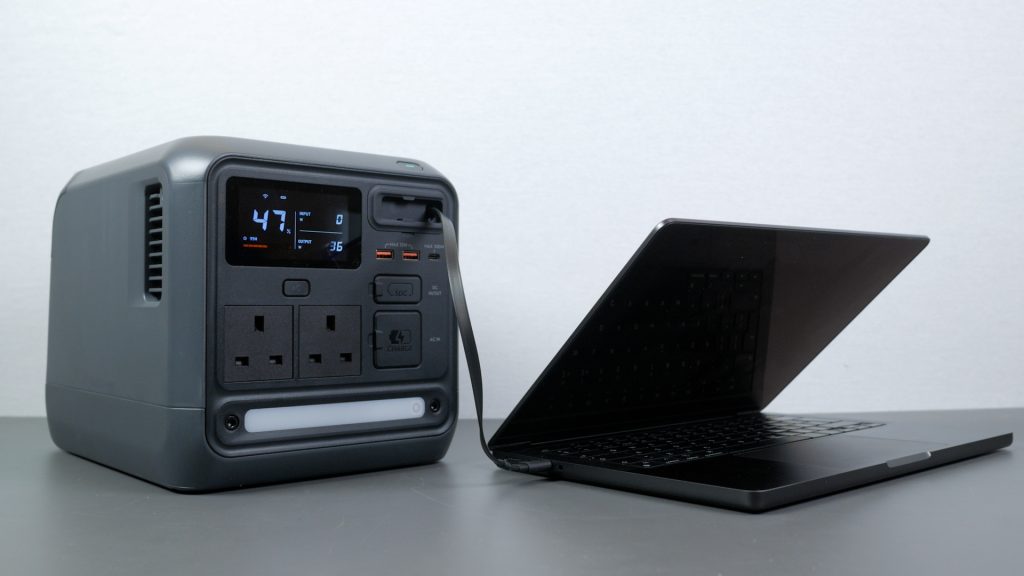
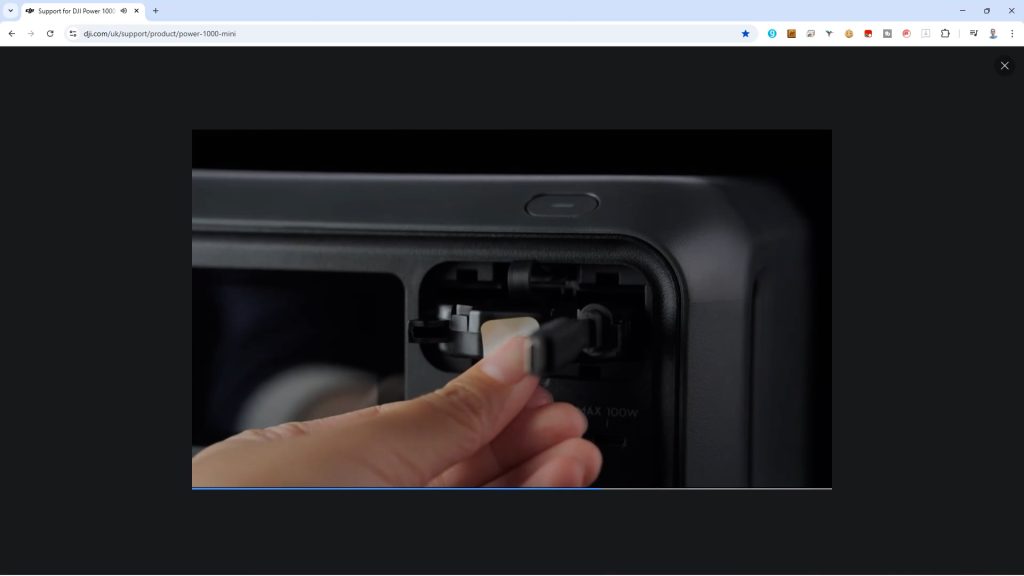
And I’m very pleased to see DJI have made this retractable cable user replaceable – there’s even a video on their support site showing how it’s replaced.
The unit also turns on automatically when you use either USB-C port — as long as the device is drawing a reasonable amount of power. Otherwise, turning the unit on activates all the USB and DC outputs together — there’s no separate DC power button, which keeps things simple.
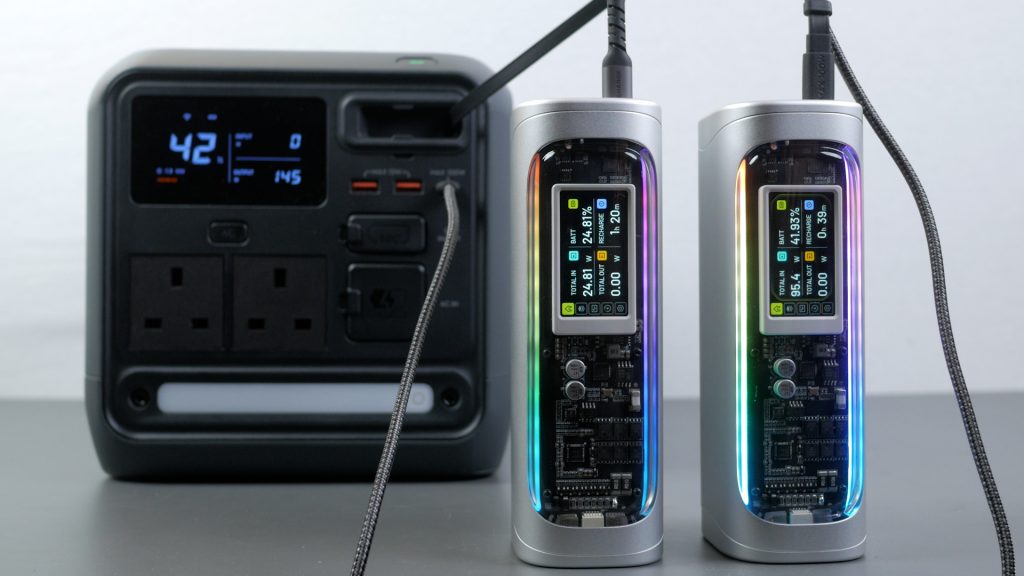
I tested the USB-C outputs to the limits using two power banks that can charge at up to 140 W. A single port can deliver the full 100 W. When using two USB-C outputs together, total output is shared — I measured 150 W combined, with the retractable cable getting the full 100 W and the other USB-C port dropping to around 50 W. I also tested the 12 W outputs with a load tester – it doesn’t support any fast charging standards.
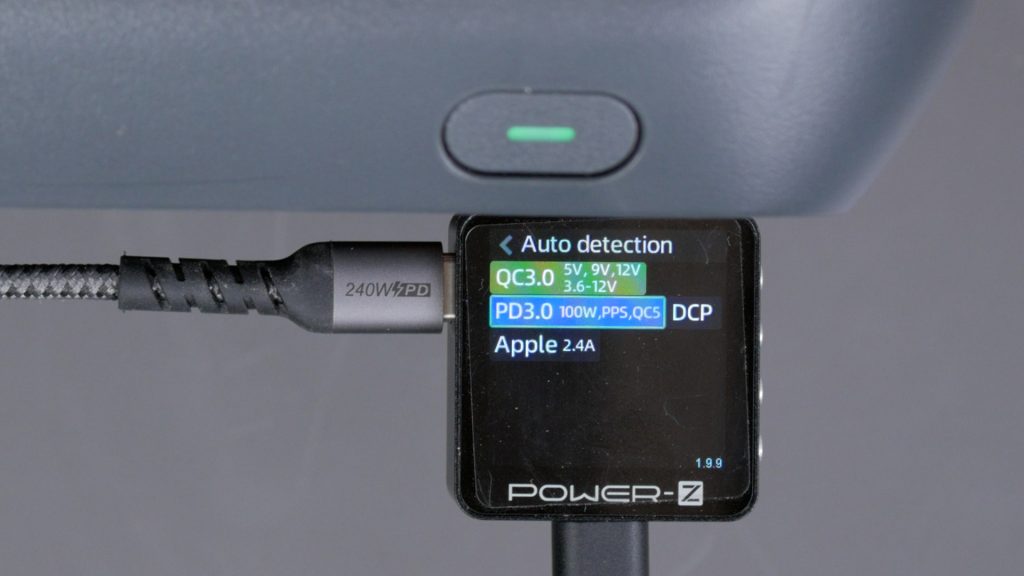
You can see the supported charging standards of the USB-C ports. I was slightly disappointed there’s no 140 W USB-C outputs like on DJI’s bigger power stations, but I imagine most people won’t be too bothered.
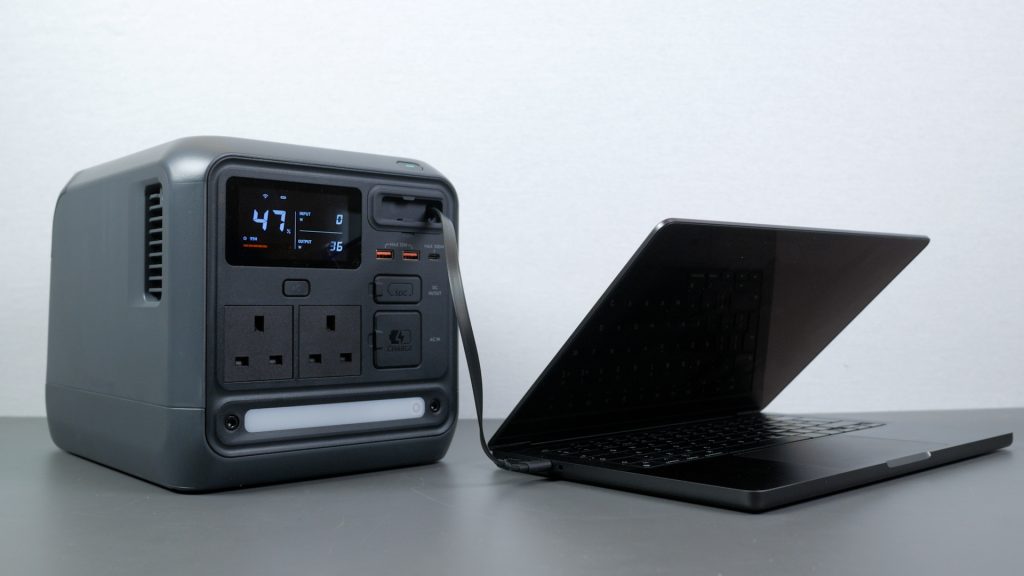
Typically I use the retractable cable to charge my MacBook Pro which has a 72 Wh battery – you’d get 11 full charges of this MacBook off a fully charged 1000 Mini.
And like most power stations it supports passthrough charging, so I can charge it off mains and use all its outputs at the same time.
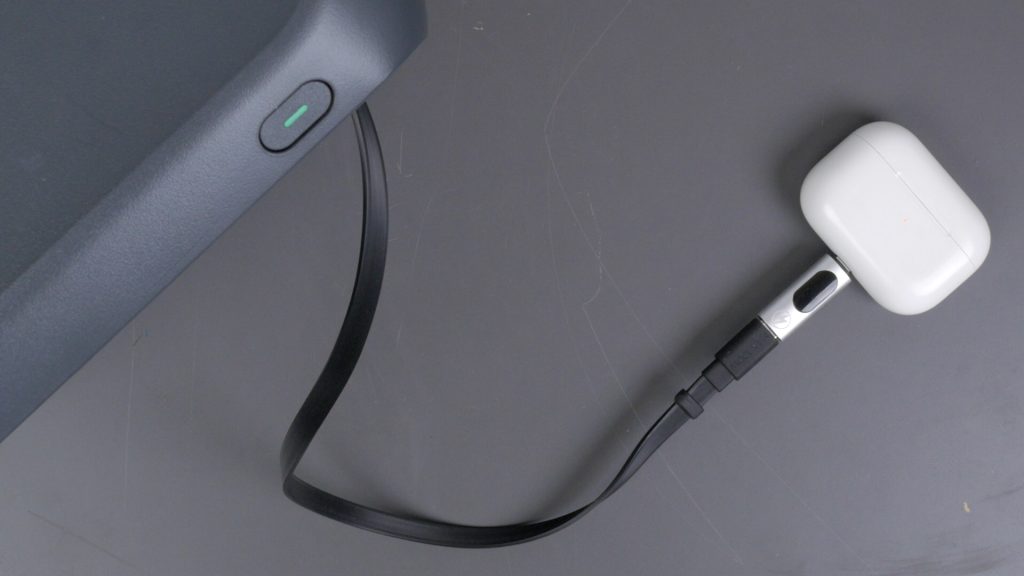
I also tested very low-power devices like my AirPods Pro, and they kept charging beyond the 30-minute timeout — so it doesn’t cut off low-power devices prematurely.
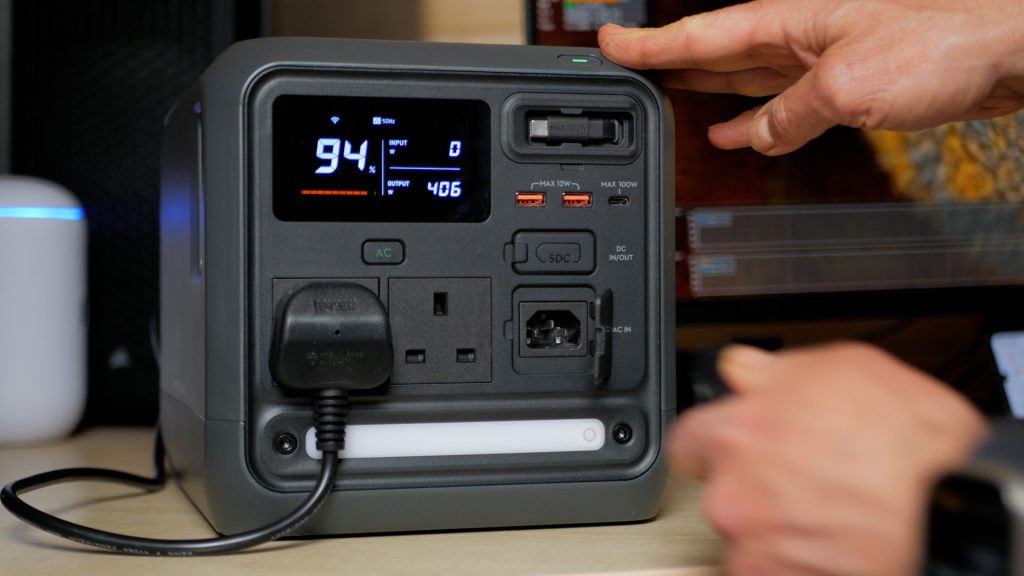
Like most power stations, it includes a UPS, or uninterruptible power supply mode. When the unit is plugged into mains power, connected devices run directly off mains rather than the battery.
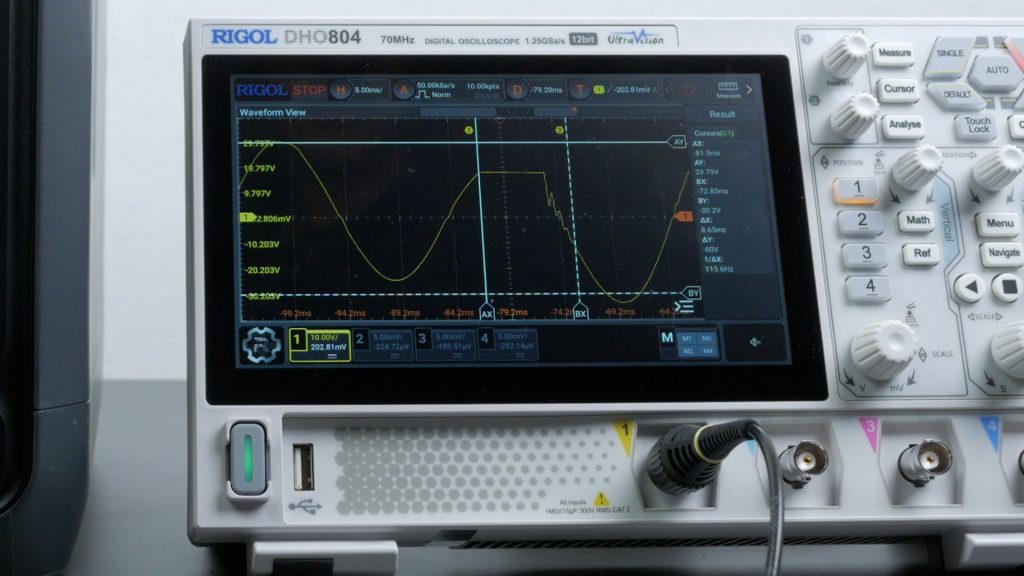
In the event of a power cut, the switch‑over to battery happens almost instantly – DJI claims within 10 ms.
I tested this with my desktop PC running an intensive graphics benchmark and it handled the transition flawlessly. I also measured the transfer time using an oscilloscope and recorded a very clean handover at 8.7 ms.
I’ve shown the smartphone app throughout the article – it’s polished and easy to use, with a clean interface, but it focuses on the essentials rather than offering lots of advanced features you might find in some other apps.
Conclusions
The DJI Power 1000 Mini delivers something genuinely useful – a 1 kWh power station in a smaller, more portable design than anything I’ve tested.
In practice, it’s far more capable than its size suggests. It can run most of your tech and everyday appliances, handle some power tools when needed, and keep essentials like a fridge going for days in an emergency. That combination of size and real-world usability is what makes it stand out.
It’s also very well thought through. The built-in retractable 100 W USB-C cable, integrated light, and support for mains, solar, car and alternator charging – all without needing additional bulky accessories – makes it one of the most convenient units to actually use day to day.
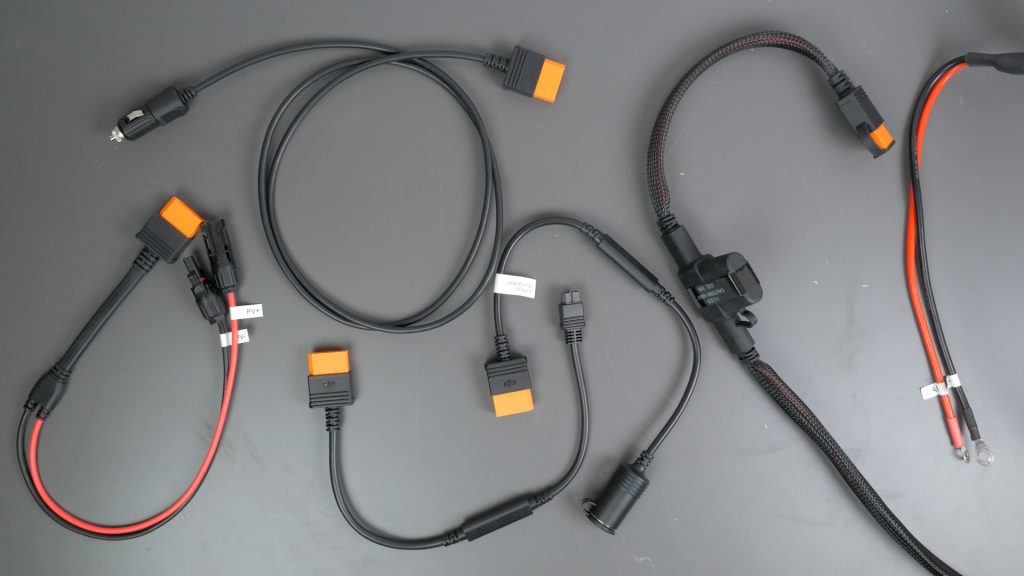
It does use DJI’s proprietary SDC port, so you will need DJI’s adapters, but they’re reasonably priced and easy to get hold of. The port is very flexible, but I would have liked support for higher-voltage solar panels and a higher input ideally.
The 1000 W max output will be a limitation for some people. But overall if you want something compact and capable, the DJI Power 1000 Mini should be on your shortlist.
I’m planning a full round-up of 1 kWh portable power stations soon, I’d add a link when it’s out.
Don’t forget to take a look at my YouTube video at the top of the page, and again please subscribe to my YouTube channel where I’m releasing videos every week on the latest technology and how to get the most out of it. If you tap the bell icon when you subscribe you’ll get a notification as soon as I release a video, and there’ll be a link to my site here for the written article. YouTube is also the best place to leave a comment. I read all of them and respond to as many as I can!
Amazon Links:
DJI Power 1000 Mini (currently 20% off): https://amzn.to/3P3zJn8
DJI Power 1000 V2: https://amzn.to/4wgMs6D
DJI Power 2000: https://amzn.to/4trImG9
As an Amazon Associate, I earn from qualifying purchases made through Amazon links.
Leave a Reply