This is the Ruko U11 MINI 4K — a sub-250g camera drone designed to compete with DJI.
But when it actually costs more than some of DJI’s entry-level drones, you have to ask the obvious question: why would anyone buy this instead?
In this article I’m going to run through what you get in the box, the drone’s build quality, its headline features and the all-important image quality to see if there’s actually a good reason to buy it.
And … I also managed to crash it while testing, so we’ll see how it handled that too.
Overview

In the box you get a useful semi-hard storage case containing the drone itself, three batteries with the Fly More Combo — or just one with the Standard kit — the controller, USB-C, Lightning and even Micro-USB data cables for connecting your phone, three USB-C charging cables, a detailed user manual all in English, plus spare propellers, joysticks and screws.
The controller feels quite nicely made and comparable to DJI’s controllers. The drone itself though feels plasticky and less solid than DJI drones.
Still, we’ll see how it held up in the crash – which is arguably the most important thing.

The 90g 2200 mAh batteries charge individually via USB-C – there’s no charging hub to charge multiple batteries hence the 3 USB-C cables with the Fly More Combo kit. And disappointingly there’s no fast charging – a full charge takes up to 3 hours at less than 10W.

The batteries click into place – although it’s not a particularly reassuring click. You get lots of warnings to ensure the battery is fully engaged so it doesn’t fall out mid flight!
Remove the gimbal cover, unfold the front and then rear legs and long press the power button to turn on the drone. Insert a microSD card – there isn’t one included.

The controller has an integrated battery that also charges via USB-C. Once charged, slide your phone into the controller and connect the USB cable – the USB-C cable is already installed. Screw in the joysticks, and long press the power button on the controller. The controller and drone automatically pair, which takes around 20 seconds.

Then you can open up the Ruko U11 app and you should see a live image from the drone’s camera. Make sure the drone has satellite acquisition – the left blue LED on the controller stops flashing and the satellite icon on the app shows a green bar graph – I’d wait for all 5 bars to display. Then you can start the motors pulling both joysticks back and towards the middle of the controller. Then push up the left stick to take off.
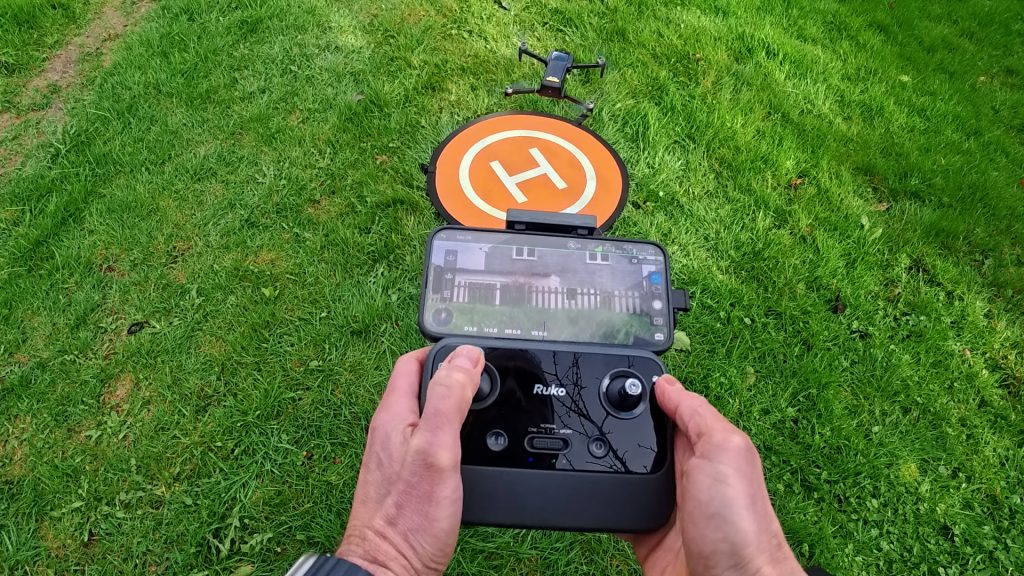
It really couldn’t be much easier. The app also has a take off icon you can tap if you prefer.
The controls are pretty standard — the left joystick controls altitude and rotation, while the right joystick moves the drone forward, backward and side to side.
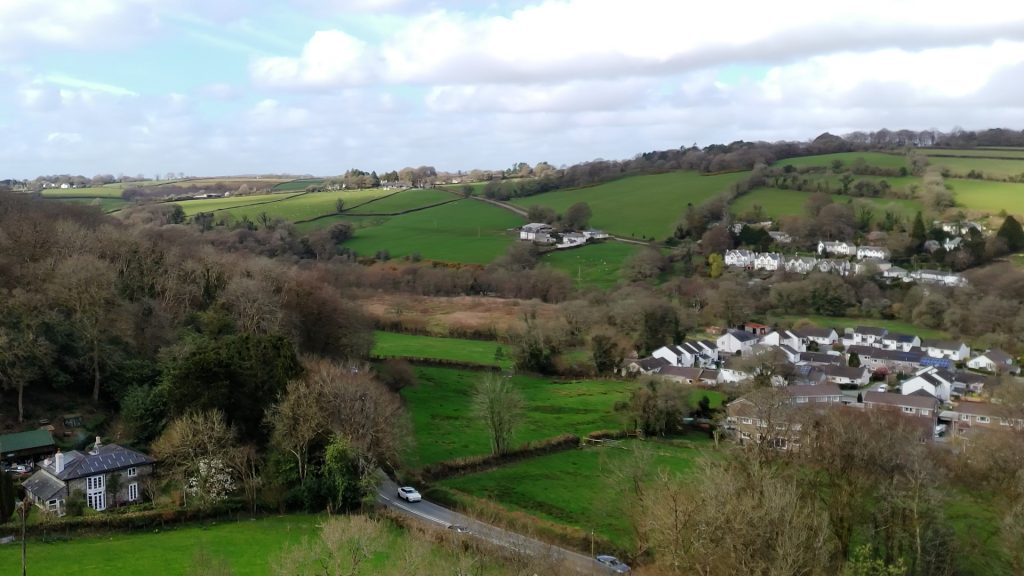
I’m flying on a sunny but windy day and the drone handles well. It’s also a little nippier than I was expecting, which is nice. Ruko claim their R2 transmission system has up to 6 km of range. In most countries you need to maintain visual line of sight of the drone – and since this is a small drone I can barely see it beyond 200 metres. You will need to turn off beginner mode to get over 30 metres.

At 250 metres away I still had smooth live transmission so that’s good enough for my needs. The app did crash at one point which was concerning – but the drone doesn’t need the app to operate. And reopening the app brought back the transmission.
At any time you can tap the Return to Home button to bring the drone back to its take off location. This works pretty well, but you’ll probably want to use manual control if you need to land more accurately. You can still guide the drone while it’s returning, or press the button again to cancel the procedure. If you get it close to the launch pad, you can tap the land icon and then still make some minor adjustments to land the drone.

Ruko claims up to 32 minutes of battery life. I tried to measure a best-case scenario by hovering the drone less than a metre above the launch point, starting with a full battery, until the drone performed a forced landing. I measured just under 27 minutes. In real-world use, in quite windy conditions, I was comfortably getting over 20 minutes.
Return to Home will automatically kick in if the battery is too low but I wouldn’t rely on this unless you’re in a wide open space and can easily retrieve your drone in case of any mishap. Return to Home will also activate if the drone loses signal to the controller.
Performance

The big selling point of this drone is the camera – with 4K resolution using a ½” sensor and a 3-axis gimbal. There’s a button on the controller to operate the camera – short press for a photo and long press to start video. This only works in flight. There’s also a dial to move the camera up and down, and the button next to the right joystick does this automatically but very slowly I guess for cinematic effect. On my DJI drones this feature quickly switches between looking down and straight ahead – which I find more useful.

The image quality is slightly better than I was expecting and more than usable. If I was being picky, the colours are slightly off and there’s a little too much sharpening, but I think most people would be happy with what this drone outputs. There’s plenty of footage throughout the accompanying video.
Just make sure you transfer the footage off the SD card for the full resolution files. It is disappointing there’s no 25 fps for the non-US market – only 4k 30 fps and 1080p 30 fps.

There’s also a 48 megapixel photo mode which gives pleasant results. If you zoom right in it looks very heavily processed but at normal viewing it’s fine. It’s only JPG, no RAW and there aren’t any settings you can change – ideally it’d be nice to be able to turn down the sharpening and noise processing.

Probably my favourite feature on this drone is Cruise Control. At over 15 metres height you can set the drone’s movement with the joysticks and then press the cruise control button. The drone then continues autonomously without you touching the controls, which makes it very easy to capture smooth footage. It works really well and you can still make adjustments to the drone’s flight. Just be aware there’s no obstacle avoidance on this drone so you’ll need to keep a careful eye on the live view.

There’s also a switch for the various speeds: Cinematic , Normal and Sport with maximum speeds of 4.5 m/s, 8 m/s and 14 m/s respectively.

Ruko recommends Sport mode if it’s windy. I saw up to around 13 m/s, which is almost 30 mph in Sport mode which is pretty quick.
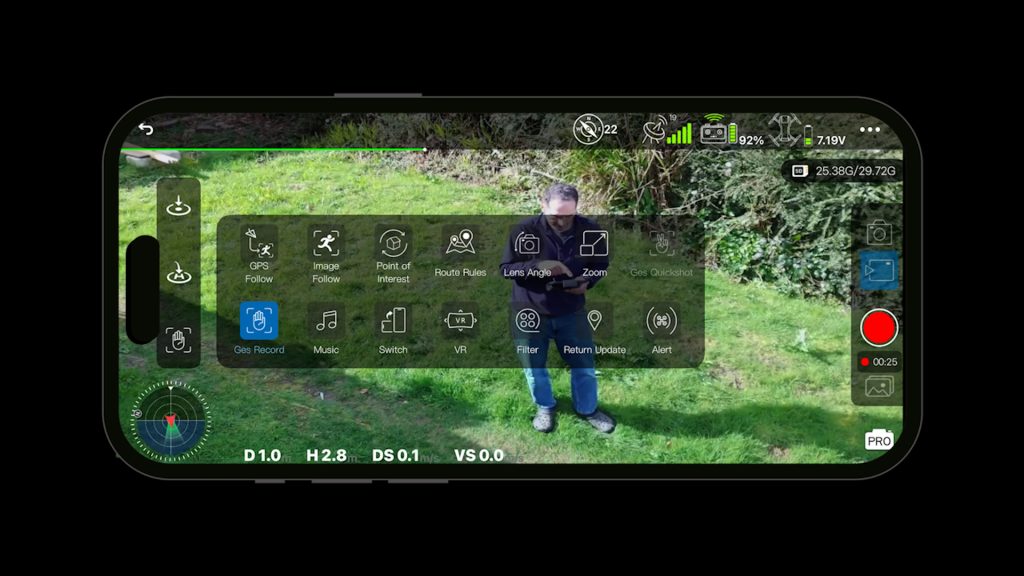
I tried all the various shooting modes in the app. Probably the most interesting mode is the Route Rules where you can tap waypoints on a map to create a route the drone will follow. It’s not particularly smooth moving between the waypoints, but it works and it’s easy to set up and use.
The Point of Interest mode rotates around its current position and you can set the distance of its orbit, speed and direction all with the right controller. It’s very limited compared to similar features on DJI drones when you can select an object or person to orbit around. But again it works ok and could still be useful.

I didn’t really have enough room to thoroughly test GPS Follow, which tracks your phone’s position, and Image Follow which uses subject tracking, but I probably wouldn’t buy this drone specifically for those modes when the DJI Neo – and Neo 2 for that matter – are cheaper and have far more advanced autonomous features.
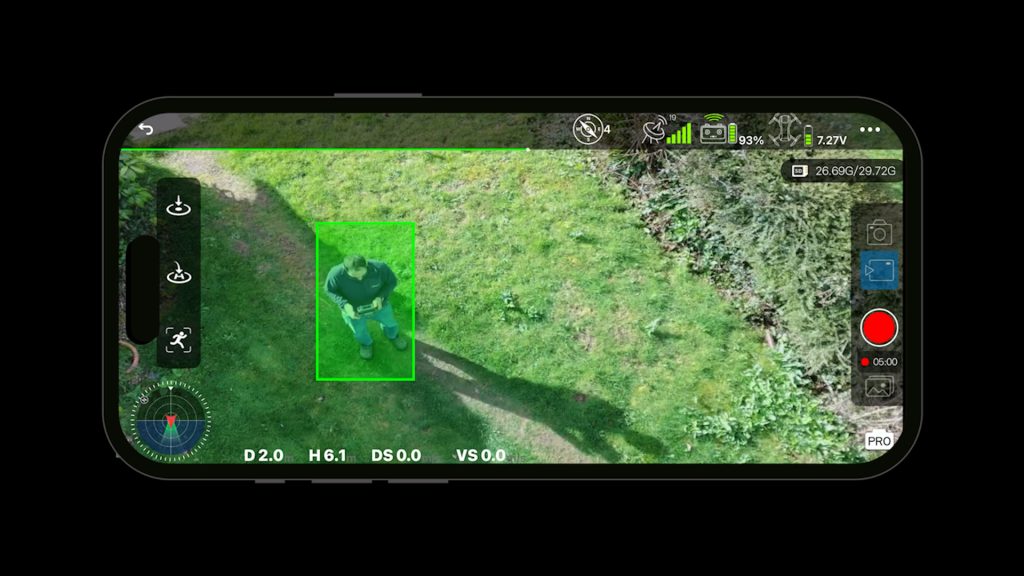
Still, it’s nice these options are available if you want to experiment. And as I’ll come back to in the conclusion, not everyone can get hold of DJI drones right now.
Some of the functions in the app seem a little pointless — like the portrait mode that just crops into your video. It doesn’t rotate the gimbal like on some drones, so you might as well do this in post rather than throwing away sensor information you might want later.

I didn’t plan on testing how well the Ruko handles crashing but I did manage to clip some tall trees. I was clear of the tree in flight but only just. I stopped to adjust the gimbal angle which seemed to drop the drone’s height by a few metres. I then spent an hour trying to retrieve the drone – which luckily wasn’t in someone’s garden! The map view is invaluable for this and if you press and hold the Return to Home button the drone beeps which can help you locate it when you’re close.
The body and propellers have a few scuffs and one of the front landing feet is very slightly bent but it still works just fine. I haven’t even needed to change any of the blades and the gimbal still works perfectly. The drone comes with spare blades and they’re also available on Amazon but I’m not sure how easy it would be to get this drone repaired if it had fared worse. Still it’s encouraging that it survived.
Conclusions
So to answer my initial question — why does this drone exist?
The Ruko U11 MINI 4K actually turned out to be better than I expected in a few areas. It’s easy to fly, the controller is well designed, the 3-axis gimbal produces smooth footage, and the camera is perfectly usable for casual aerial video and photos. Features like cruise control are also surprisingly useful for getting smooth cinematic shots, and it even survived a fairly major crash without any real issues.

The main challenge for Ruko is the competition — particularly from DJI. Their Mini 4K, Mini 3, Neo and Neo 2 have better build quality and a far more refined user experience, with tried and tested after-sales support. The Neo 2 also has obstacle avoidance. And depending on the bundle you choose, they’re currently all cheaper than the Fly More Combo version I tested here.
But DJI products aren’t currently available everywhere. In that situation it’s good to have alternatives, and the U11 MINI 4K does provide a capable option that still delivers the core things most people want from a drone: stable flight, decent 4K video and straightforward controls.
And even if DJI drones are an option, if you’re looking for a simple sub-250 g camera drone that’s easy to fly and capable of producing good looking footage, the Ruko U11 MINI 4K can certainly do the job.
Don’t forget to take a look at my YouTube video at the top of the page, and again please subscribe to my YouTube channel where I’m releasing videos every week on the latest technology and how to get the most out of it. If you tap the bell icon when you subscribe you’ll get a notification as soon as I release a video, and there’ll be a link to my site here for the written article. YouTube is also the best place to leave a comment. I read all of them and respond to as many as I can!
Amazon links:
Ruko U11MINI 4K: https://amzn.to/4lpFmHU
Alternatives:
DJI Mini 4K, DJI Mini 3, DJI Neo, DJI Neo 2
As an Amazon affiliate, I get a small commission from purchases made via any Amazon links.
Leave a Reply