The Mic Pro is Insta360’s new flagship wireless microphone system, and it has some genuinely unique features. It has three microphones that provide four different pickup patterns, can internally record 32-bit float stereo audio, features a fully customisable E-Ink display, and connects directly to compatible Insta360 cameras without needing a receiver. But are those features actually useful, and should you buy it instead of something like the DJI Mic 3? I’ve been testing it over the past few weeks, and in this article and accompanying video I’ll share everything you need to know. So let’s take a closer look.
Four Pickup Patterns
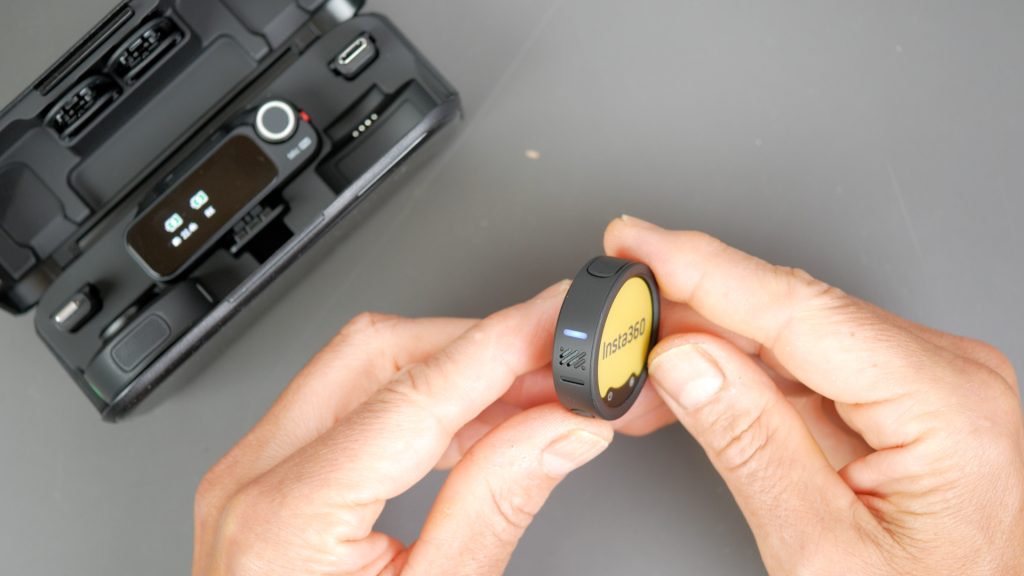
This is one of my favourite features. Most wireless microphones like this have a single omnidirectional microphone that captures sound from all directions. The Mic Pro, however, has a 3-mic array – one microphone on the top and two on the sides. Working together, these provide four different pickup patterns, making it far more versatile than a typical wireless mic.
There’s the standard omnidirectional mode, which captures sound all around you and is ideal when you want to preserve the ambience of a scene. Then there’s cardioid, which focuses mainly on sound in front of the microphone, making it ideal for podcasts and talking-head videos.
Figure-8 captures sound from the front and rear while reducing sound from the sides, making it useful for two-person interviews or when using the transmitter as an on-camera microphone. Finally, there’s Super-directional, which behaves much like a shotgun microphone, focusing on sound directly in front while reducing unwanted background noise from elsewhere.
Watch the accompanying YouTube video to hear these modes in action.
32-bit Float Stereo Internal Recording
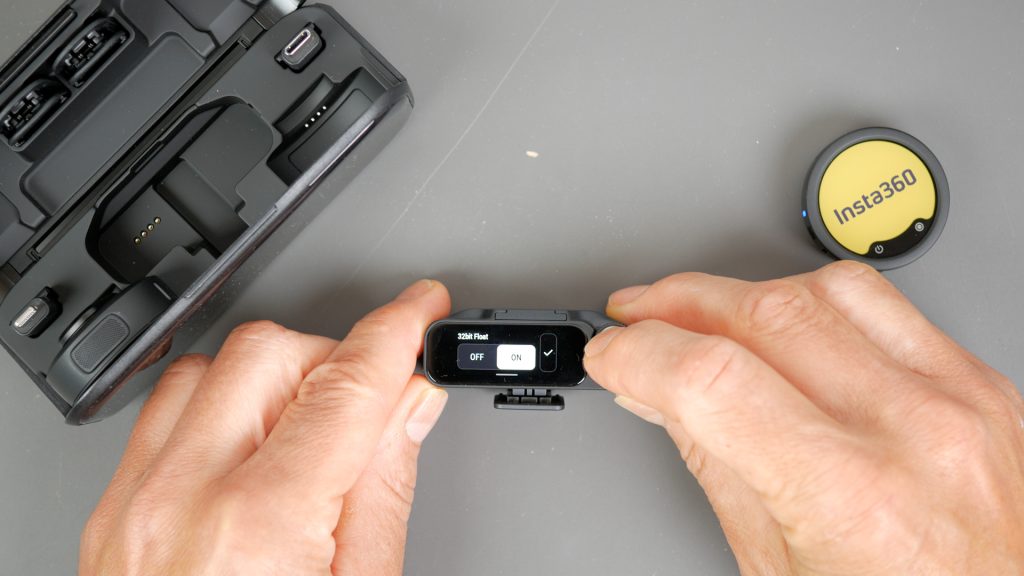
This doesn’t sound like the most exciting feature of a microphone, and it really deserves a less intimidating name. But it’s a feature I use every single time I record – it’s invaluable.
The Mic Pro can record 32-bit float audio directly to its 32GB of internal storage. A 32-bit float recording has an enormous dynamic range, making it extremely difficult to clip your audio if, for example, someone suddenly shouting, laughing loudly or there’s an unexpected loud noise.
Recording internally also protects you against wireless interference or even a complete loss of connection to the receiver. In fact, if you’re happy to do a few seconds of post-processing, you don’t even need to use the receiver. You can simply sync the internal recording with your camera or phone audio afterwards.
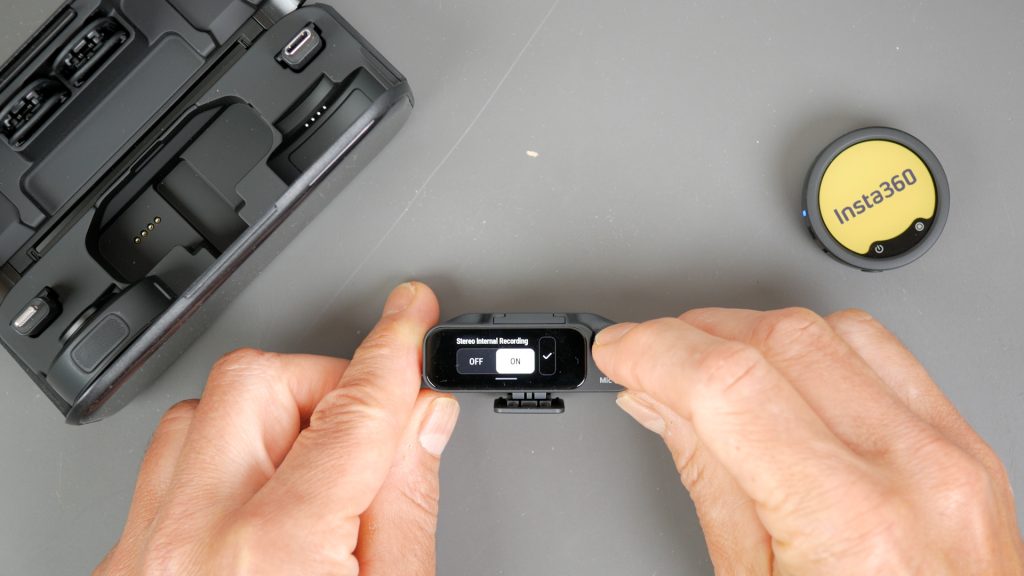
Thanks to its three-microphone array, the Mic Pro can also record 32-bit float stereo audio internally. I’m not aware of any other wireless microphone that can internally record 32-bit float stereo.
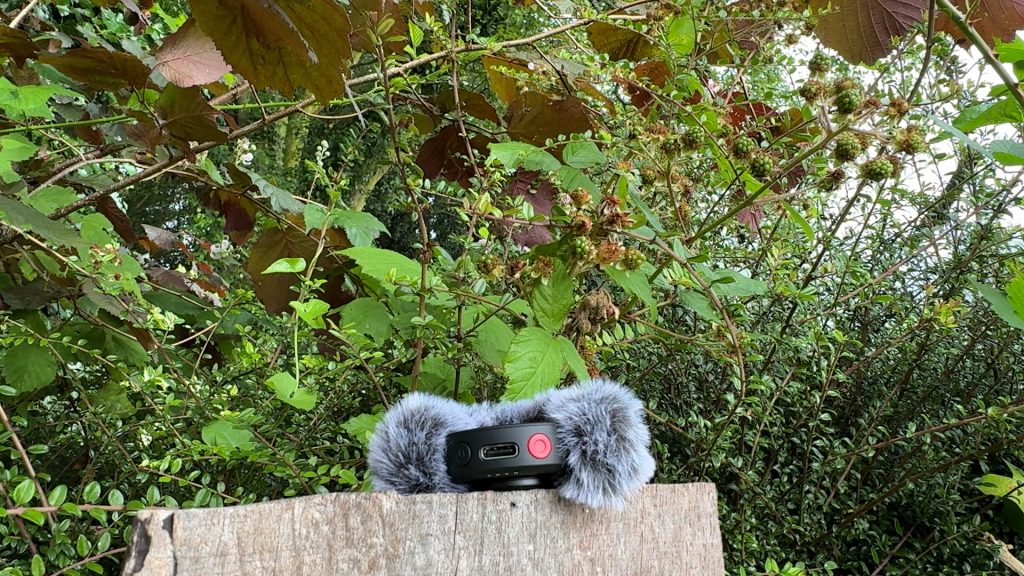
Whilst you’ll probably use mono for speech, stereo is ideal for recording ambience, live music, nature or ASMR, effectively turning the Mic Pro into a compact stereo field recorder as well as a wireless microphone.
In mono you’ll get almost 45 hours of recording time, or around 22 hours in stereo. That’s more than enough for most people. Personally, I enable loop recording, so once the memory is full it simply overwrites the oldest recordings. As I’m regularly copying recordings to my computer, I’ve never come close to losing anything important.
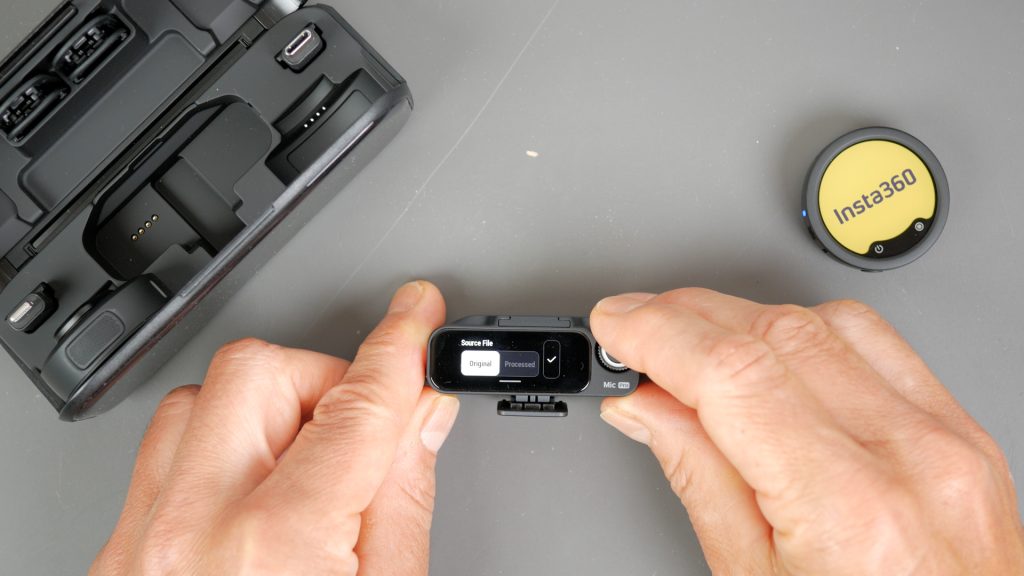
There is one limitation, though. You have to choose whether the internal recording is saved as RAW or processed with features such as noise reduction, voice presets and other audio processing. If you’re recording in stereo, only the RAW file can be saved.
I’m perfectly happy recording RAW, but I’d still like Insta360 to add the option of recording both a RAW and a processed file at the same time, just like the DJI Mic 3. That way you’d have the convenience of a ready-to-use processed recording, while still keeping the untouched RAW file as a backup.
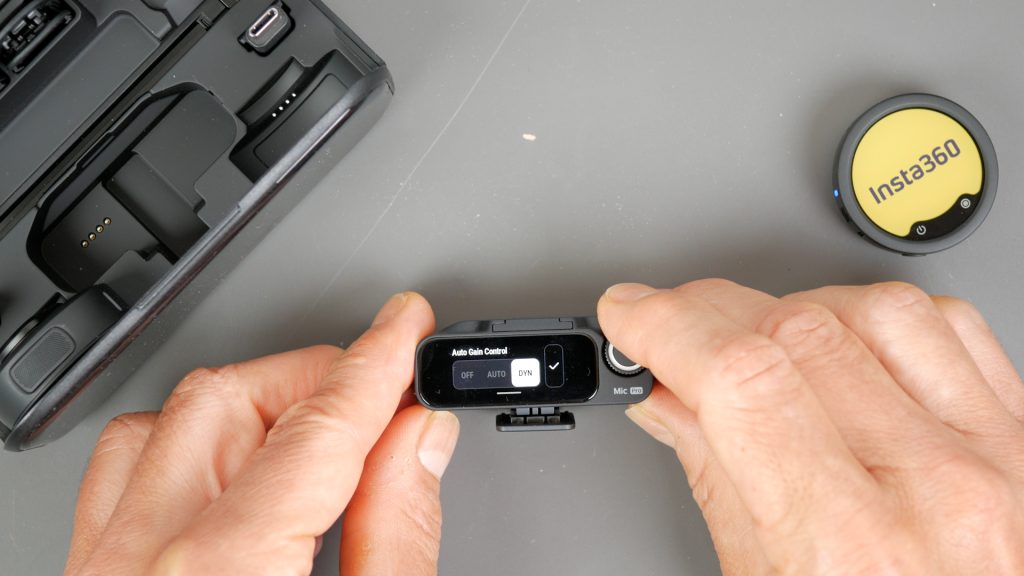
If you don’t want to rely entirely on 32-bit float, you can also enable one of the two Auto Gain Control modes. Prevent Audio Clipping reduces sudden loud sounds before they distort, while Dynamic Auto Gain smooths out changes in volume as people speak. It’s another useful layer of protection alongside the internal recording.
Transmitter has built in USB-C
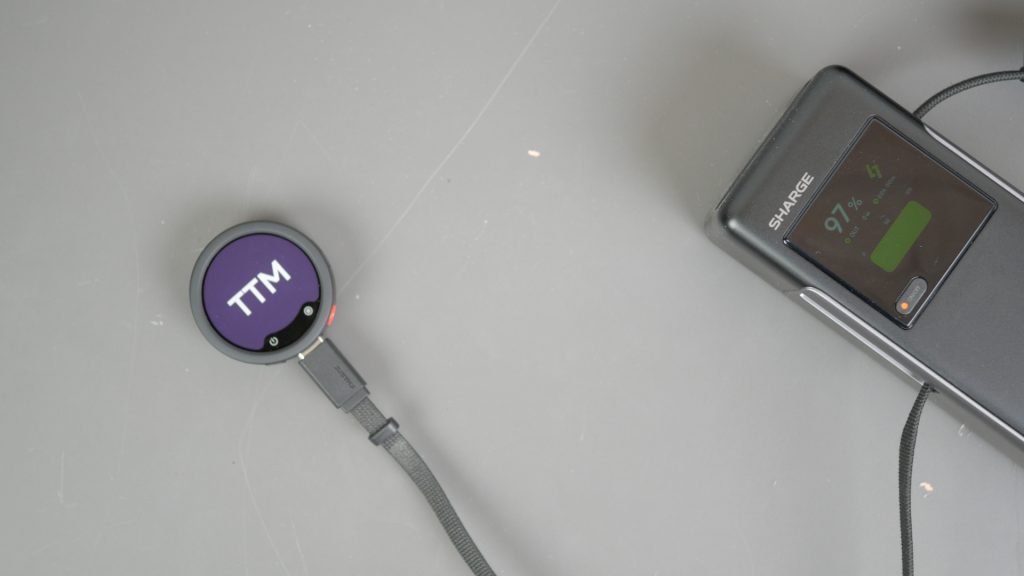
This might not sound like a big deal, but I actually think it’s one of the Mic Pro’s biggest advantages over the DJI Mic 3. The transmitter has a built-in USB-C port, which gives you three really useful benefits.
Firstly, you can simply plug it into your computer with any USB-C cable to copy your internal recordings. There’s no need for a charging case or an app to get your files off.
Secondly, you can charge the transmitter directly using the same USB-C cable. It also supports fast charging, with just five minutes of charge providing up to two hours of recording. If you’re only using the transmitter with an Insta360 camera, you don’t even need the charging case.
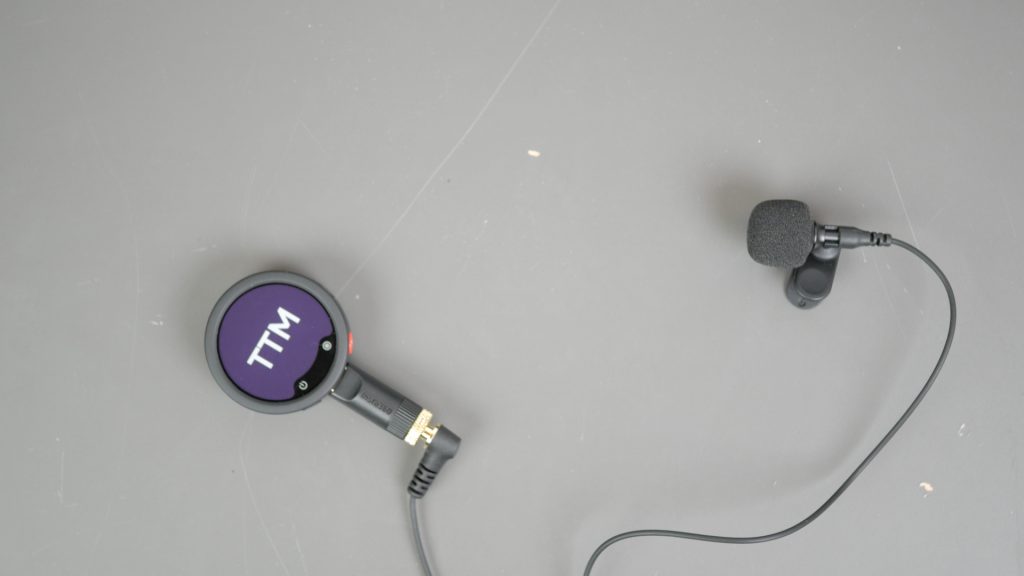
Finally, you can connect an external lav microphone using Insta360’s optional USB-C to 3.5mm adapter, which is included with Insta360’s lavalier microphone. That gives you a much more discreet setup when you don’t want the transmitter visible on camera, while still benefiting from all of the Mic Pro’s internal recording and processing features.
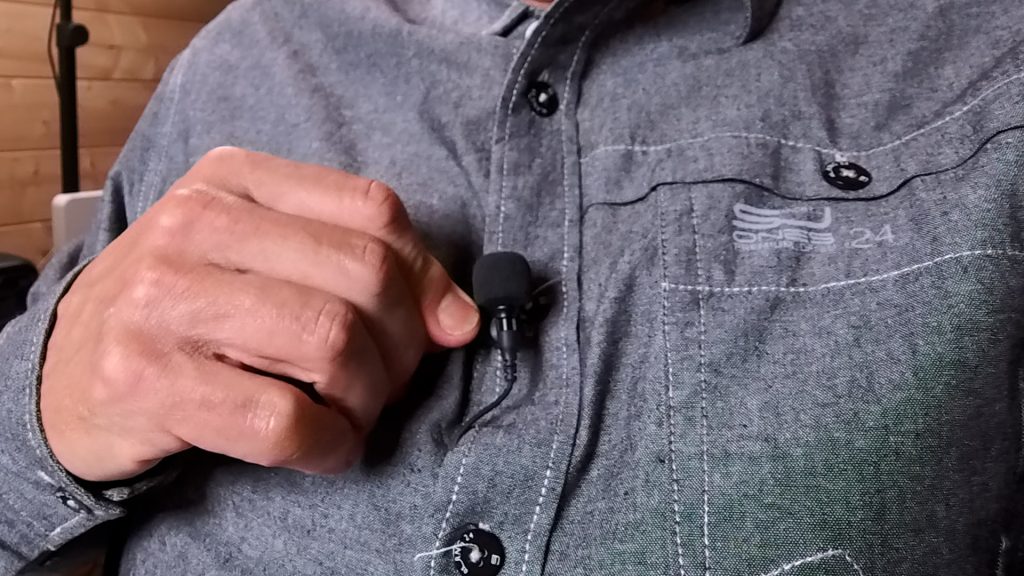
For me, USB-C makes the Mic Pro much more flexible than the DJI Mic 3. It’s easier to charge, easier to transfer recordings and gives you the option of using an external lav mic when you want a more discreet setup.
AI Noise Reduction
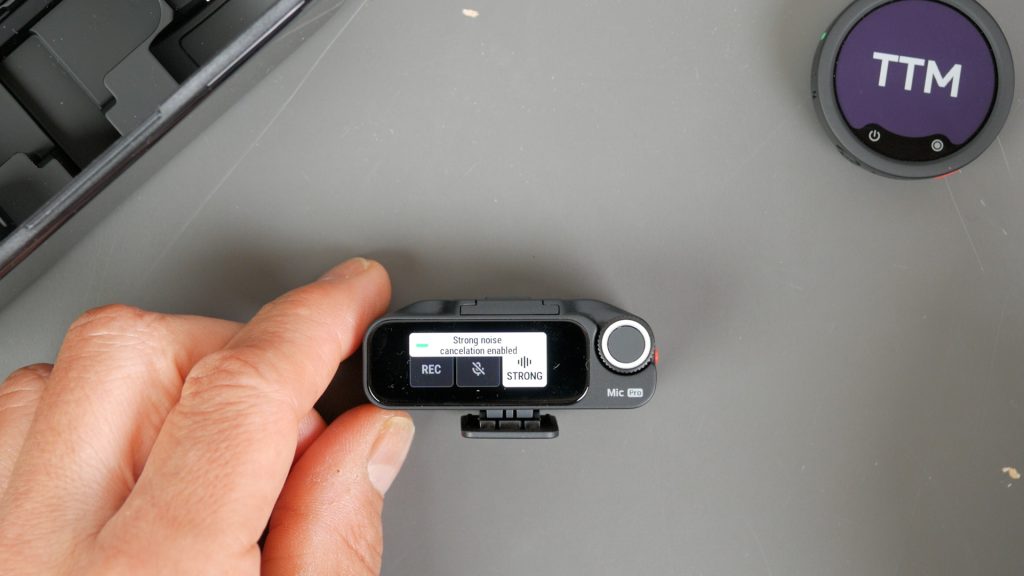
Most wireless microphones have some form of built-in noise reduction, but I usually leave it switched off and deal with any background noise later in post-production. That’s because it often makes voices sound artificial or over-processed.
The Mic Pro, however, has a dedicated AI processor for noise reduction, which sounds like marketing fluff, but it genuinely works. It does an excellent job of reducing wind, traffic and other background noise while still keeping voices sounding natural. Rather than me trying to describe it, have a listen for yourself.
In my testing, it’s the best noise reduction I’ve heard on a wireless microphone – watch the accompanying YouTube video to hear the noise reduction in action.
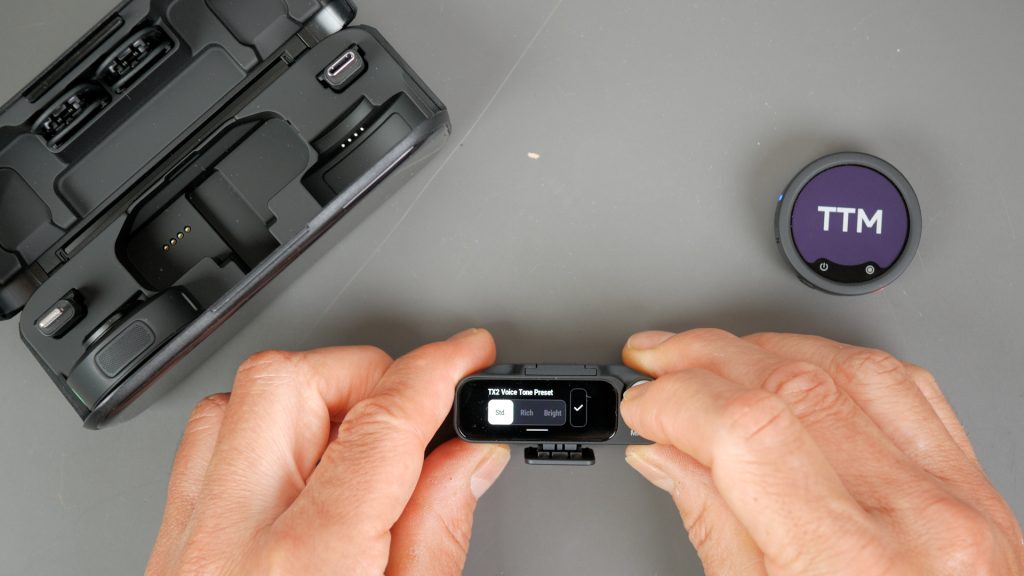
As well as AI noise reduction, the Mic Pro also includes three voice tone presets: Standard, Rich and Bright.
Personally, I prefer the Standard preset because it sounds the most natural to my ears, but it’s useful having the choice depending on your voice or the type of content you’re recording. Watch the accompanying YouTube video to hear how the voice tones compare.
Receiver Features
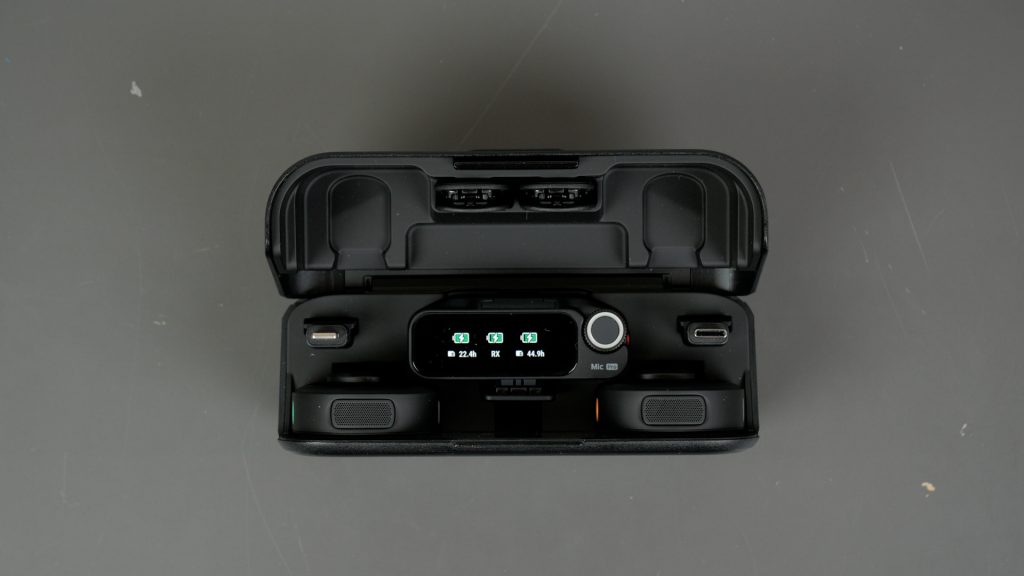
If you’re only using the Mic Pro with one of the compatible Insta360 cameras, which I’ll come to shortly, then you may only need the transmitter. However, if you’re connecting to a mirrorless camera, want the longest wireless range or need to use multiple transmitters together, then you’ll need the receiver.
The Insta360 Mic Pro is available in several different configurations. You can buy the transmitters on their own, a single transmitter with a receiver, or the standard kit with two transmitters, a receiver and charging case that I have here.
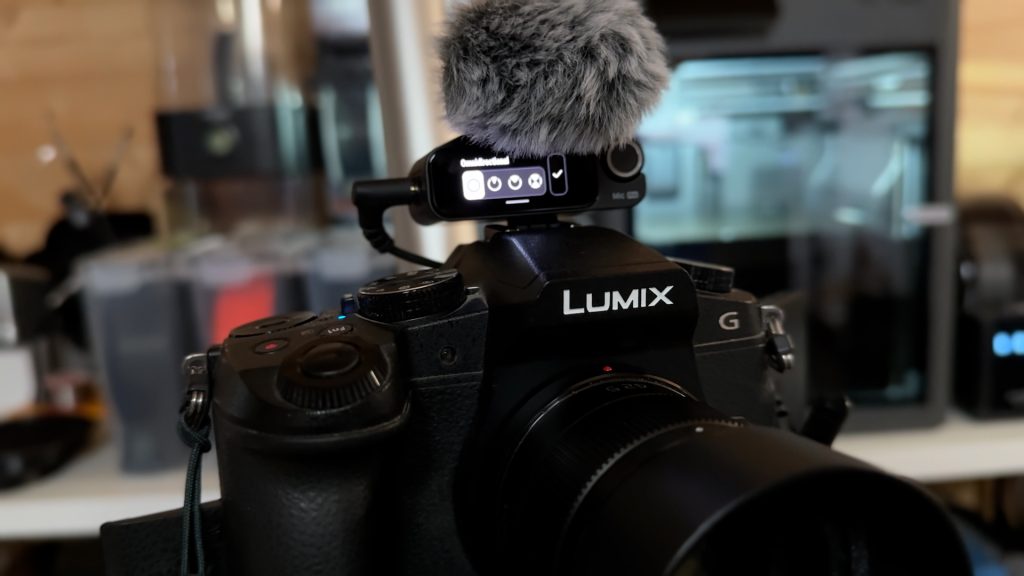
The receiver includes a USB-C adapter and a 3.5 mm camera cable, so it can be used with smartphones, computers and mirrorless cameras. Typically, you’ll mount it on your camera’s hot shoe and connect the supplied 3.5 mm cable to your camera’s microphone input. There’s also a cold shoe mount on top of the receiver, allowing you to mount one of the transmitters using its clip, so it can double as a compact on-camera shotgun microphone.
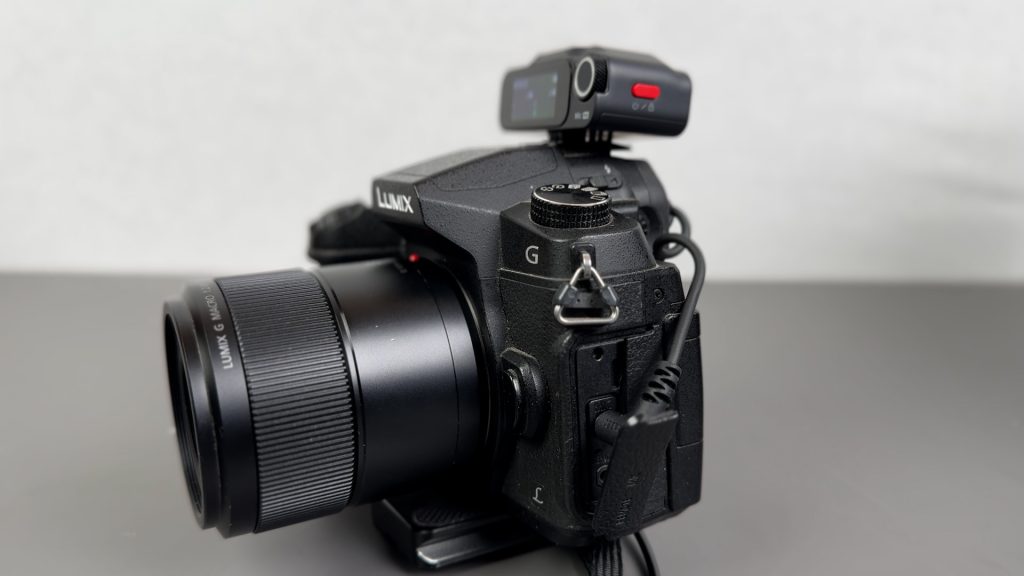
On my Panasonic mirrorless camera, I found the supplied cable only just reaches, so a slightly longer cable would have been nice.
If you buy one of the receiver kits, the transmitters come pre-paired to the receiver. If you’ve got the charging case, they’ll automatically power on when you remove them. Otherwise, simply switch them on using their power buttons.
Each transmitter has its own live audio meter on the receiver’s bright touchscreen. Tap the audio meter to jump straight to the transmitter’s quick settings, where you can start or stop internal recording, mute the microphone or change the noise reduction settings.
Swipe up from the bottom of the screen to quickly configure all transmitters together. Swipe down from the top to access the full settings menu, where you can configure both the receiver and the transmitters in more detail.
Alongside the touchscreen is a control wheel, making it quick and intuitive to navigate the menus and adjust settings.
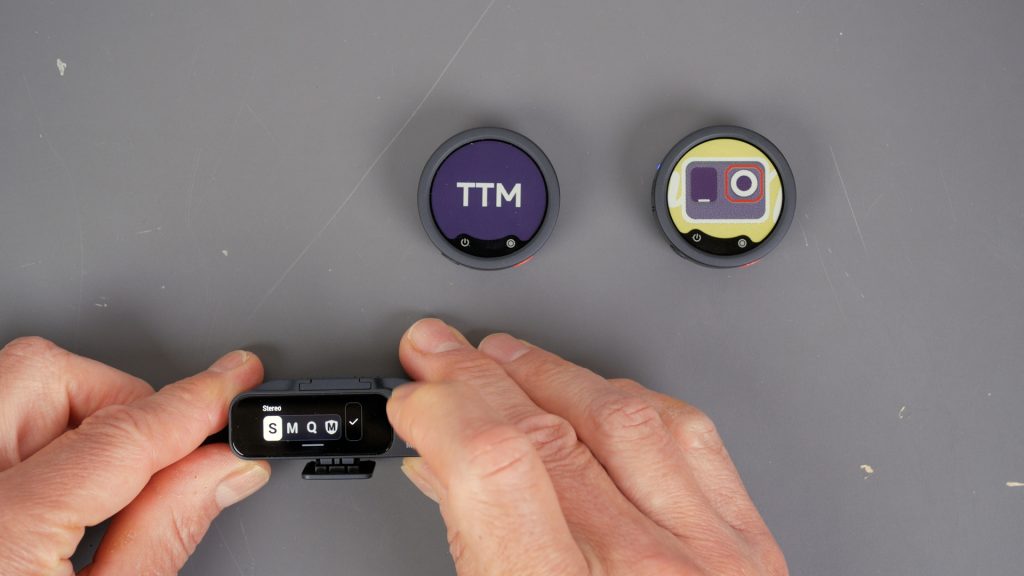
The receiver also supports some really useful advanced workflows. It can connect to up to four transmitters, allowing you to record up to four people with a single receiver. With two transmitters, you can record them as a stereo pair, keeping each microphone on its own channel for much greater flexibility during editing. If you’re using four transmitters, the Mic Pro can even output quadraphonic four-channel audio, although you’ll need compatible hardware and editing software to take full advantage of it.
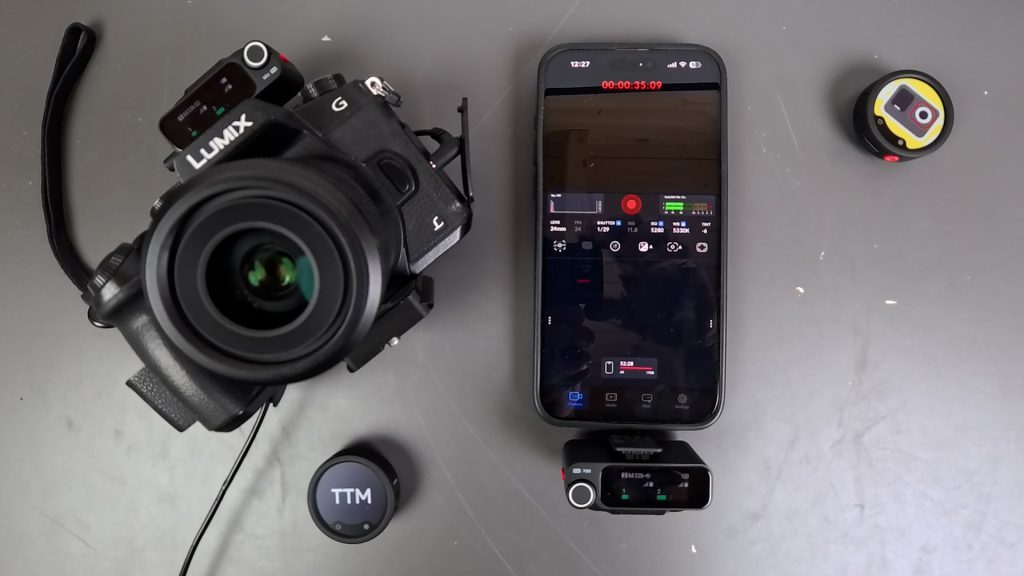
Alternatively, switch it into multi-receiver mode and two transmitters can send audio to up to four receivers. For example, here I’m sending audio from two transmitters to one receiver connected to my mirrorless camera and another connected to my iPhone. Both devices receive the same audio, making it ideal for multi-camera productions.
For even more advanced workflows, the receiver also supports timestamp synchronisation, making it much easier to line up audio and video across multiple cameras in post-production.
400m Range with the Receiver
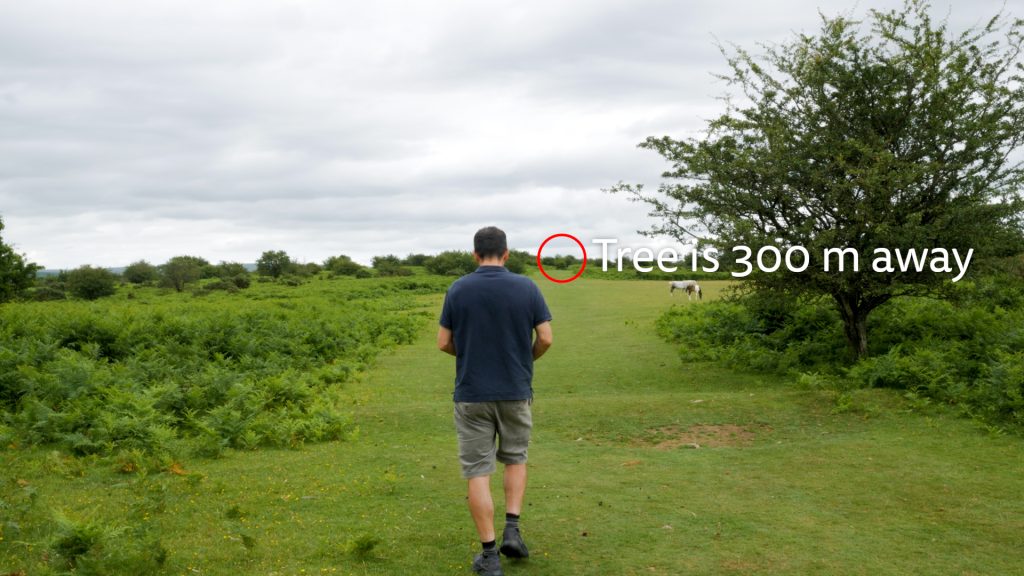
As well as the extra features, the receiver also gives you a significant increase in wireless range. Insta360 quotes a maximum range of 400 metres, although that’s under ideal conditions with a clear line of sight.
I found a large stretch of open moorland near me to put that claim to the test. I had the receiver attached to the hotshoe of my Panasonic camera facing the transmitter and connected with the 3.5 mm cable.
I managed a maximum distance of around 300 metres, but only when I was facing the receiver. As soon as I turned around and my body came between the transmitter and receiver, the signal dropped much sooner. That’s fairly typical of wireless systems, as your body can block the signal, but it’s worth bearing in mind if you’re filming yourself walking away from the camera. Watch the accompanying YouTube video to see the range tests.
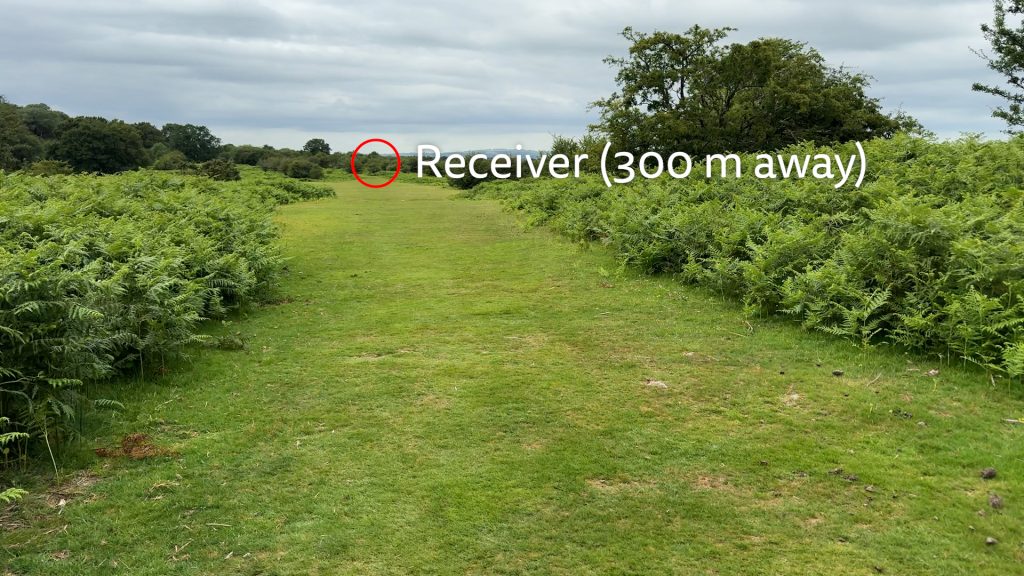
In practice, I think that’s more than enough range for the vast majority of filming situations. More importantly, it gives you a healthy safety margin, so even if you’re only filming tens of metres away with a few minor obstructions, you’re much more likely to maintain a reliable connection.
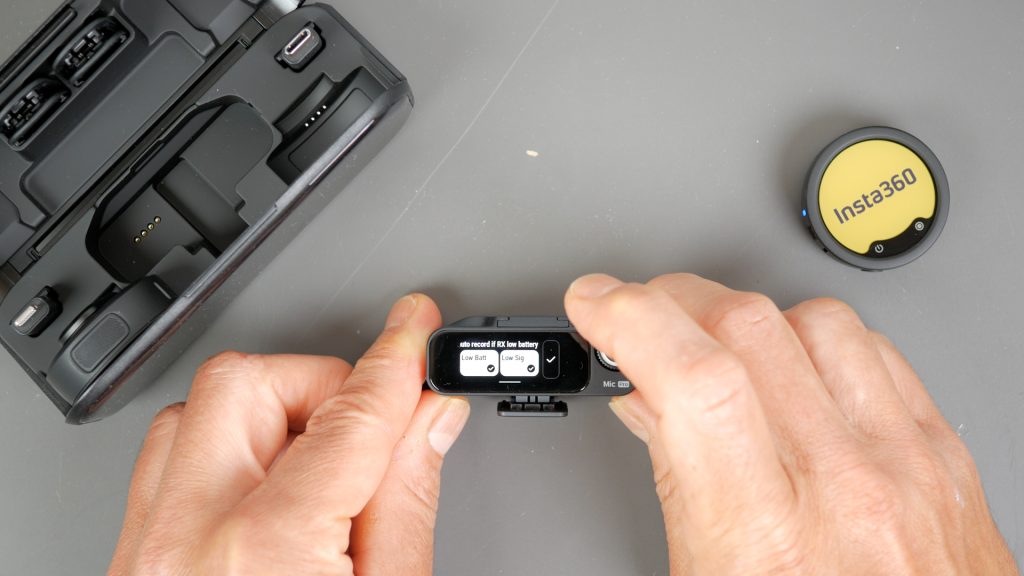
If you’re worried about signal dropouts, you can configure the transmitter to automatically start its internal recording when the signal becomes weak. Personally, though, I just leave internal recording enabled all the time. I’d like to see at least the option for internal recording to start automatically when you power on the transmitter, as it does with the DJI Mic. Even better would be the ability to automatically start internal recording when you begin recording on the camera, just as it already does when connected directly to a compatible Insta360 camera, although I appreciate that may not be possible when using the receiver.
Direct Camera Connection
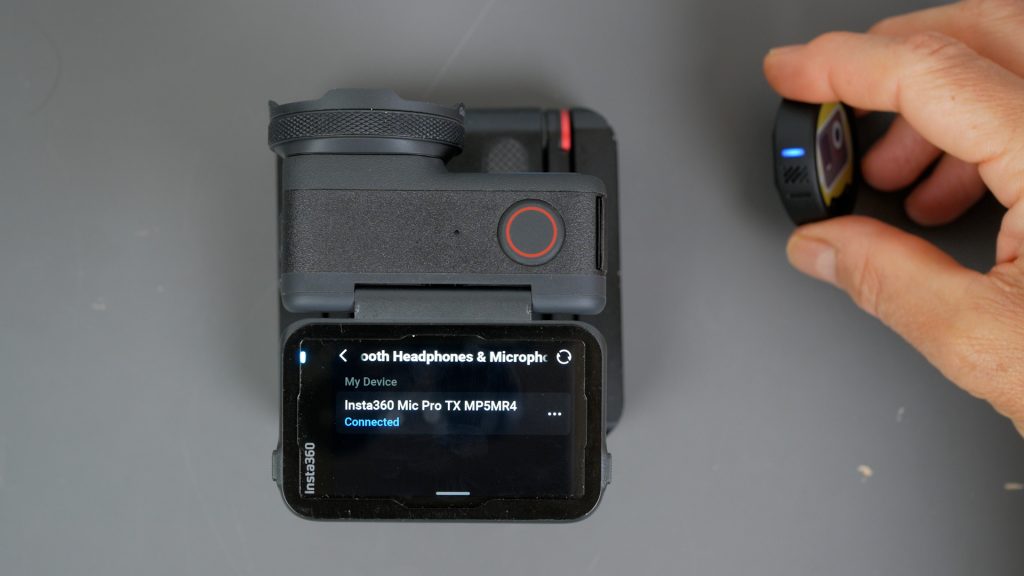
One of the cleverest features of the Mic Pro is that, even without the receiver, the transmitter can connect directly to compatible Insta360 cameras, including the Ace Pro 2, X5, X4 Air, GO Ultra and Luna Ultra. Pairing is simple – just press the power button three times to enter pairing mode, then select the microphone under Bluetooth Headphones and Microphones. This is on the Ace Pro 2 – the exact menu varies slightly depending on the camera.
Once paired, the transmitter will automatically reconnect whenever you turn the camera on. If you’ve paired it with multiple compatible Insta360 cameras, it’ll automatically reconnect to whichever camera it was connected to most recently. Once connected, a live audio level meter appears on screen, making it easy to monitor your recording.
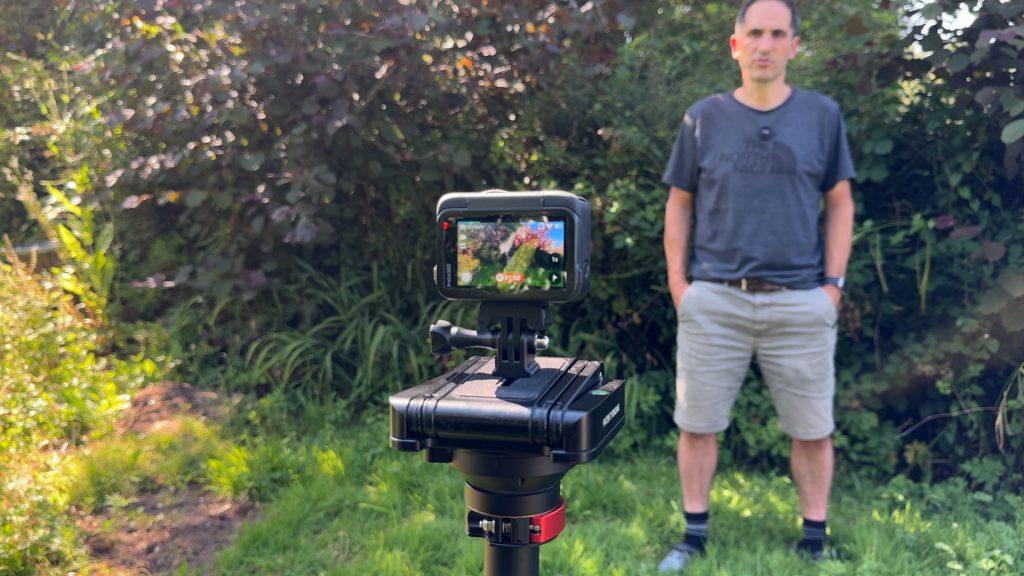
Although it uses Bluetooth, in my testing the audio quality was directly comparable to using the receiver. Rather than connecting as a standard Bluetooth headset using the HFP profile, compatible Insta360 cameras use the Bluetooth SPP protocol to carry Insta360’s proprietary 48 kHz Direct Audio stream, similar in concept to DJI’s OsmoAudio technology.
The result is high-quality digital audio without needing a receiver, cables or adapters, making for a much simpler setup than the rather cumbersome microphone solutions we had before the Mic Air was introduced.
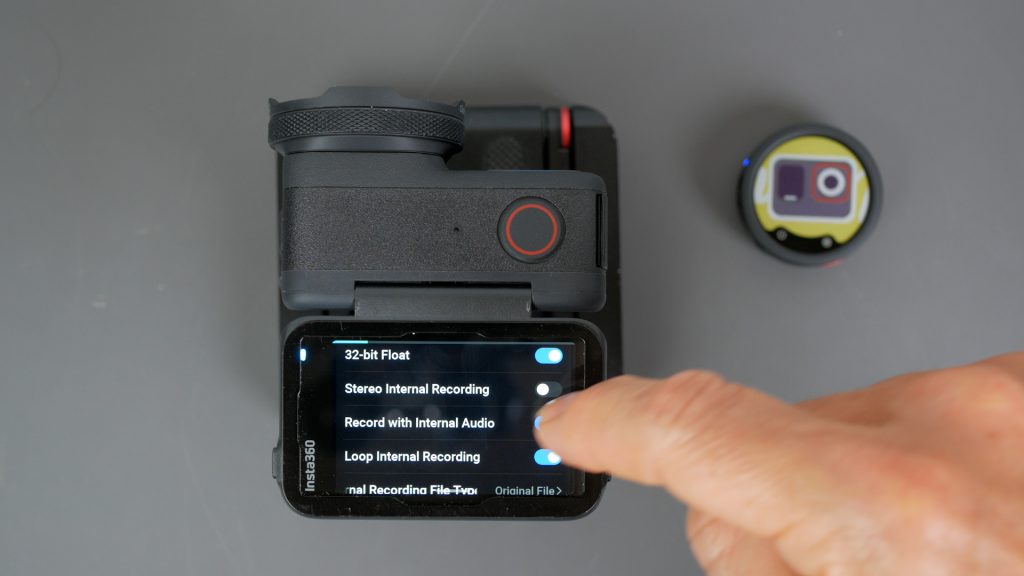
You can also configure the transmitter directly from the camera, which I actually found slightly more intuitive than using the receiver. As I mentioned earlier, it also supports automatically starting the internal recording with the camera, which isn’t currently available when using the receiver.
One thing I did notice, though, is that any transmitter settings you change on the camera are remembered if you connect it to another compatible Insta360 camera, but those settings aren’t shared with the receiver. I confirmed with Insta360 that this is the expected behaviour, although they have passed on my suggestion to synchronise these settings in a future firmware update. For now though, I’d recommend making sure your camera and receiver settings match to avoid any surprises.

The trade-off with the Direct Audio connection is range. In my testing, the direct Bluetooth connection was reliable to around 30 metres with a clear line of sight, but as soon as my body came between the transmitter and camera, the connection dropped much sooner. Currently, you also can’t use multiple transmitters in this mode, so if you need to record two or more people, you’ll still need the receiver. That’s something Insta360 could potentially add in a future firmware update.
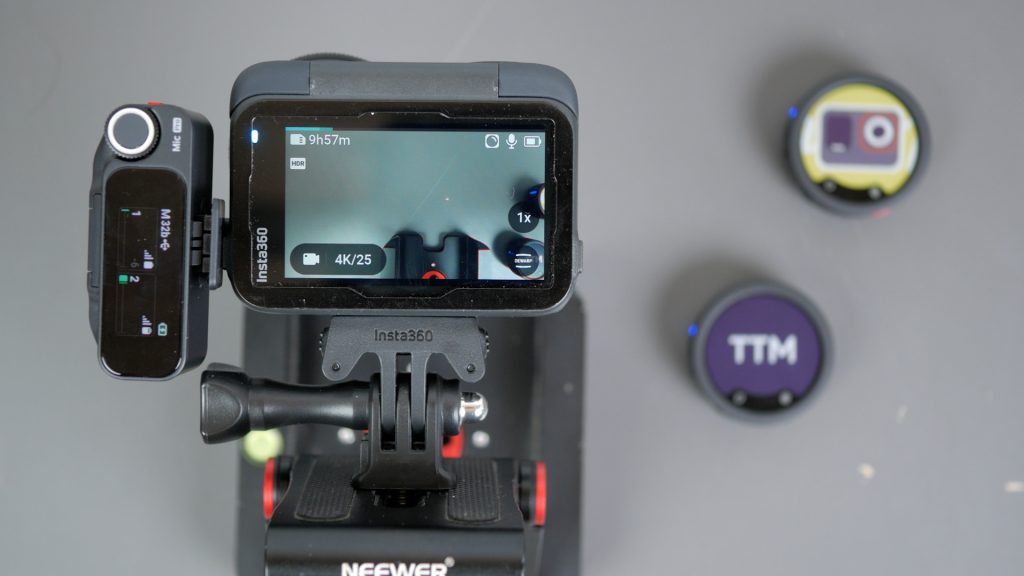
Of course, you can still use the receiver with compatible Insta360 cameras via the USB-C port if you prefer, giving you the benefit of much longer wireless range and support for multiple transmitters.
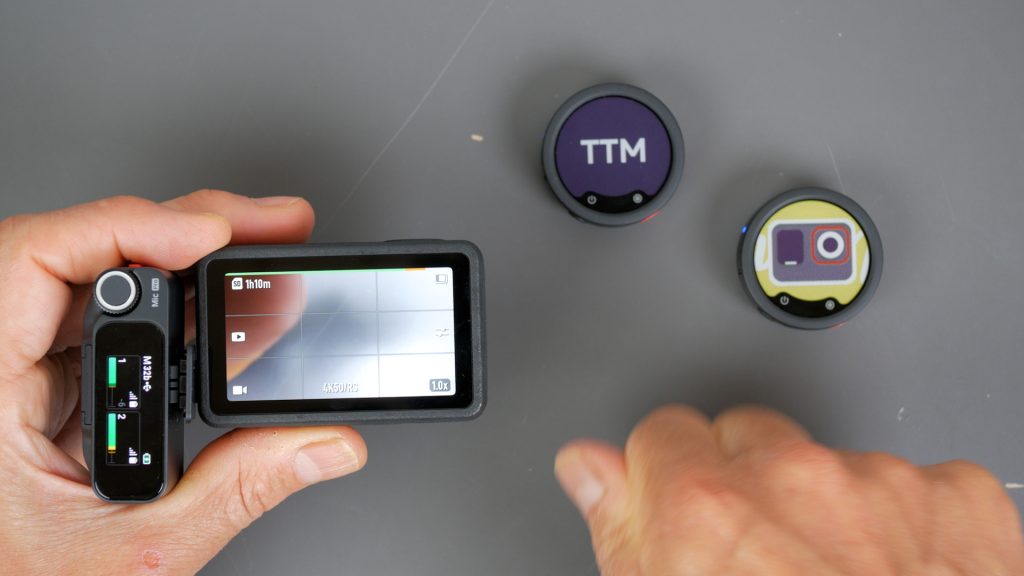
The receiver also worked perfectly with my DJI Action 5, but not with my GoPro Hero 13.
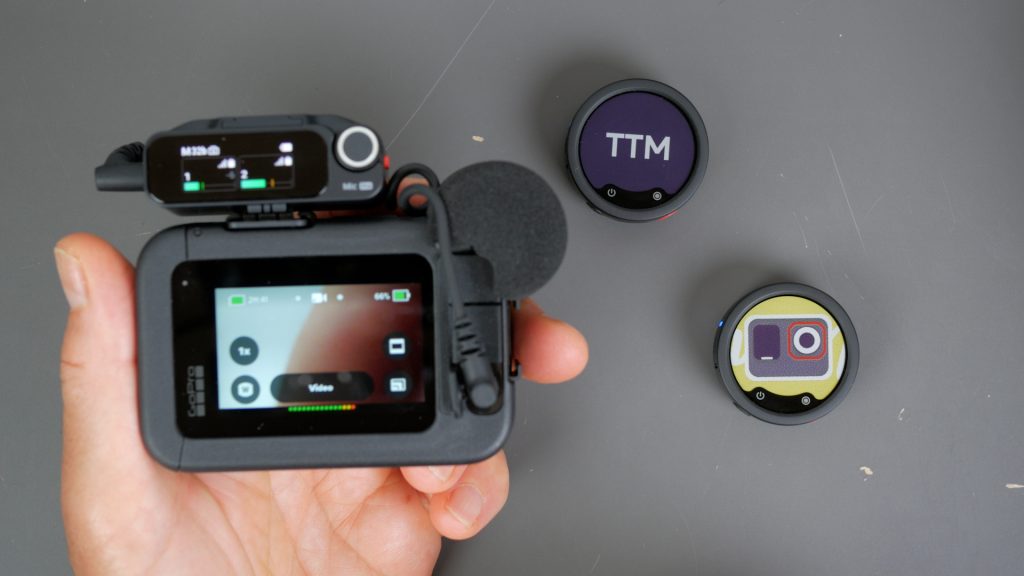
To use it with the Hero 13, you’ll need either the GoPro Media Mod or the GoPro 3.5 mm Mic Adapter, connected using the supplied 3.5 mm cable.
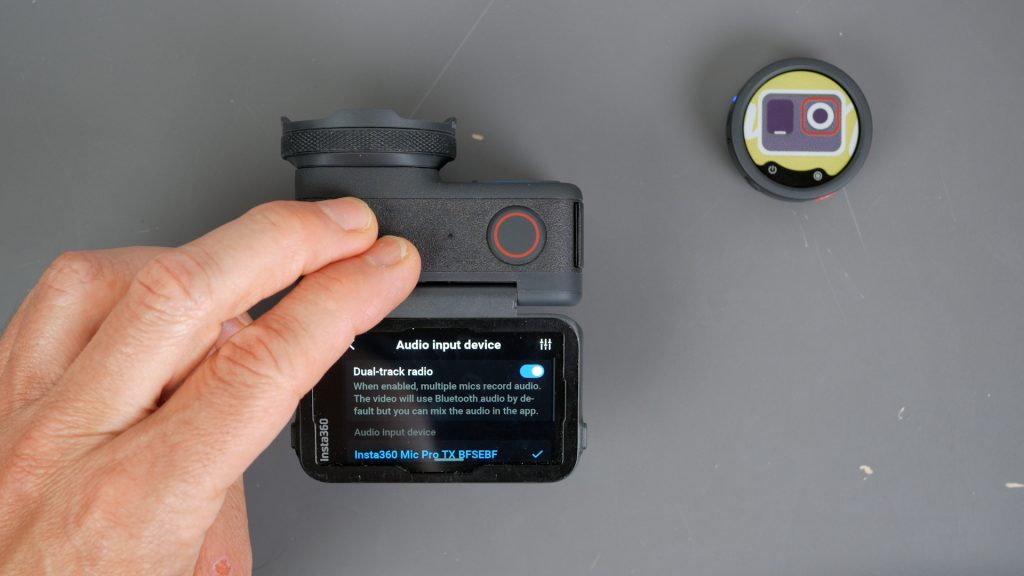
One other handy feature on some Insta360 cameras is Dual Audio, which lets you record using both the wireless microphone and the camera’s built-in microphones at the same time. This can be useful for capturing ambient sounds close to the camera while recording yourself some distance away with the wireless microphone.
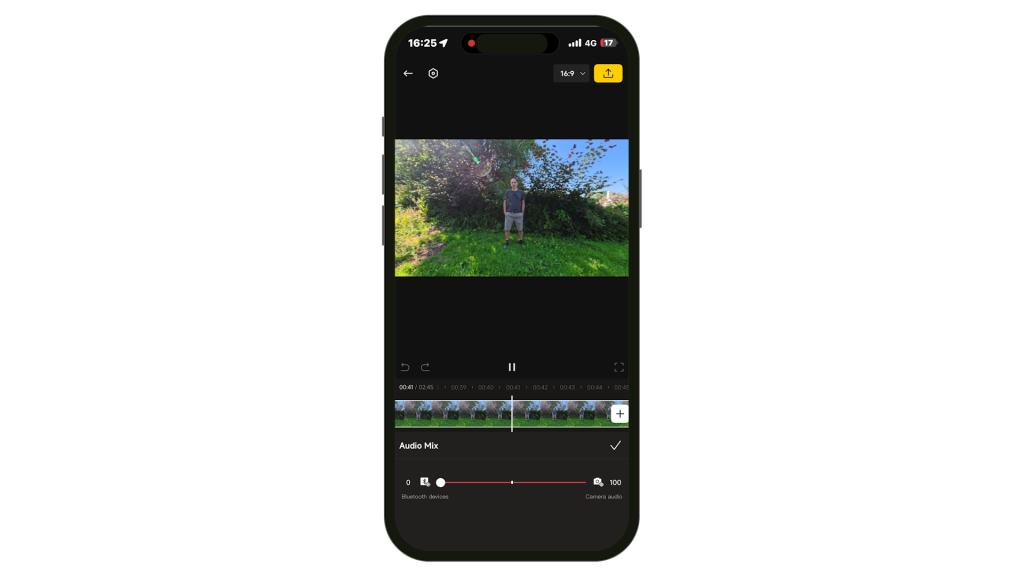
Just be aware that this feature does require some post-processing, either in the Insta360 app or your video editor of choice. By default, Windows simply plays back the mixed audio, so to take full advantage of Dual Audio you’ll need to open the recording in the Insta360 app or your editor, where you can separately adjust, mix or switch between the camera and wireless microphone recordings.
E-ink Display
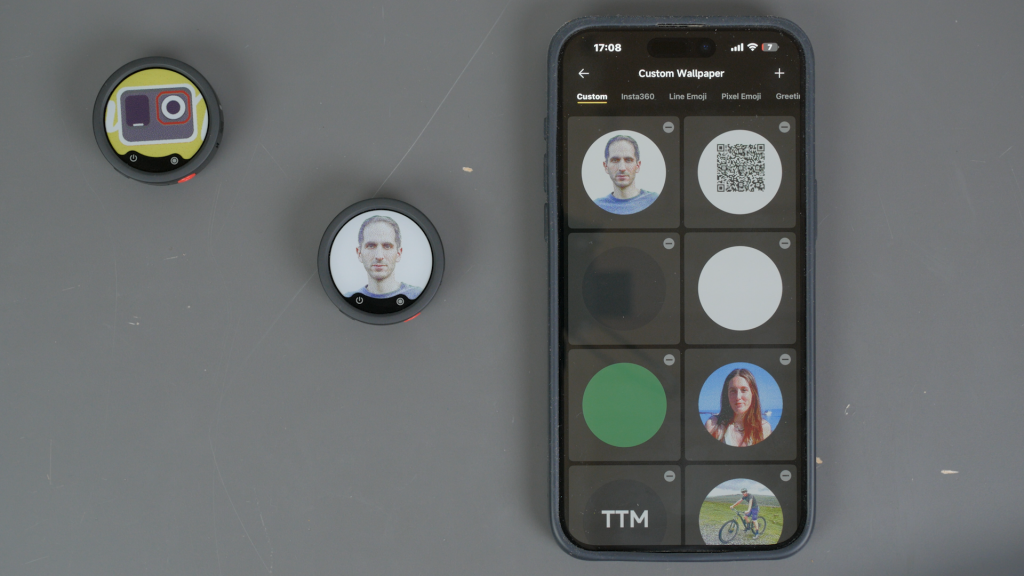
What you’ll probably notice first about the Insta360 Mic Pro transmitters is their E-Ink display. It’s fully customisable, allowing you to either make the microphone stand out or blend into your clothing. Because it uses E-Ink technology, the display only consumes power when you actually change the image.
Customising it is really straightforward using the Insta360 app. You can choose from Insta360’s own designs, upload your own, or even convert photos into dithered E-Ink graphics.

I like choosing a solid colour that closely matches my shirt, making the microphone much less noticeable. For my talking-head videos, I generally don’t want the microphone to stand out, so I’ll either use a lavalier microphone or simply match the display to whatever I’m wearing.
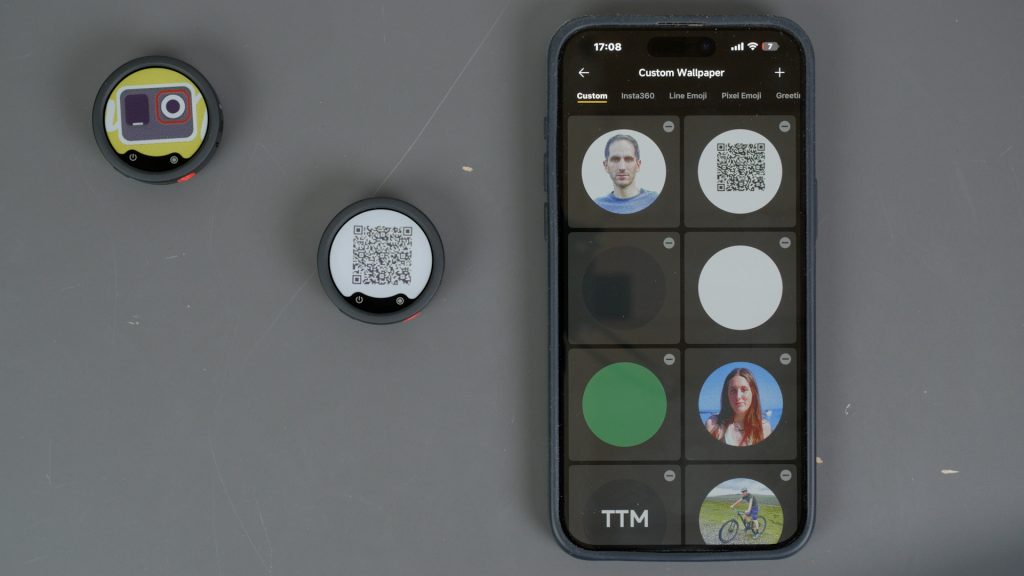
If you do want it to stand out, though, you can get quite creative. I’ve even seen people display a QR code so that someone at a conference or trade show can simply scan the microphone to access your website, business card or contact details.
Verdict
So, should you buy the Insta360 Mic Pro?
There is very little to fault with this microphone. It has pretty much every feature you could think of needing, and even a few you probably wouldn’t.
With that level of functionality, though, comes a little complexity. There are a lot of settings, and whilst it’s easy enough to get everything configured when you first set it up, if you come back to it a month later it’s easy to forget where everything is. I’d like to see Insta360 include a few recommended profiles or presets for common recording scenarios.
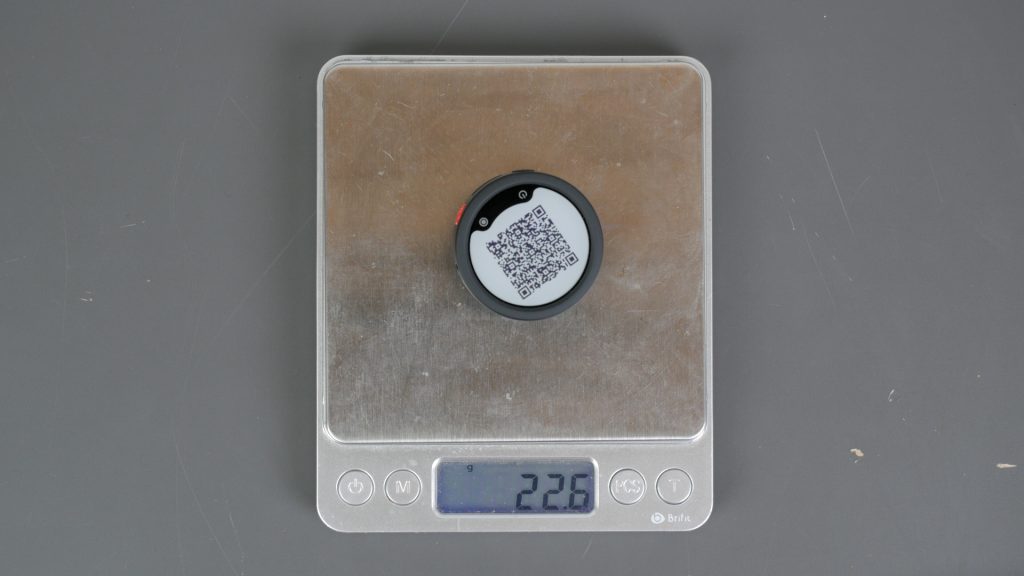
Another criticism I’ve seen in other reviews is that it’s quite large and heavy. I don’t think that’s a major issue. It’s actually still lighter than the DJI Mic 2 that I’ve been using for years. It can pull on a light T-shirt slightly, but a magnetic neck mount or an external lav mic solves that easily.
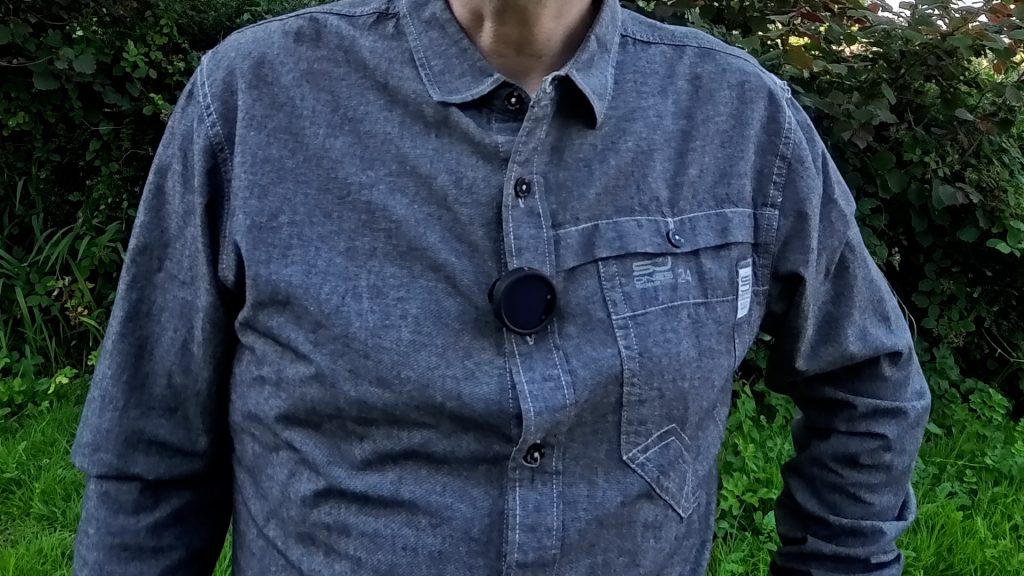
For thicker clothing, you can also simply slide on the supplied clip and attach it directly, without needing the magnetic mount.
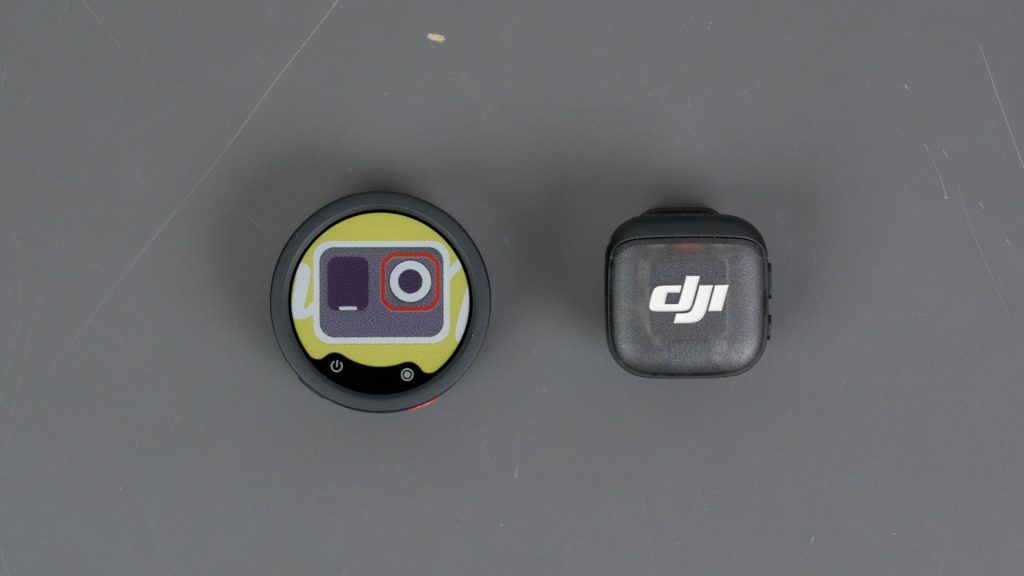
Comparing it with its main competitor, the DJI Mic 3, I think DJI’s main advantages are that it’s a little smaller and lighter, it’s slightly cheaper, and it can record both RAW and processed internal recordings at the same time. On the other hand, the Mic Pro’s three-microphone array gives you directional pickup modes that the DJI doesn’t offer, and the built-in USB-C port lets you connect an external lav mic.
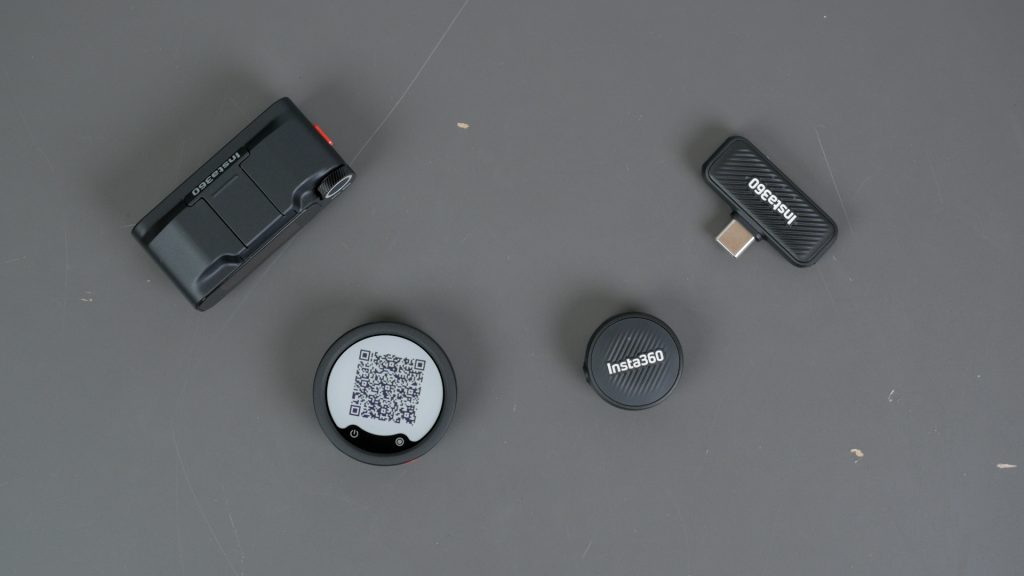
The Mic Air might still be the better choice if you simply want the cheapest, smallest, simplest microphone to use with your Insta360 camera. But if you want a far more capable microphone system, the Mic Pro is the one I’d choose. The audio quality is excellent, the AI noise reduction is the best I’ve tested, and features like built-in 32-bit float recording, receiver support for mirrorless cameras, directional pickup modes and internal stereo recording make it very versatile.
If you’re already in the Insta360 ecosystem, it’s an easy recommendation. But even if you’re simply looking for a premium wireless microphone system for your mirrorless camera, I think this is one of the best options you can buy right now.
Don’t forget to take a look at my YouTube video at the top of the page, and again please subscribe to my YouTube channel where I’m releasing videos every week on the latest technology and how to get the most out of it. If you tap the bell icon when you subscribe you’ll get a notification as soon as I release a video, and there’ll be a link to my site here for the written article. YouTube is also the best place to leave a comment. I read all of them and respond to as many as I can!
Please consider using my links below to purchase directly from Insta360 if the review helped you make an informed decision. It really helps keep this website and the accompanying YouTube channel going – thank you!
Insta360 Mic Pro
Ace Pro 2
Insta360 X5
Amazon links if you prefer:
Amazon link:
Insta360 Mic Pro: https://amzn.to/4wz17JN
As an Amazon affiliate, I get a small commission from purchases made via any Amazon links.
Leave a Reply